What it is
Interests & segmentation groups your customers by what they like so their rewards and promotions actually matter to them. In a coffee shop they could be “Specialty coffee” and “Pastries”; in a game store, Pokémon, Magic and Dungeons & Dragons.
It is an all-or-nothing module: it starts off and, once on, the question in the app, the customer profile, the dashboard filter and record, visit rewards by interest and campaign targeting all work together. If you turn it off, none of that shows up and your setup is kept.
Step by step
Turn on the module
In Customers › Customers › Interests turn on Interests & segmentation. It is all or nothing: the question in the app, the filters, the rewards and the campaigns by interest turn on together.
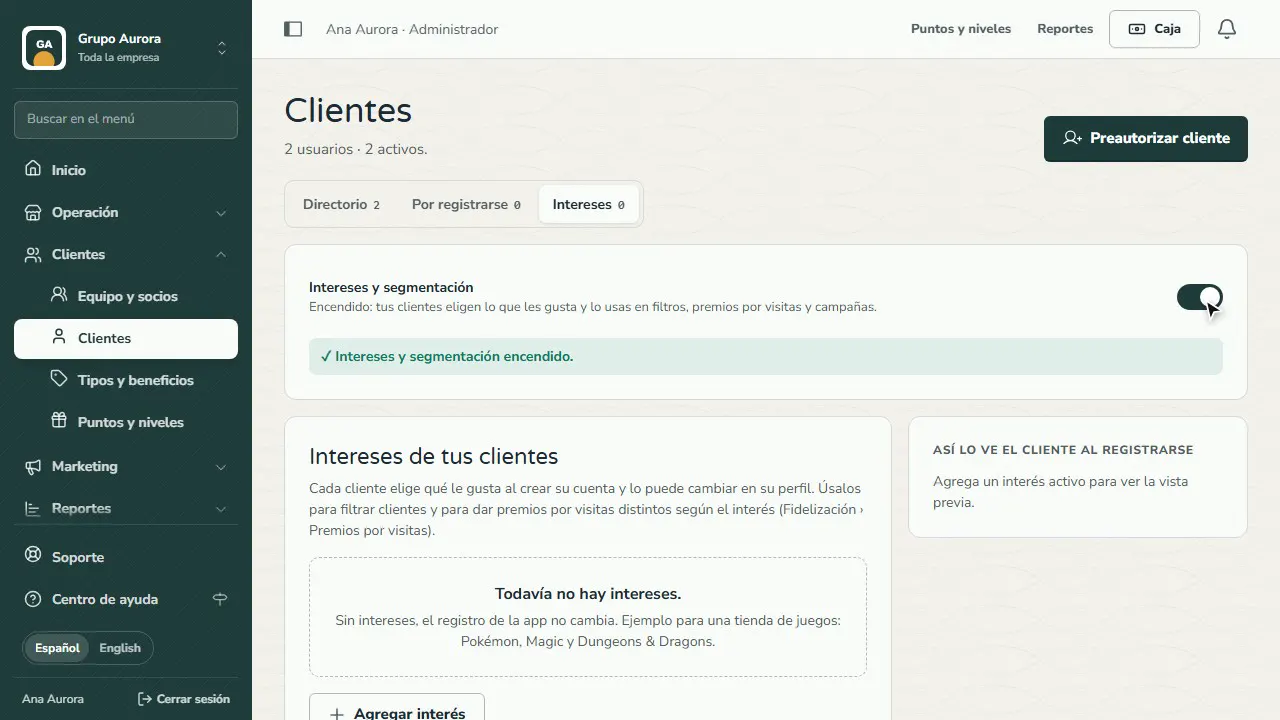
Create your interests
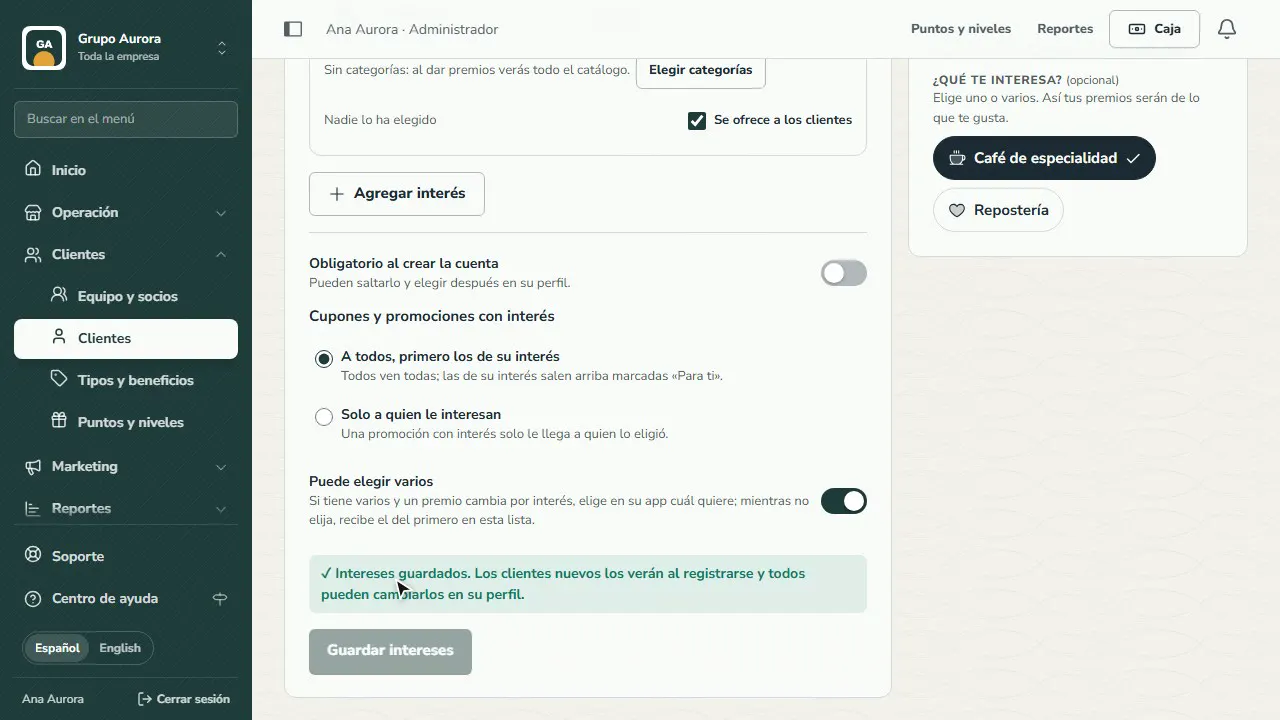
Tap Add interest, give it a name and an icon and, if you like, the categories from your catalog. Decide whether it is required when signing up and whether they can choose several. Tap Save interests.
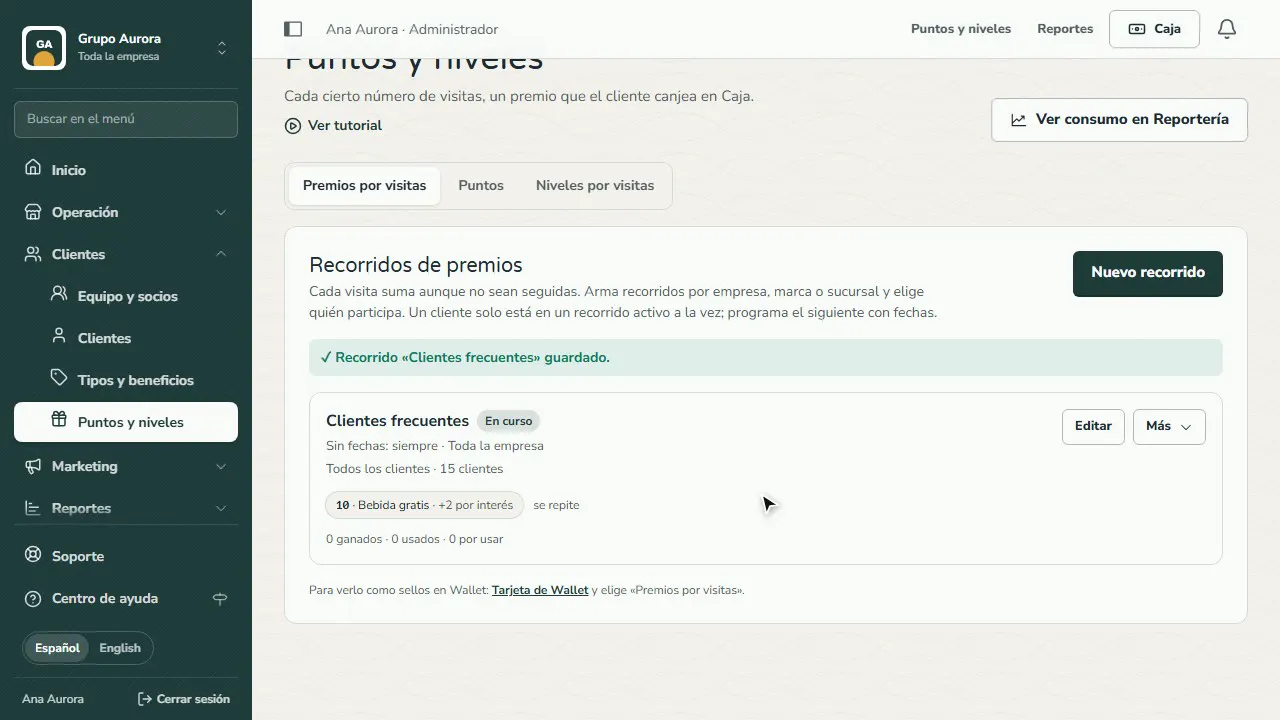
A reward for each interest
In Visit rewards edit your journey and, on the reward, turn on Different for… each interest. Anyone without one of those interests gets the general reward.
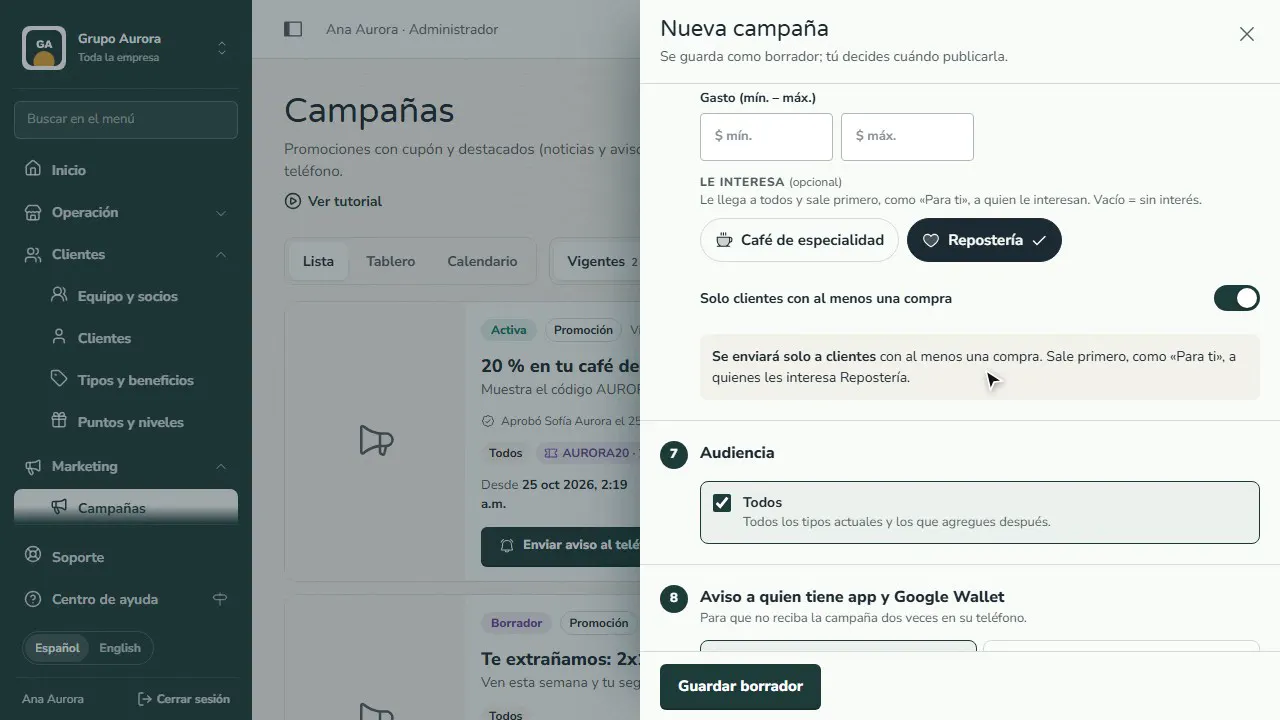
Campaigns by interest
When you create a campaign, turn on Targeting and pick under Interested in. By default it reaches everyone and shows first, as “For you”, to those interested; in Interests you can switch it to Only to people interested.
Your customer chooses
The app asks What are you into? when they sign up and, if they haven't chosen yet, the next time they open it. They can change it anytime in their profile.
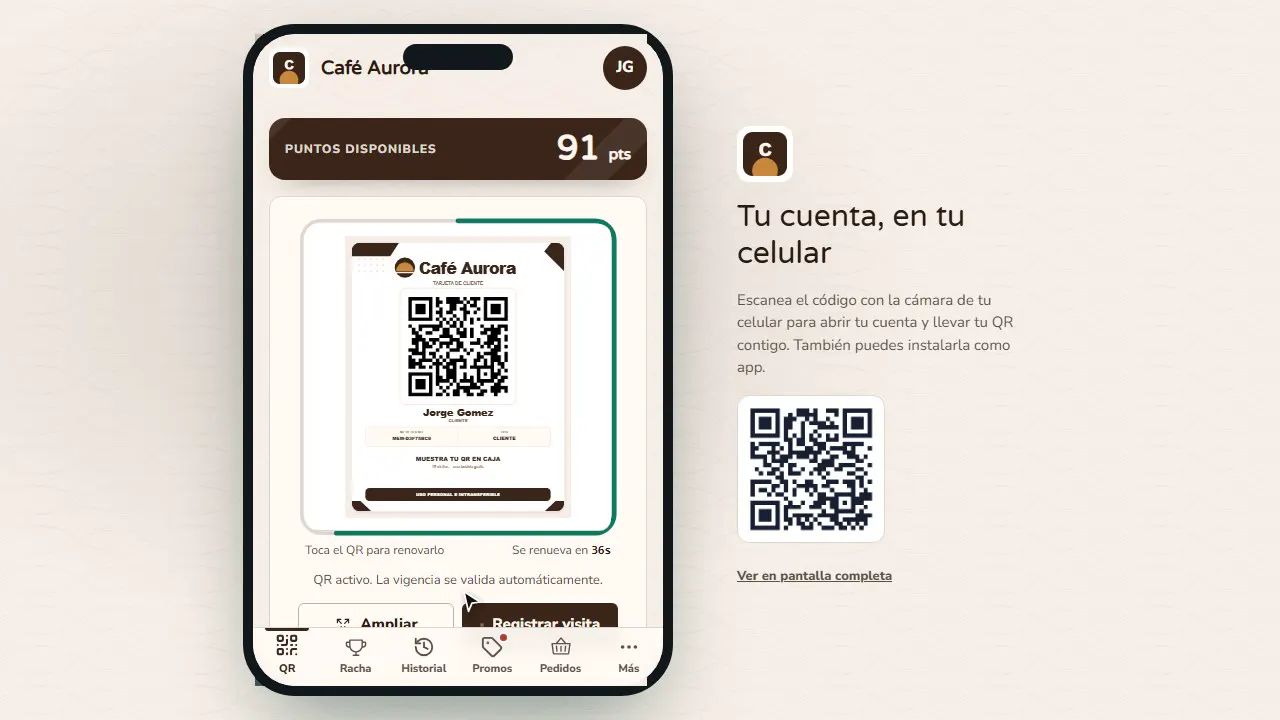
They pick their reward
If they have several interests with a version of the reward, Choose your reward shows up on their visits card and they can change it until they use it. The register applies the chosen version.
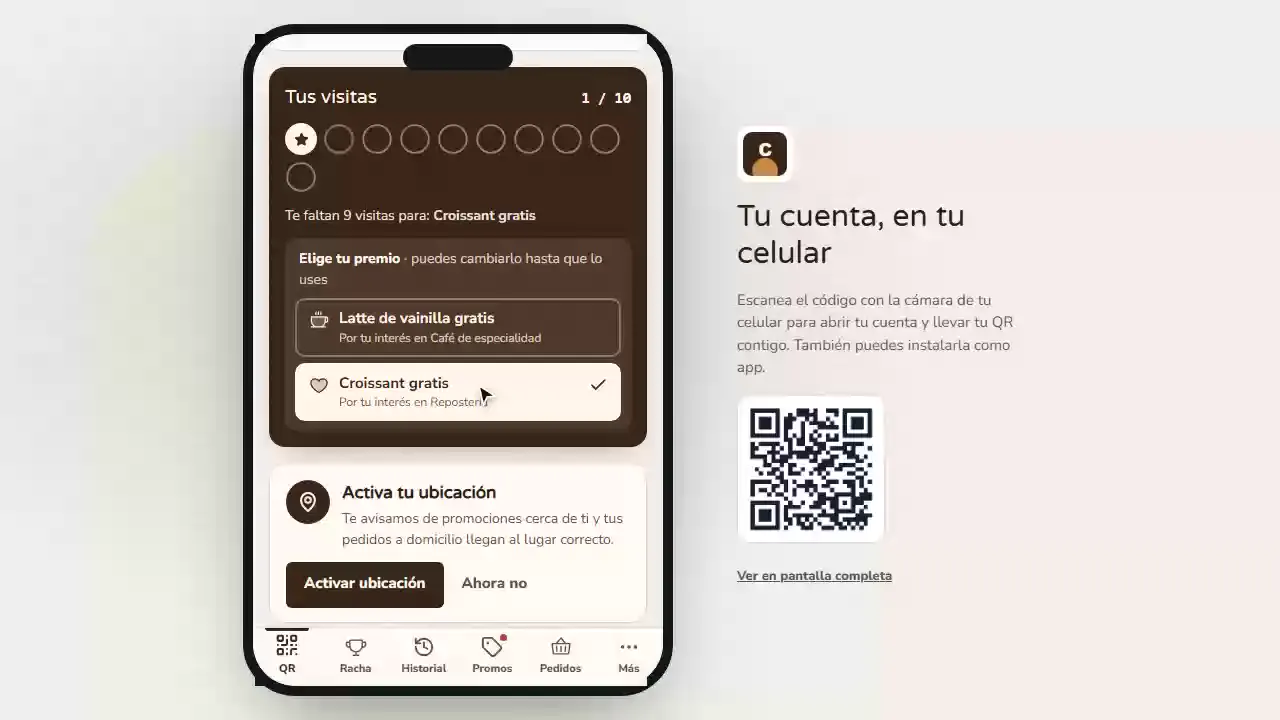
How the customer chooses
- When they create their account the app asks What are you into?. Anyone who already had an account and hasn't chosen gets asked the next time they open the app.
- If the interest is optional they can tap Not now; if it is required, they can't finish signing up without choosing.
- They change it anytime in My account › Personal details › What you’re into.
- With several interests that have a version of the reward, Choose your reward shows up on their visits card and they can change it until they use it at the register.
Common mistakes
- Creating interests without a reward. Without a version of the reward per interest, the customer chooses but gets the same as everyone. Turn on Different for… on the reward.
- Removing an interest instead of turning it off. If you remove it, whoever chose it loses it and gets the general reward; turn it off if you only want to stop offering it.
- Using “Only to people interested” with nobody interested. The promotion reaches no one: check how many customers chose each interest on the list.
Tips
- Start with 2 to 5 clear interests and link each one to your catalog categories: we then suggest their products when you set up the reward.
- Mind the order of the list: until the customer picks a reward, they get the version for their first interest in that order.
- Use “To everyone, their interests first” for coupons and promotions: nobody misses out and each person sees their own first, marked “For you”.