What it is
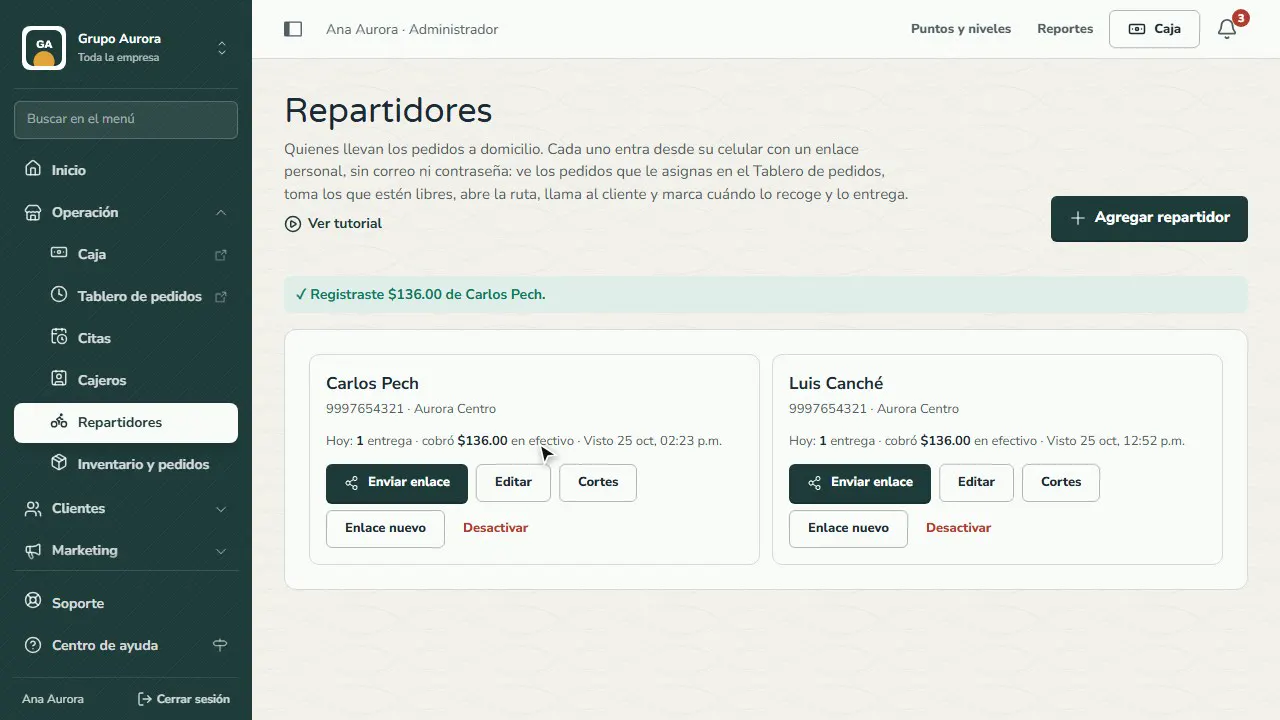
If your customers order delivery from your brand's app, your drivers take the orders. In Operation › Drivers you add each one with their name (and phone, if you like) and the branch they deliver from. They sign in from their phone with a personal link, no email or password.
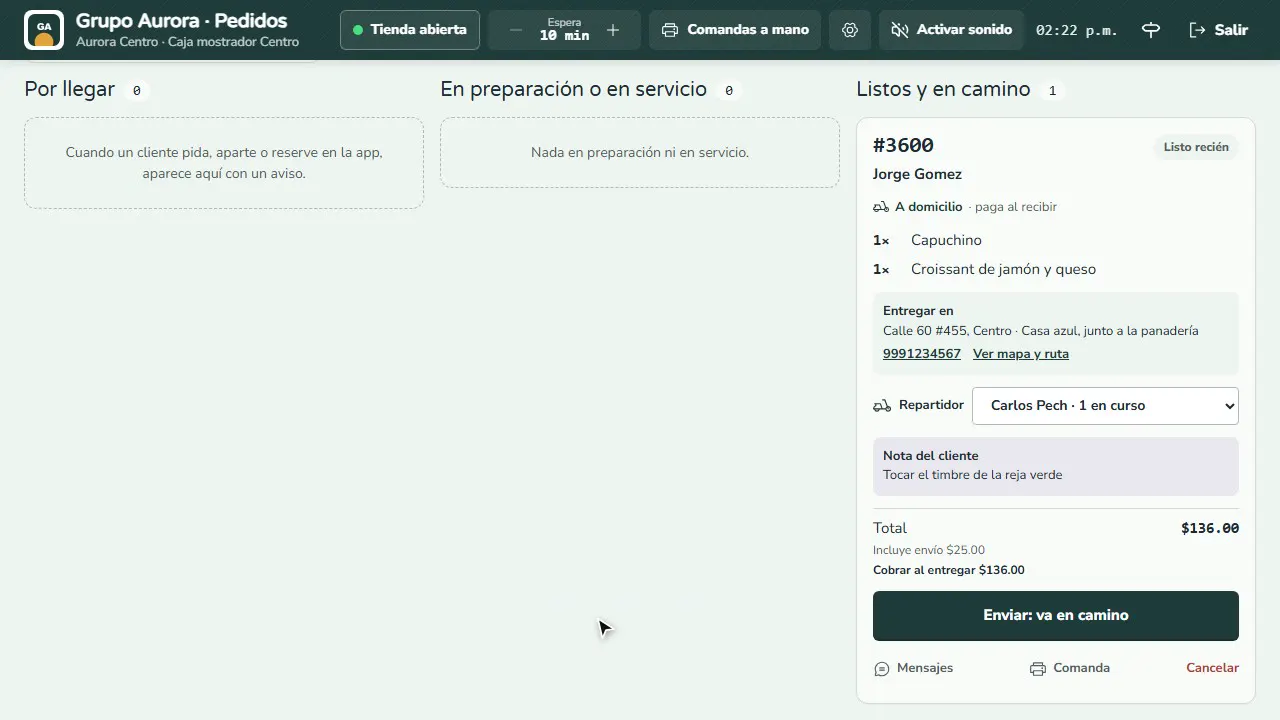
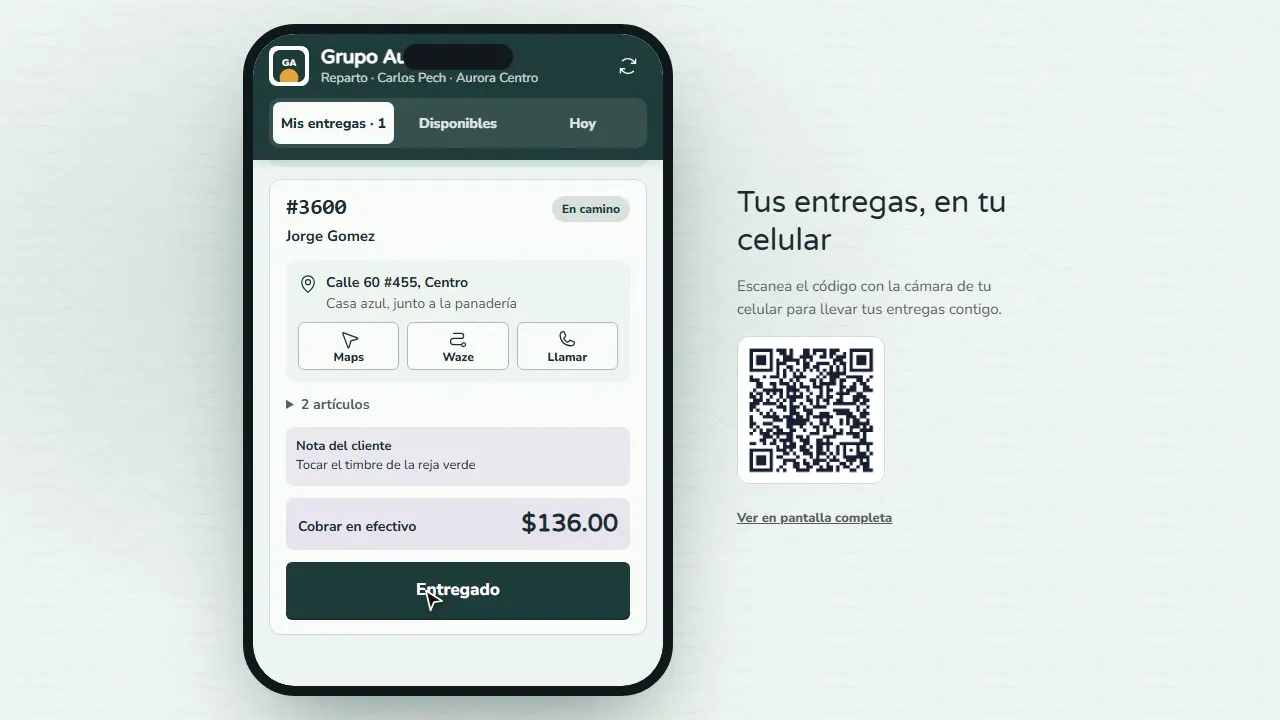
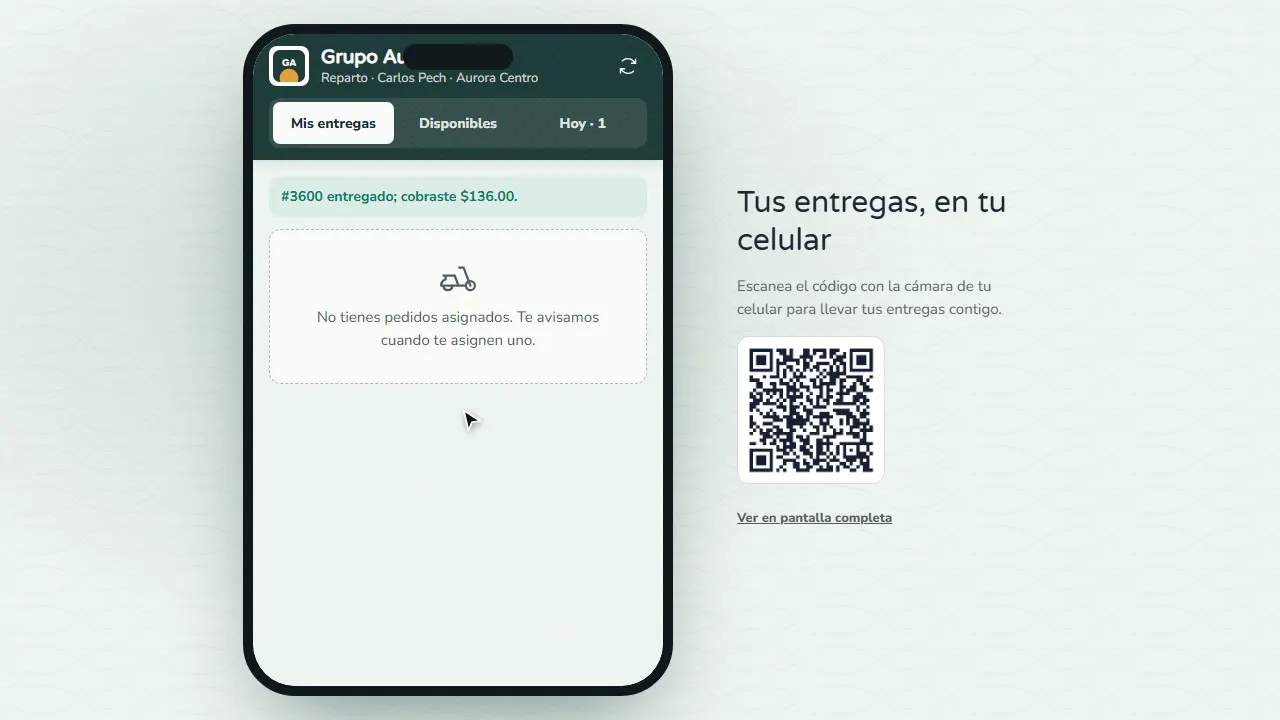
On the Order board, every delivery order has a Driver selector. The driver sees their deliveries with the address, the customer's note and what to collect. They open the route in Maps or Waze, call the customer, and mark when they pick it up and when they deliver it. They can also take open orders in Available.
At the end of the day, in Drivers you see how much cash each one is carrying and record what they hand over (I received the cash). If anything is short or over, you note the reason. With Fidly POS it's better to receive it at the Register (Shift › Cash in and out) so it goes into the shift close.
To take delivery orders: turn on Delivery in Inventory and orders › Times and delivery, set the delivery fee and radius, and save the branch location.
Step by step
Add the driver
In Operation › Drivers, tap Add driver: their name, their phone (optional) and the branch they deliver from.
Send them their link
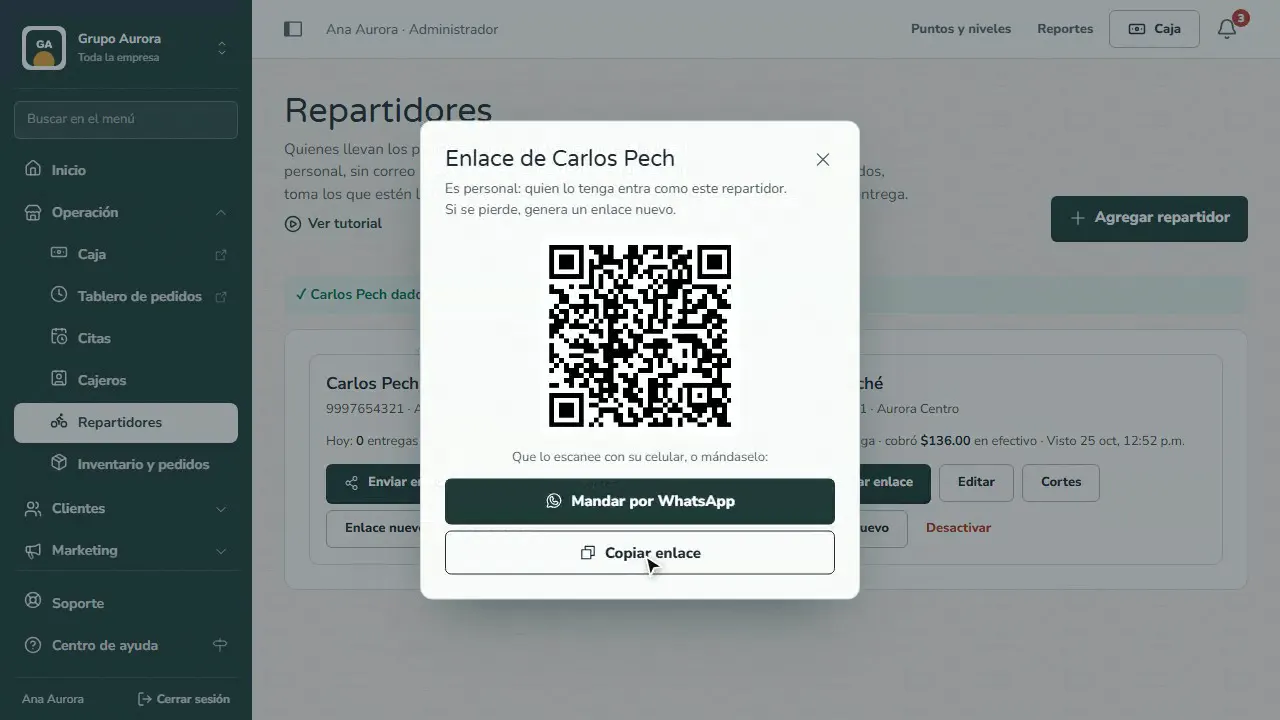
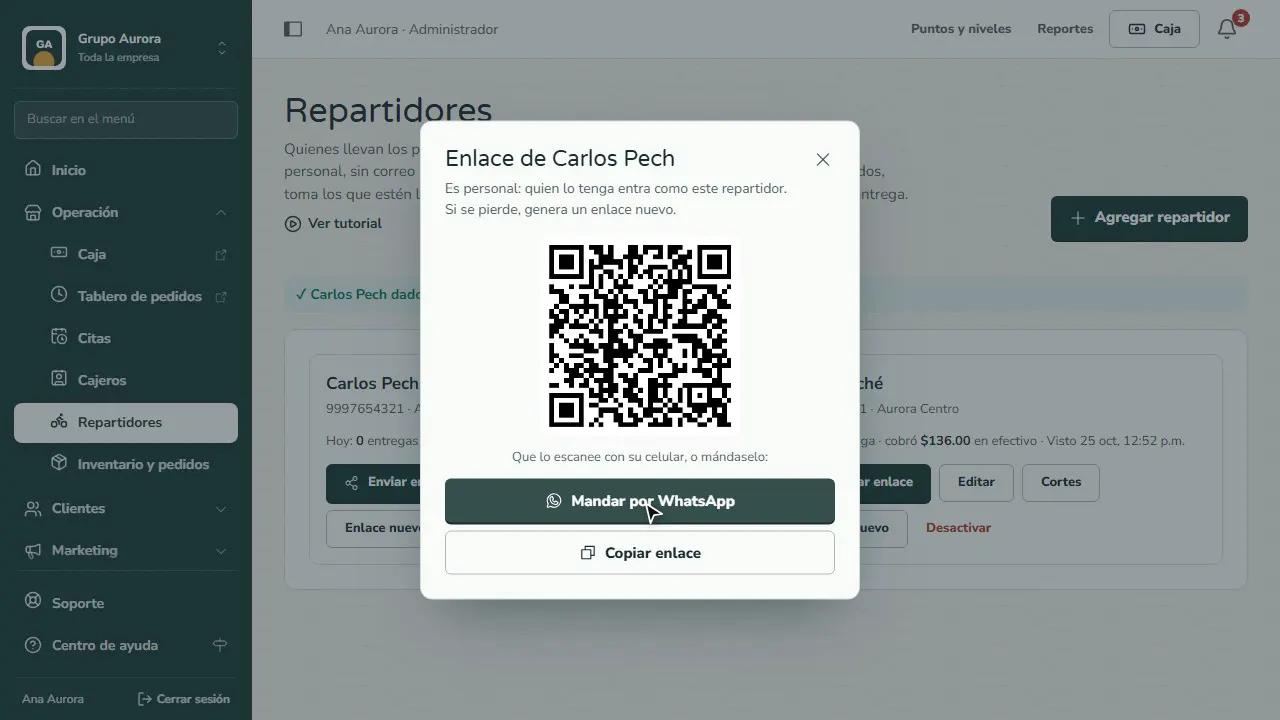
Each driver signs in with a personal link, no email or password: have them scan the QR or send it to them on WhatsApp.
Assign the order
When a customer orders delivery from the app, on the Order board you pick their driver, prepare the order and mark it ready.
They pick it up at the branch
On their phone they see their deliveries with the address, what to collect and the customer's note; they tap I picked up the order.
They deliver and collect
They open the route in Maps or Waze or call the customer; on delivery they tap Delivered and confirm Collected and delivered.
Receive their cash
In Drivers you see how much they're carrying; tap I received the cash and their close is recorded. With Fidly POS, it's better to receive it at the Register.
Common mistakes
- A branch with no location. Without coordinates, the delivery radius and the route can't be calculated.
- Sharing one link among several drivers. Each link is personal: whoever has it signs in as that person.
- Forgetting to receive the cash. The “Carrying” balance keeps adding up until you record it.
Tips
- If a driver loses their phone, use New link: the old one stops working.
- Limit each driver to their branch so they only see those orders.
- Check each driver's Closes to see what they delivered each day.