What it is
Automations are push notifications that go out on their own to your customers' phones, between 9 a.m. and 9 p.m., to anyone who turned on notifications in the app:
- Birthday: on the day or a few days before, with a gift coupon if you like.
- Customers who stopped coming: one push notification per period without visits, only to people who stopped coming recently.
- Visit reward: a coupon every so many visits or on a specific visit.
- Google reviews: sent to everyone, at most once every 90 days per person.
For each rule you see the push notifications sent in 30 days, how many were opened and how many customers came back (bought within the next 14 days).
Step by step
Open Automations
Marketing › Automations holds the push notifications that go out on their own: birthdays, customers who stopped coming, visit rewards and Google reviews.
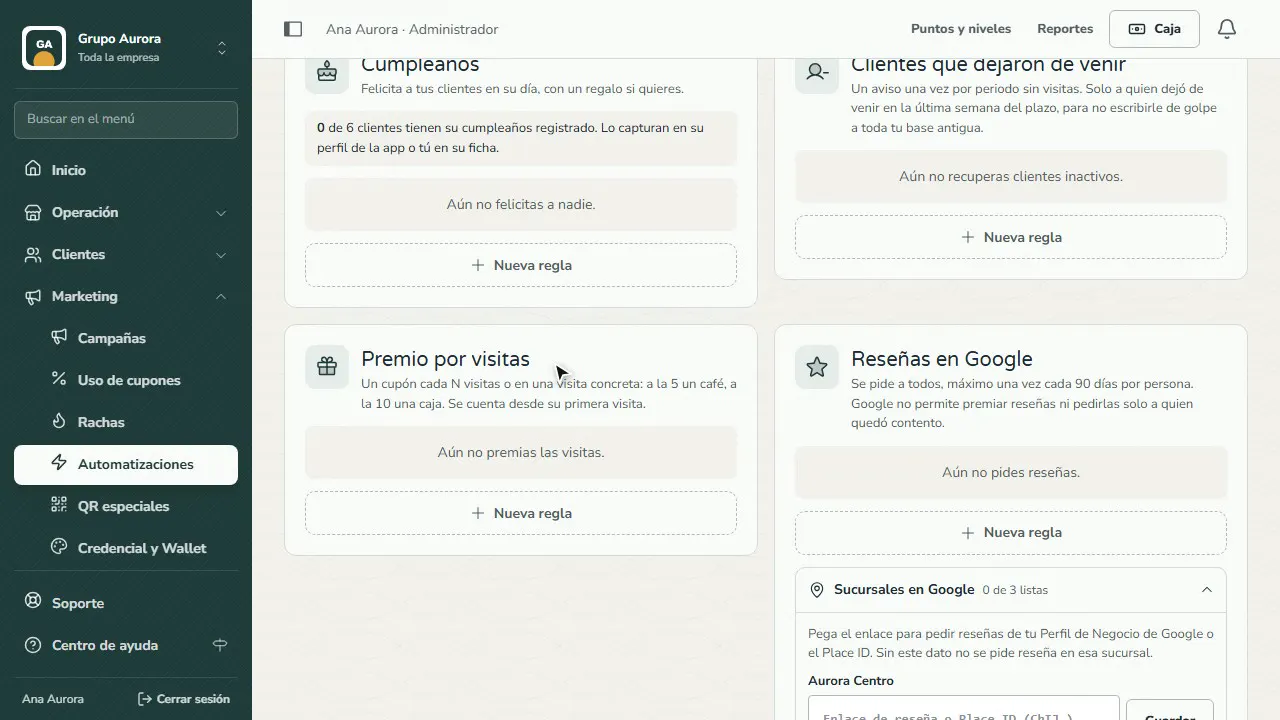
New rule
Tap New rule, give it an internal name and choose who it's for: the whole company or one brand.
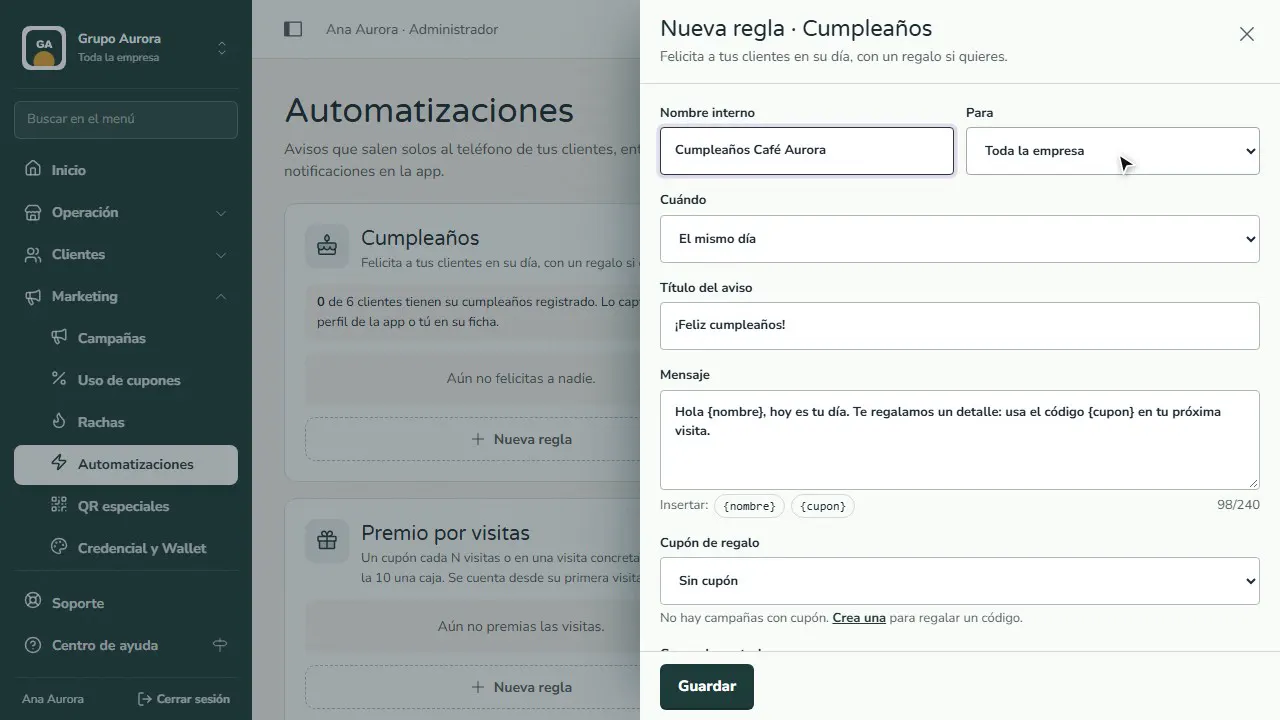
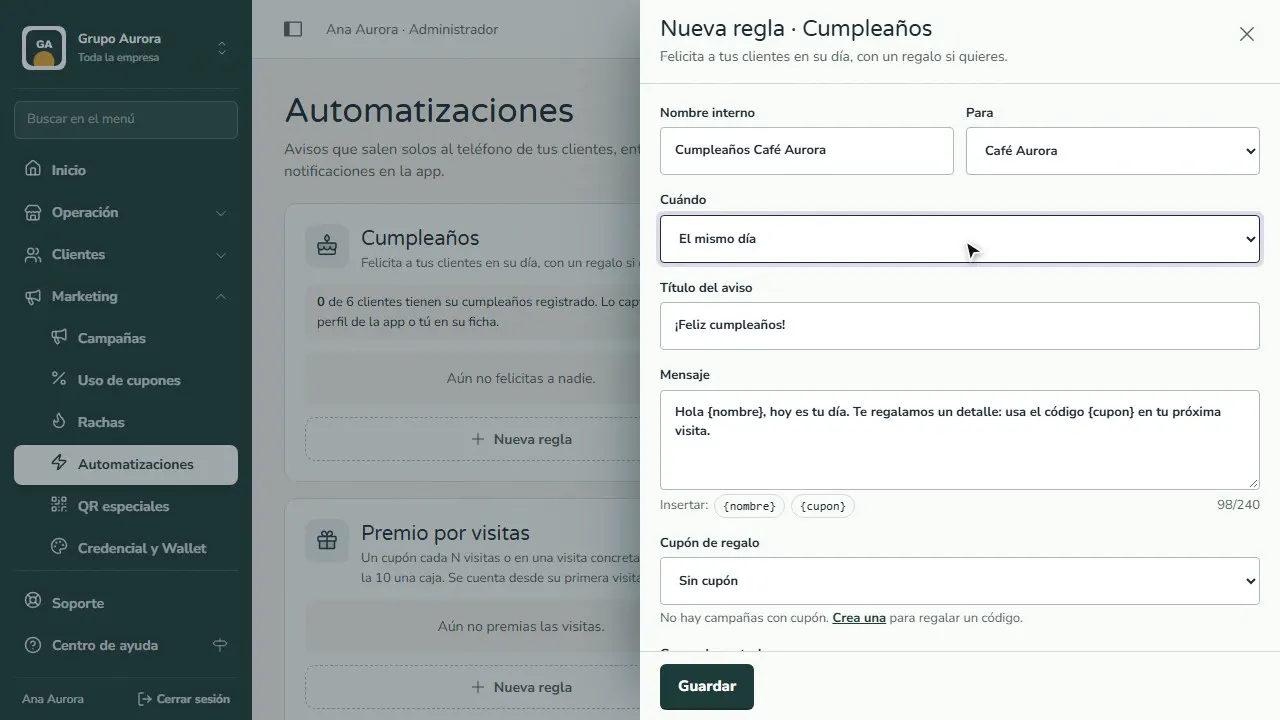
When it goes out
For birthdays, choose whether it goes out on the day or a few days before. Push notifications arrive between 9 a.m. and 9 p.m.
Title and message
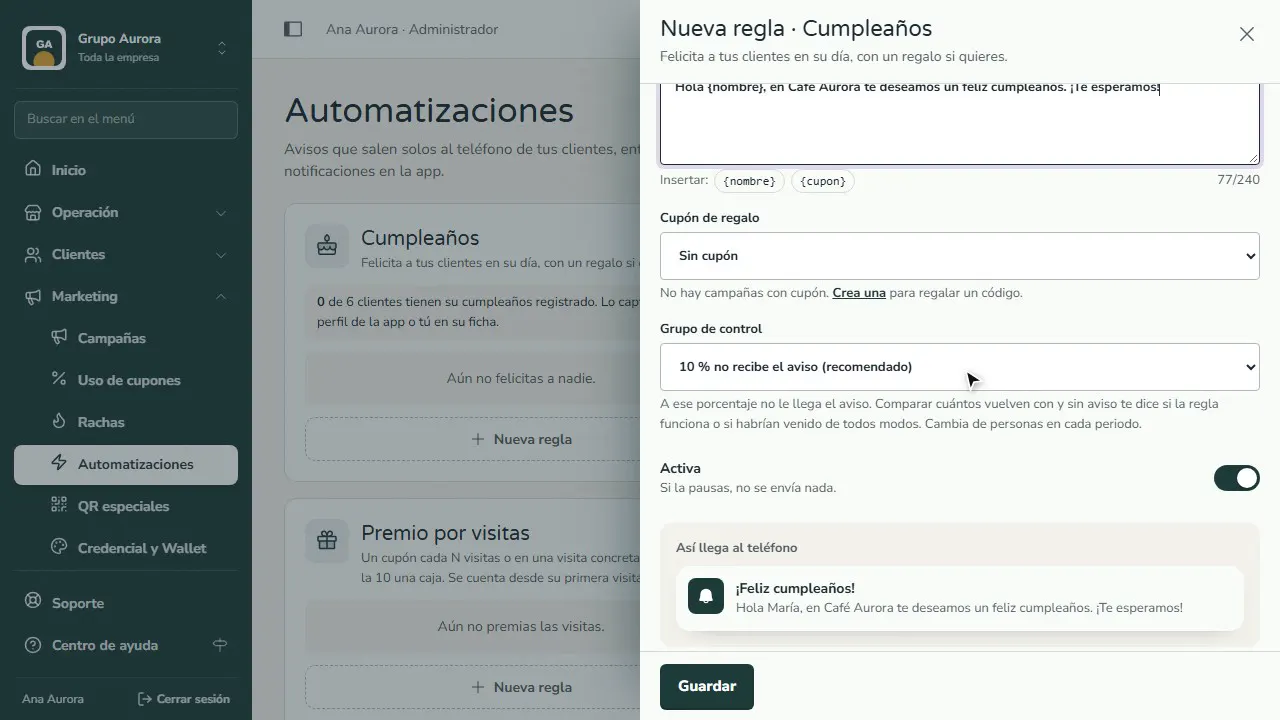
Write the title and the message. {nombre} inserts the customer's name and {cupon} the gift code, if you choose one.
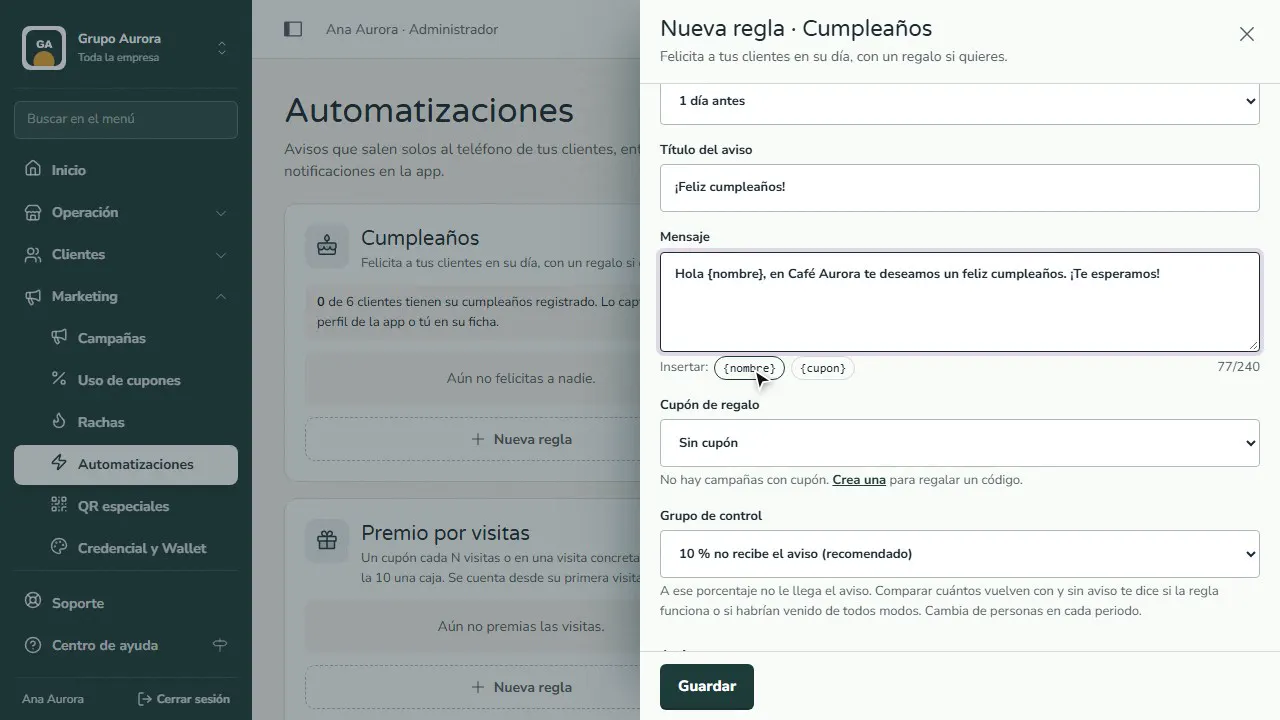
Control group
Part of your customers (5, 10 or 20%) doesn't get the push notification: that's how you compare how many come back with and without it.
Save the rule
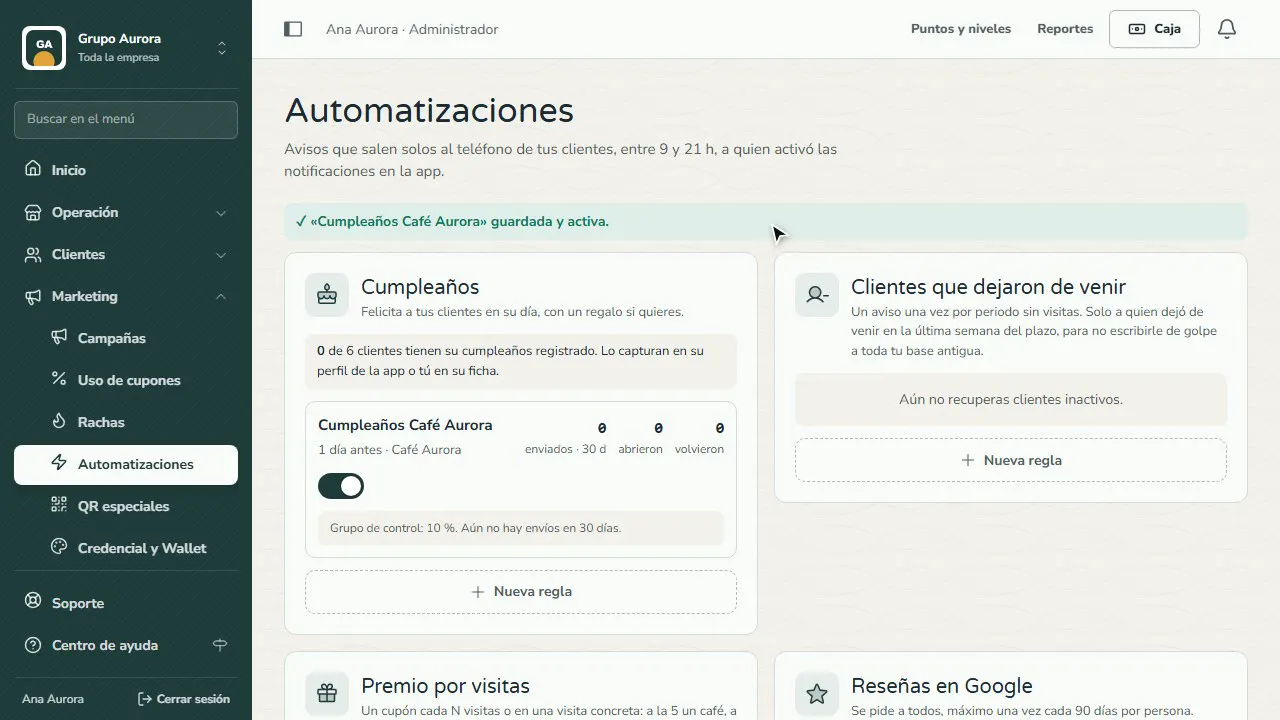
Tap Save: the rule goes live and you see how many were sent, opened and came back in 30 days.
Common mistakes
- Using {cupon} without choosing a coupon. Coupons are created inside a Promotion campaign; if there are none, remove {cupon} from the message.
- Expecting birthdays without dates. The rule only reaches customers whose birthday is on file (they enter it in their app or you add it to their profile).
- Rewarding reviews. Google doesn't allow rewarding reviews or asking only happy customers; that's why everyone is asked, with no gift.
Tips
- Keep the control group (new rules start at 10%): the difference between customers who come back with and without the push notification is what the notification achieved.
- With fewer than 10 people in the control group, the comparison isn't reliable yet; give it time.
- To ask for reviews, the branch needs its Google place ID in Inventory and orders › Times and delivery › Delivery and appointments.