What it is
Points sets how your customers earn points and what they spend them on. They earn them by buying top-up packages (you approve the payment), by reaching streak ranks that award points and, if you turn it on, with every purchase at the register, in the app or through the API.
They spend them on rewards and, if you turn it on, by paying part of a purchase at the Register and in orders. Until you have packages, rewards, ranks with points or points per purchase, the app doesn't show the points section.
Step by step
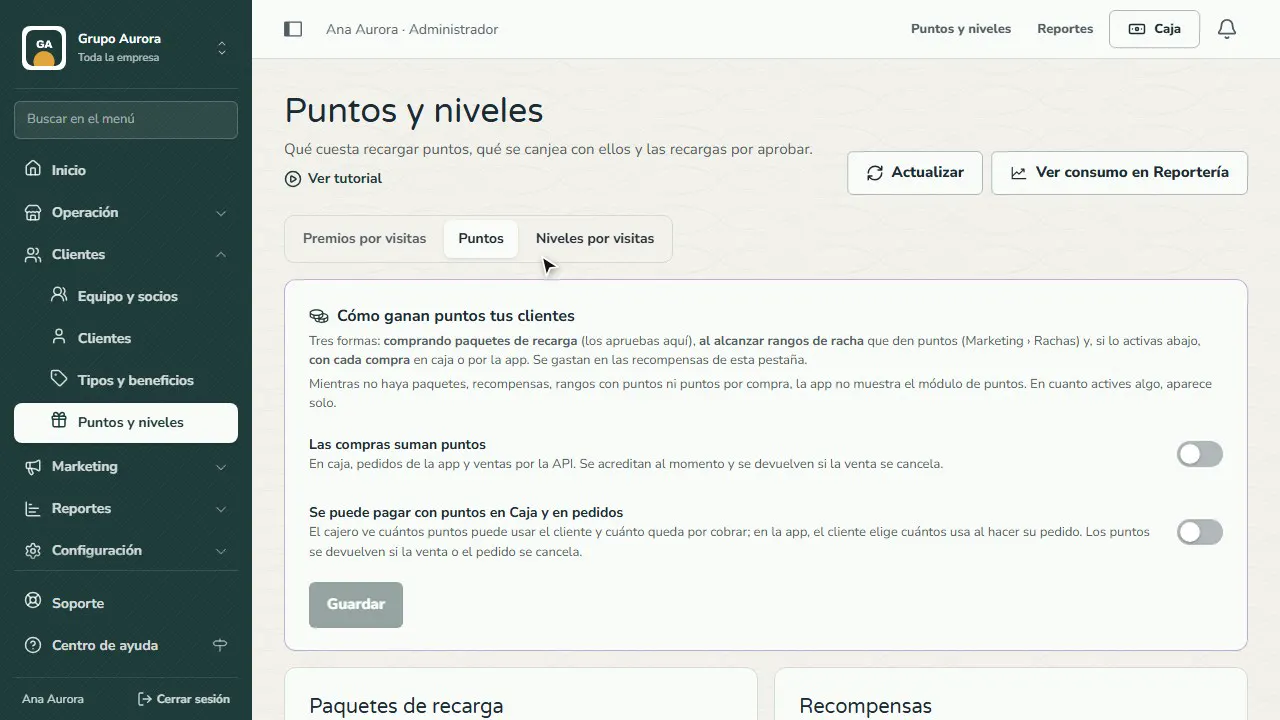
Open Points
In Customers › Points and tiers › Points you see how your customers earn points: top-ups, streak ranks and, if you turn it on, every purchase.
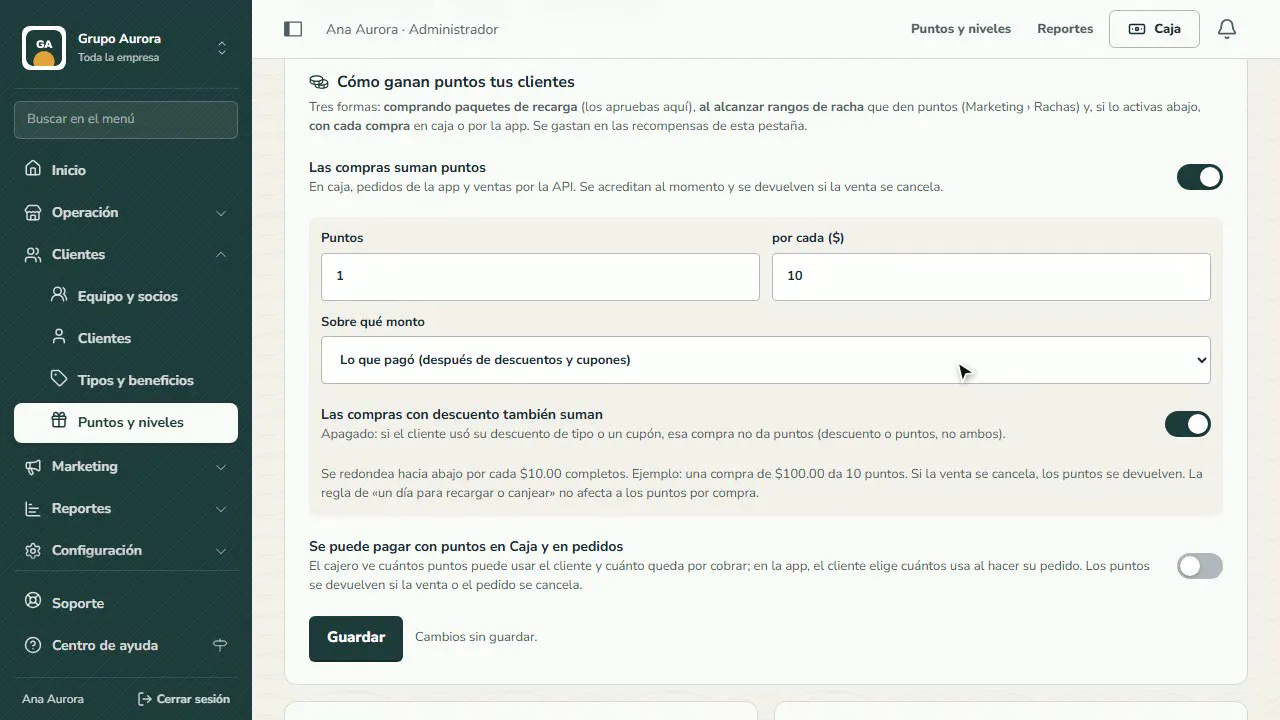
Points per purchase
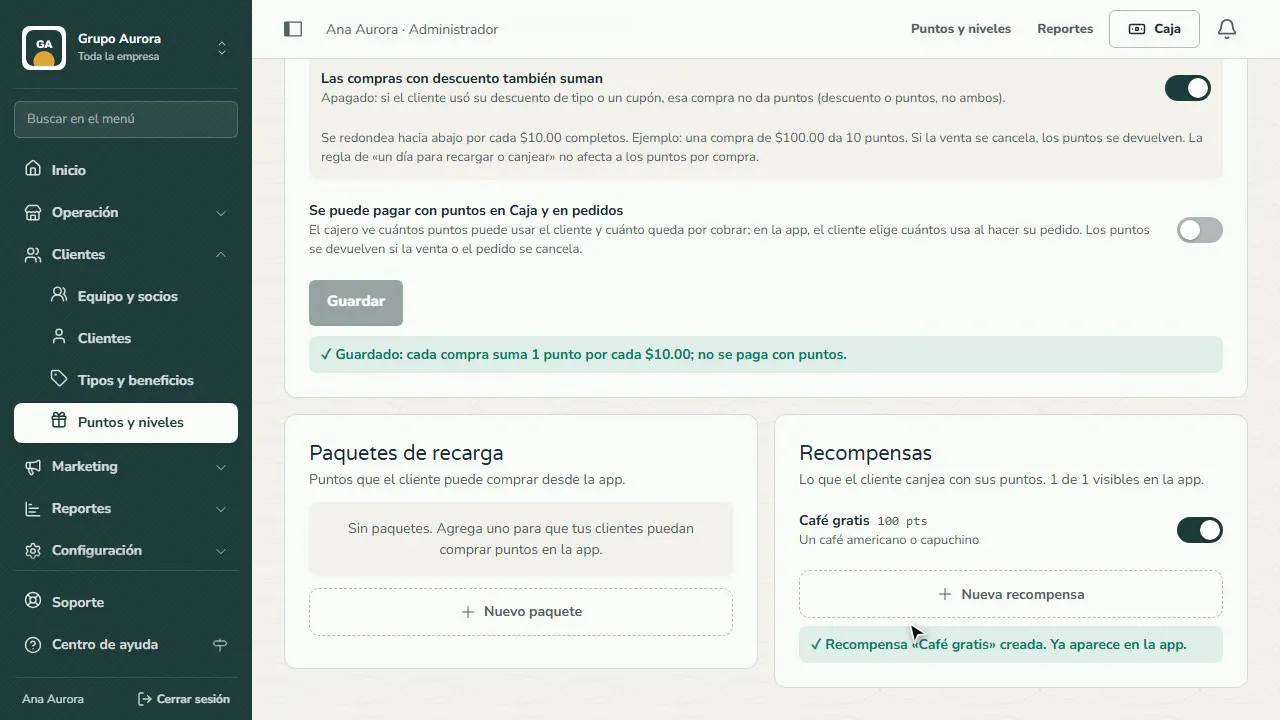
Turn on Purchases earn points, set how many points per how many pesos, and which amount counts: what they paid or the full subtotal.
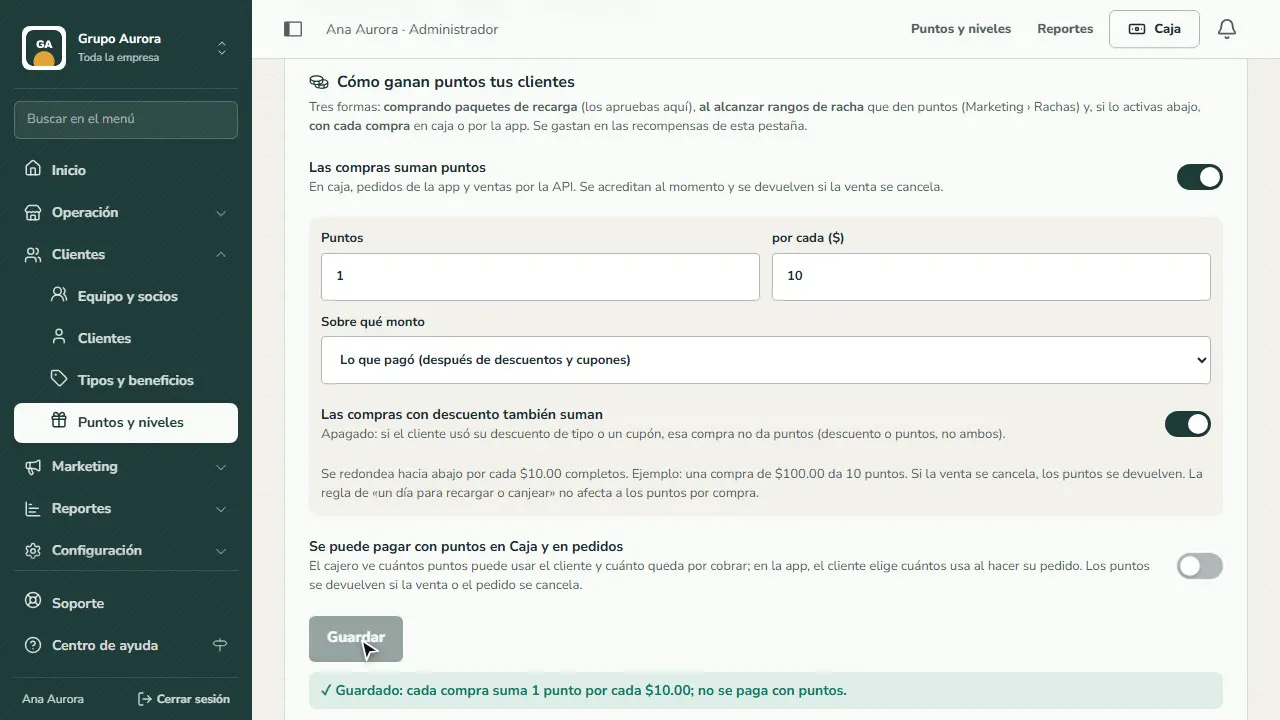
Save
Tap Save. Points are credited right away and taken back if the sale is canceled.
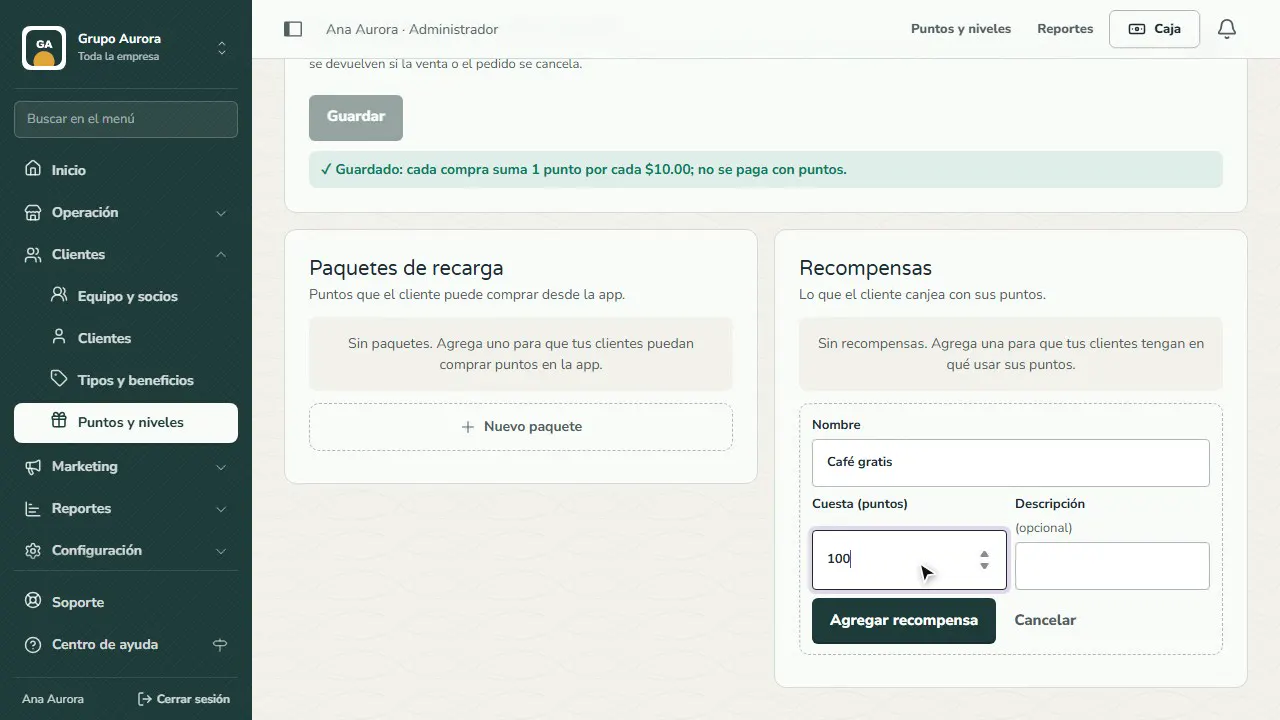
Add a reward
In Rewards, tap New reward: a name, how many points it costs and a description.
Ready to redeem
The reward now shows up in the app; once something is active, the points section appears on its own.
Common mistakes
- A rate that's too generous. At 1 point per $10, a $100 purchase earns 10 points; work out how much each reward costs in real purchases.
- Forgetting about discounts. If you turn off “Discounted purchases also earn”, a purchase with a customer-type or coupon discount earns no points (discount or points, not both).
- Mixing brand balances. Each app (the company's and each brand's) has its own balance; points go to the brand where the customer bought.
Tips
- Start with one reward that's easy to reach (for example, a coffee for 100 points) and another, more ambitious one.
- If you turn on Points can be used to pay at the Register and in orders, set a cap (for example, 10% of the purchase) to protect your margin.
- Check redemptions in Reports with View usage in Reports.