What it is
A reward path is a stamp card, only digital: after a set number of visits the customer earns a reward (for example, a free coffee on the tenth). They get a push notification, see it in their app and on their Wallet card, and redeem it once at the Register.
Visits count even if they aren't in a row, up to one per day.
Step by step
Open Points and tiers
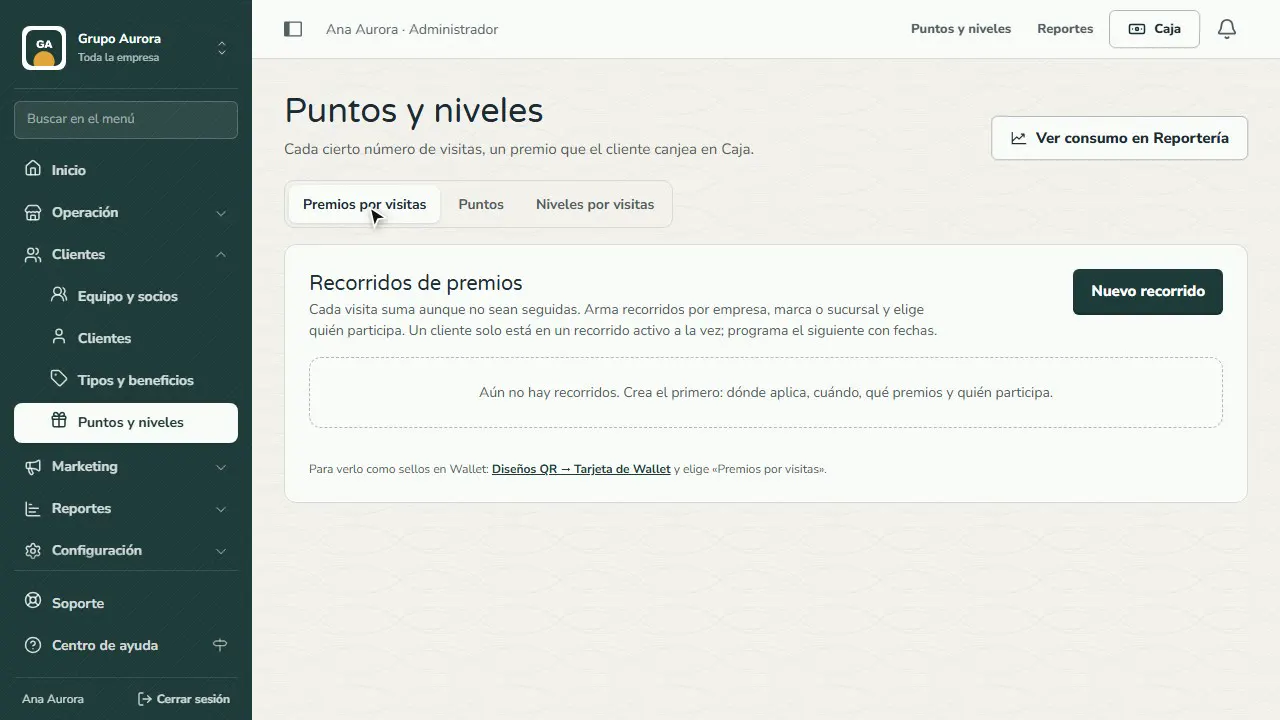
In the menu, open Customers › Points and tiers and go to the Visit rewards tab.
Create a path
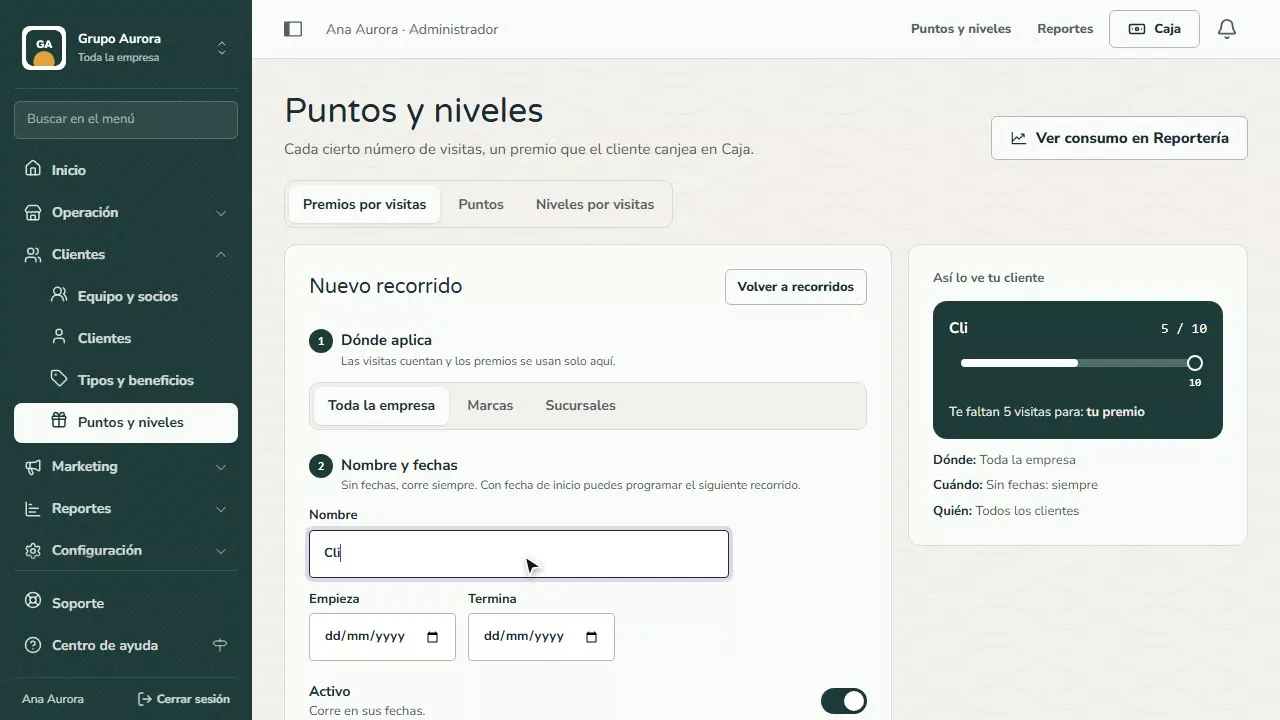
Tap New path and give it a name you'll recognize, like “Regular customers”.
Choose a template for your business type
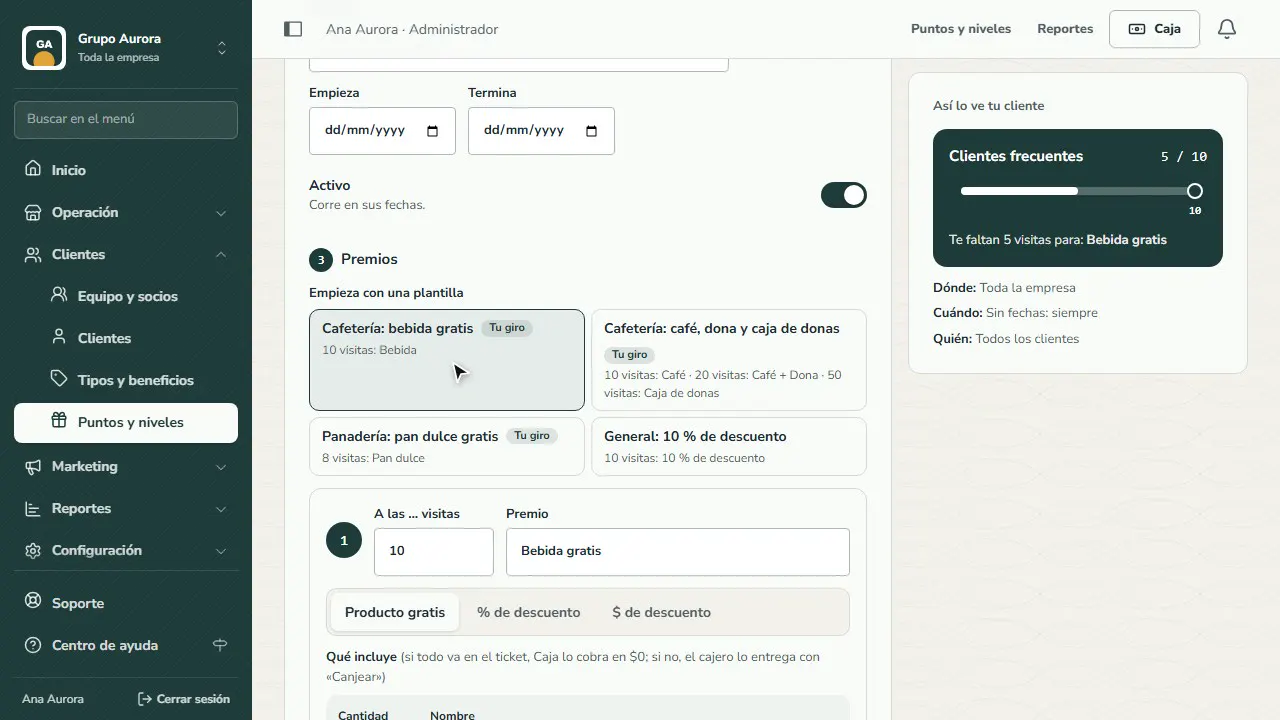
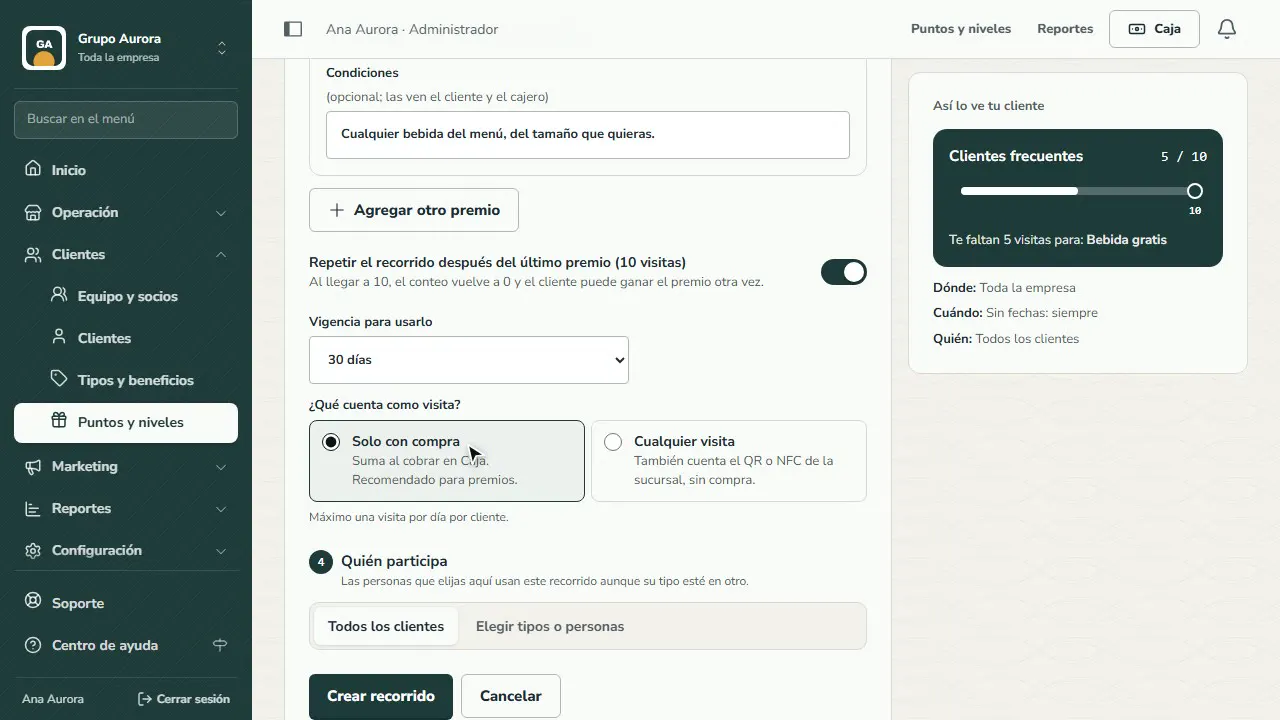
Start from a template for your business type: here, a free drink on the 10th visit.
Choose which products qualify
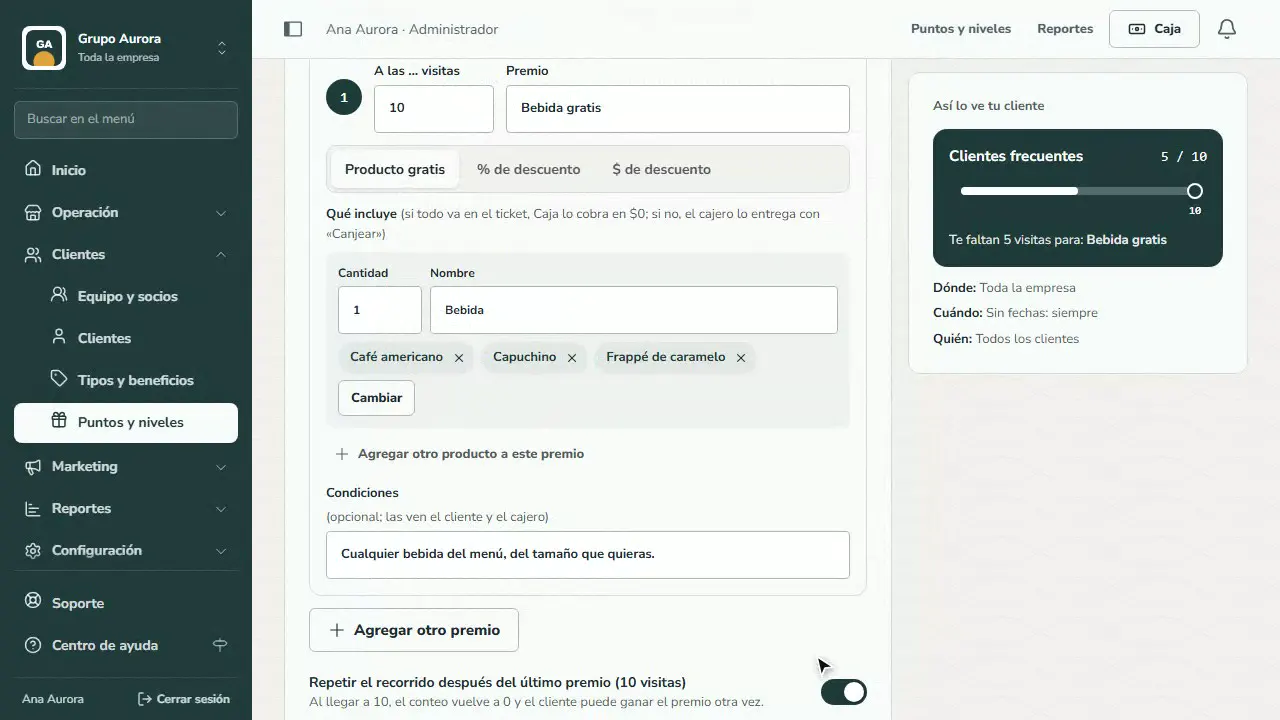
Check which drinks count as the reward. That way the Register charges it at $0 without the cashier doing any math.
Validity and what counts as a visit
Set how many days they have to use it, and count only visits with a purchase.
Save
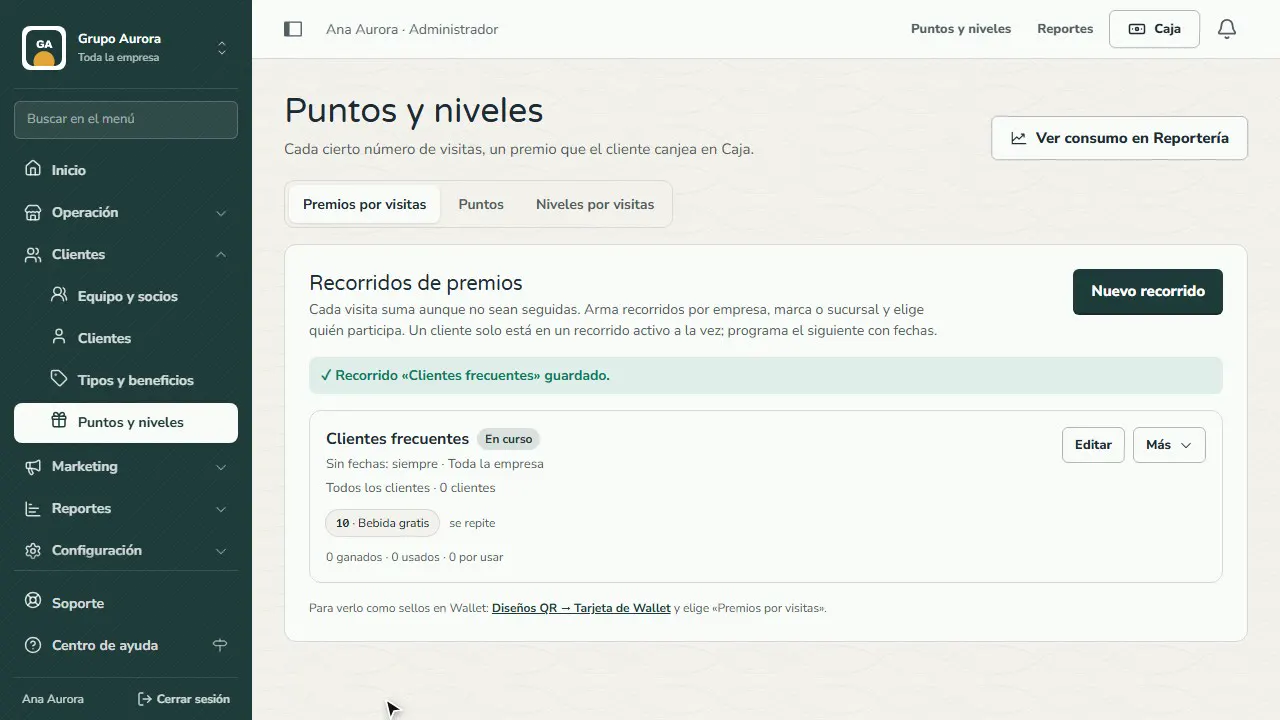
Tap Create path. From now on, every purchase adds a visit (up to one per day).
Rewards by customer interest
If your customers like different things, set up their interests in Customers › Customers › Interests (for example Pokémon, Magic and Dungeons & Dragons) and link each one to your catalog categories. Customers choose theirs when they create their account and can change it in their profile.
Then, on each reward in the path, turn on Different for… and build the version for that interest: on visit 10, a 3D miniature of their character for D&D players, a booster pack for Pokémon collectors and the general reward for everyone else. Each customer sees in their app the reward that matches them, and the Register applies that version. If they have several interests with a version (for example Pokémon and D&D), they choose their reward on the visit card and can change it until they use it.
Common mistakes
- Not choosing which products count as the reward. If the reward is a free product, choose which ones qualify: the Register charges them at $0.
- Two paths for the same people on the same dates. A customer can only be in one active path; the dashboard tells you which one it clashes with.
- Counting every visit. If you want to reward purchases, choose to count only visits with a purchase.
- Giving everyone the same reward when your customers want different things. A reward nobody cares about brings nobody back: use a version per interest.
Tips
- Start with the template for your business type and adjust it later.
- A reward on the 10th visit is easy to understand; add a bigger one on the 20th for your most loyal customers.
- Use Duplicate to set up next season's path without losing the current one.