What it is
A customer type is a group that gets special treatment: VIP members, ambassadors or your team's family. Each type has its own discount, its limits and the products it applies to. The Register applies it on its own, with no math for the cashier.
“Customer” is the base type everyone has. You can give it your own name with Rename (for example “Friend” or “Rookie”): your customers see it on their card and in the app, and your team at the Register and in reports.
Step by step
Open Types and benefits
In Customers › Types and benefits you'll find each customer type with its discount. The base type is the one every new customer gets.
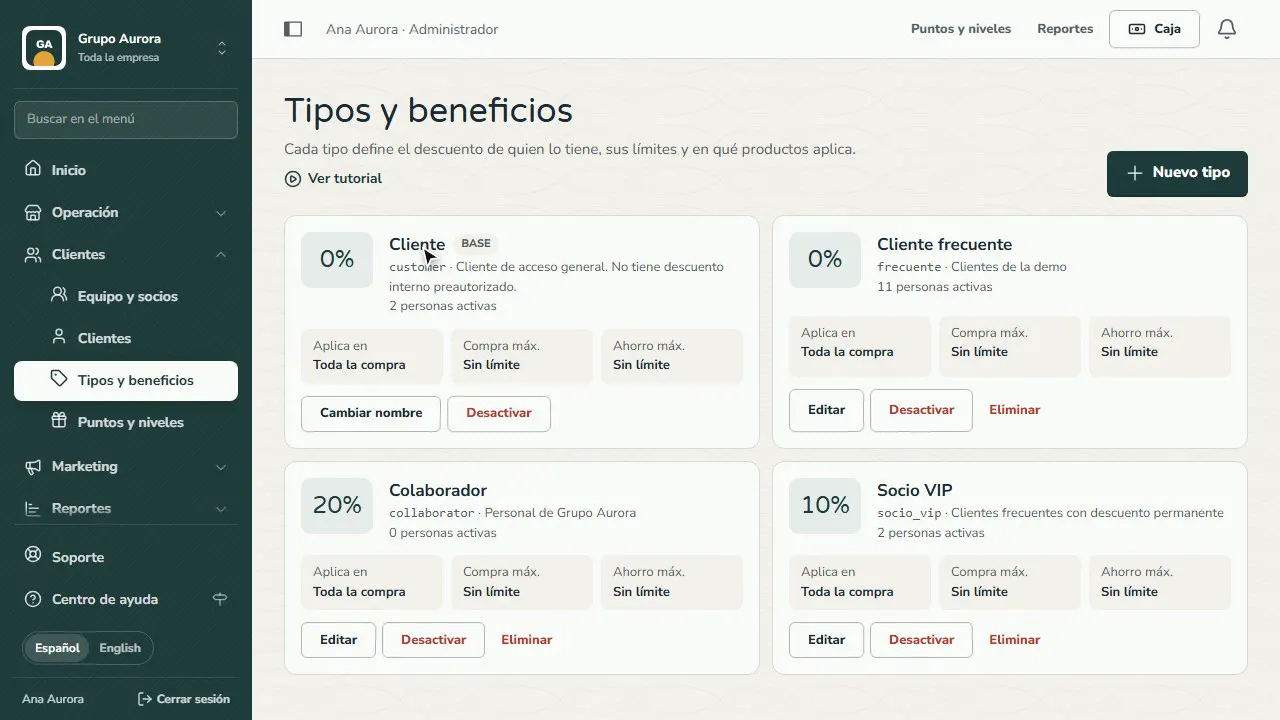
Give the base type your own name
Tap Rename on the base type and type yours (for example Friend, Rookie or Member). Your customers see it on their card and in the app; your team, at the Register and in reports. Leave it empty to go back to “Customer”.
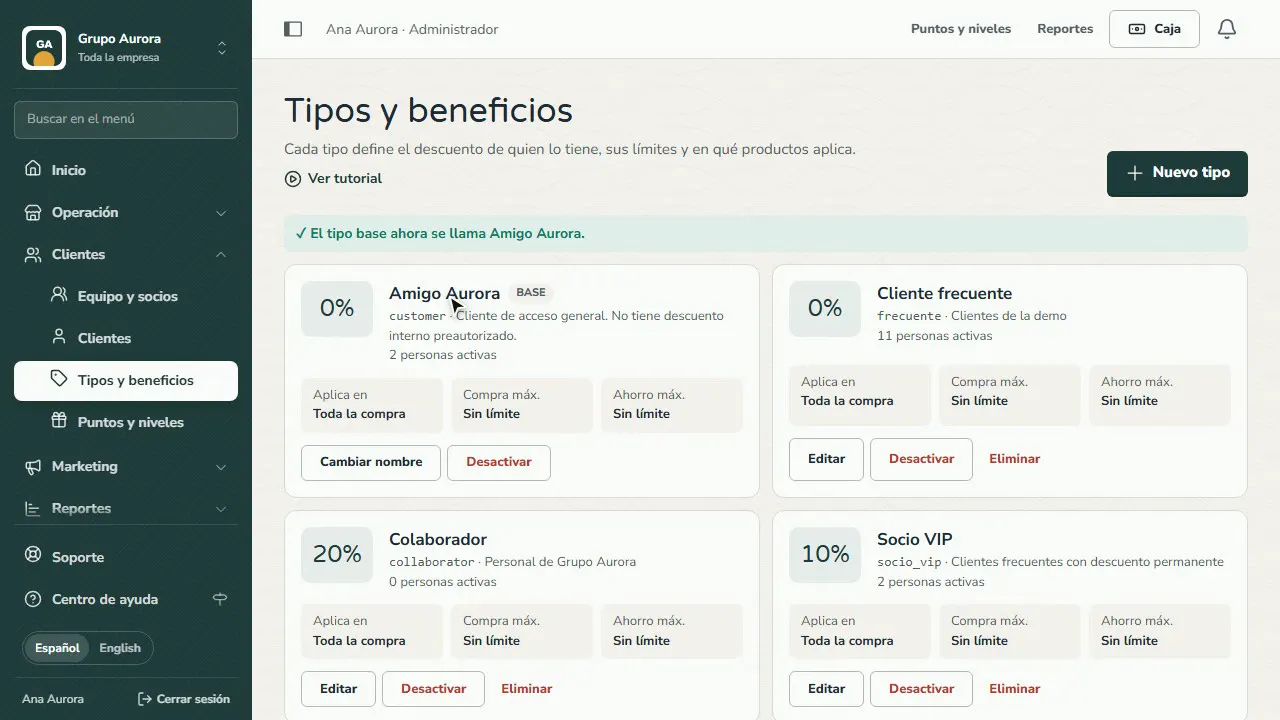
Create a type
Tap New type for a group that gets special treatment: members, ambassadors or your team's family.
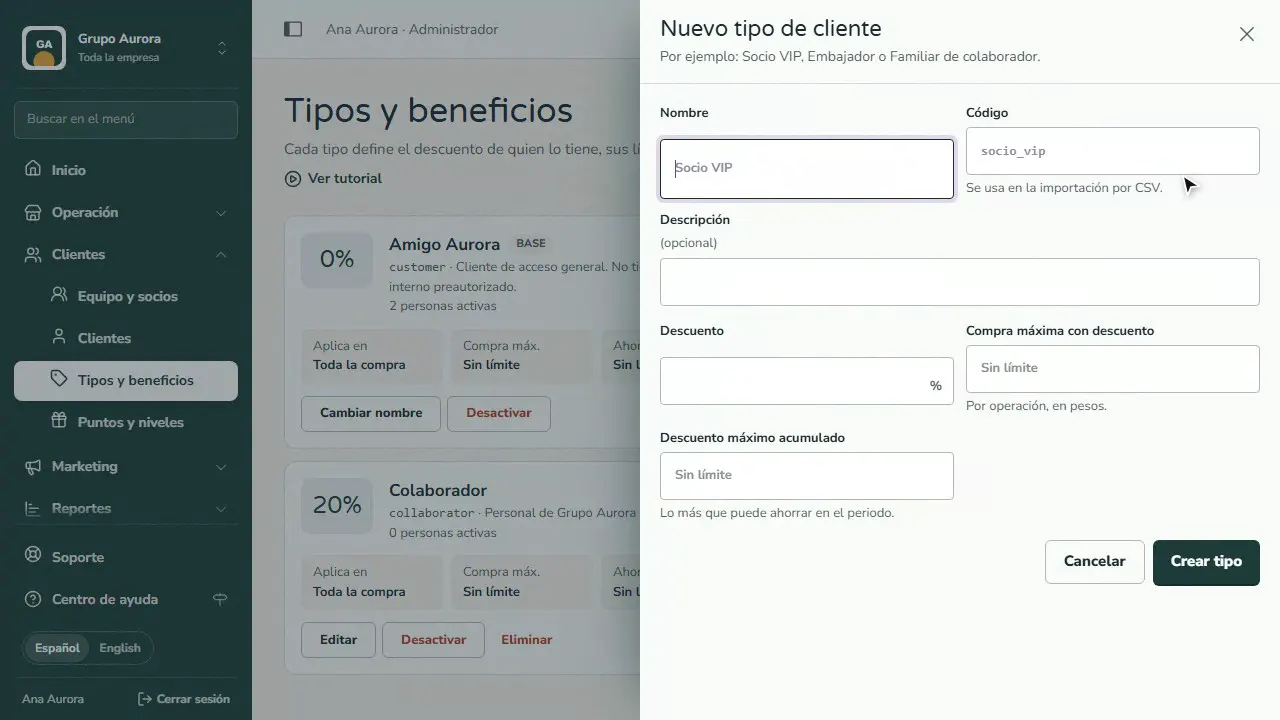
Name and code
The name is what your customers see; the code is internal and is used to import by CSV.
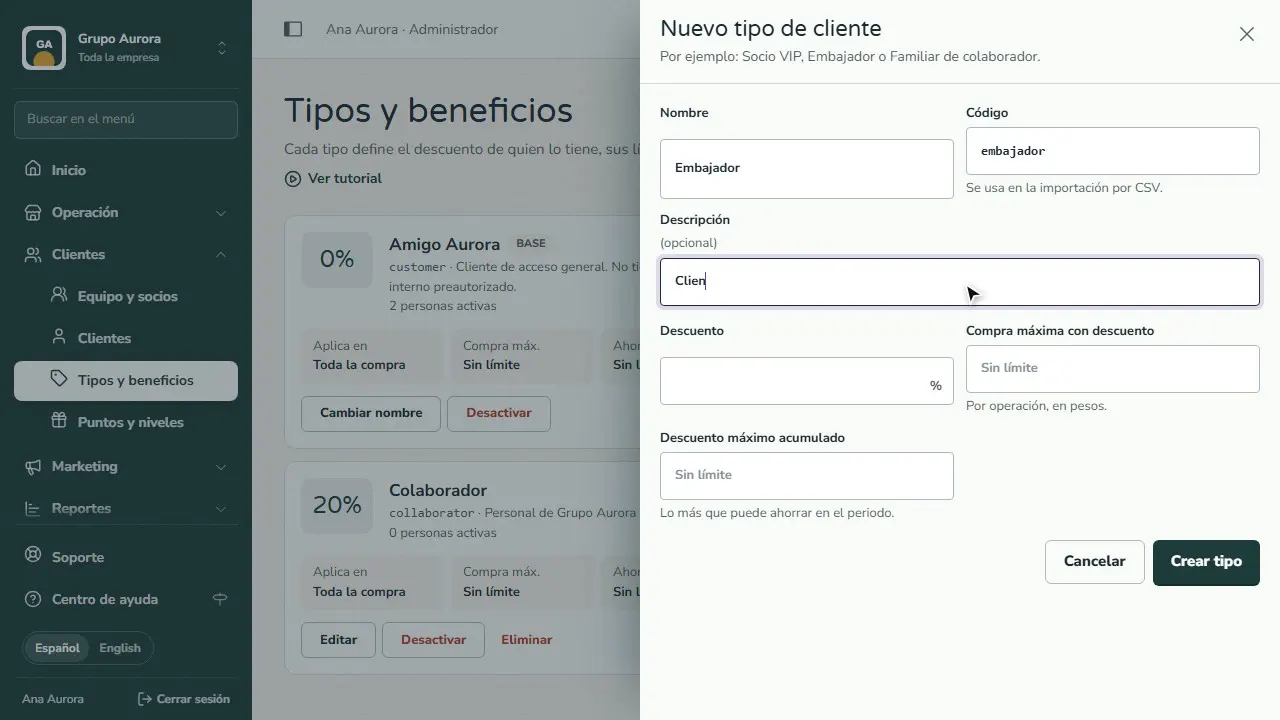
Discount and limits
Set the discount as a percentage and, if you want, a cap per purchase and an accumulated cap for the period.
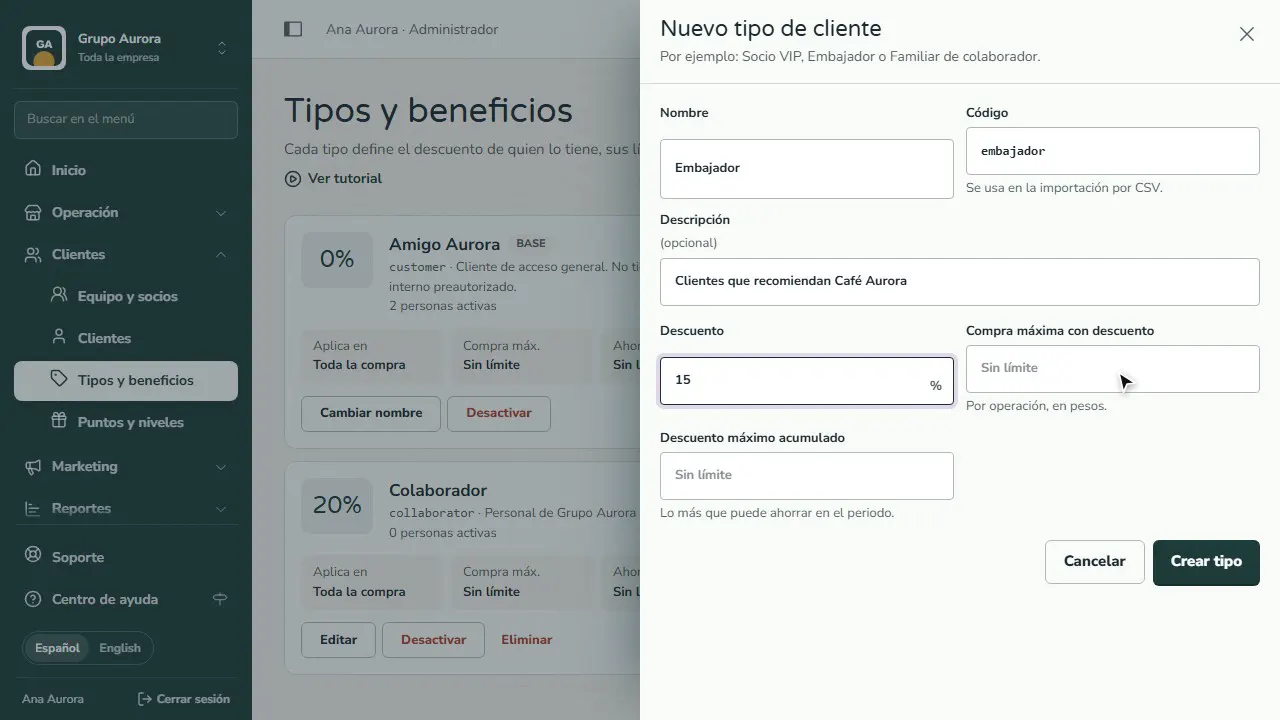
Create the type
Tap Create type. Then, on its card, choose whether it applies to the whole purchase or only to certain products.
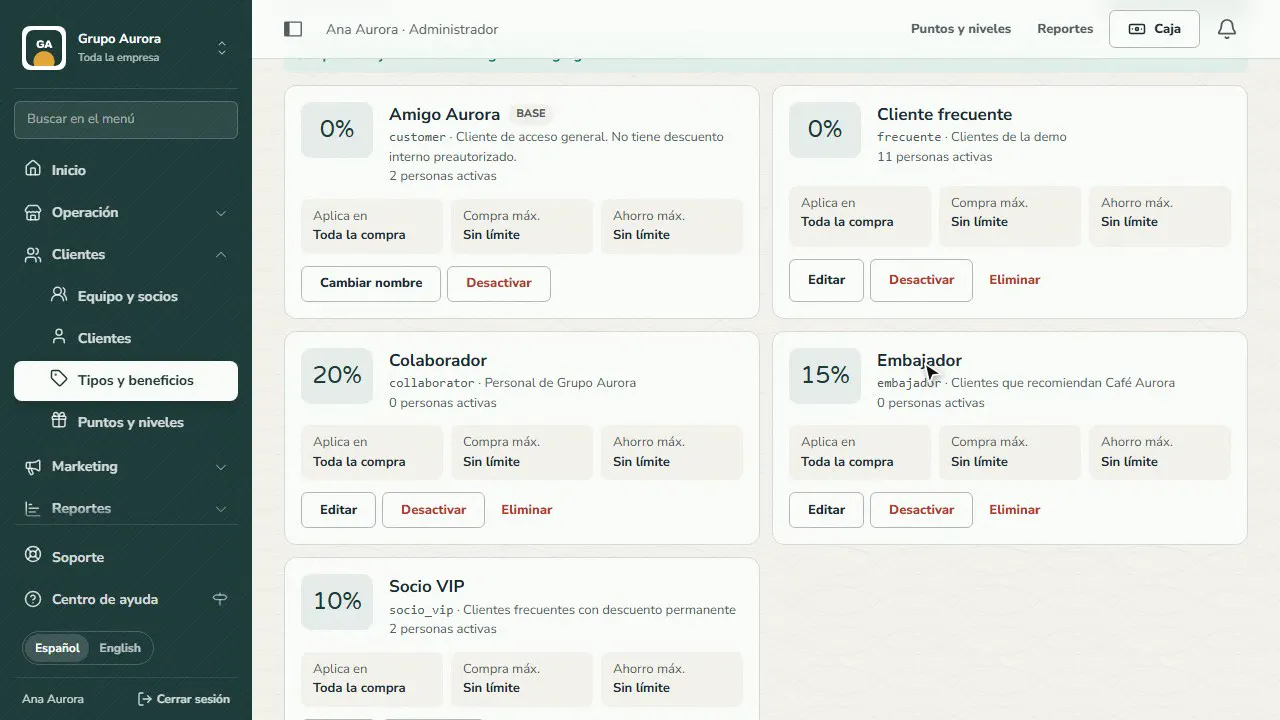
Common mistakes
- Not setting limits. Without a maximum purchase or a maximum accumulated discount, a high discount can be used with no control.
- Applying it to the whole purchase by accident. On the type's card, choose whether it applies to the whole purchase or only to certain products.
- Deleting a type that's in use. Deactivate it instead: no one new gets it, and those who already have it keep their history.
Tips
- Use short codes (SOCIO_VIP): they're used to import customers by CSV.
- Check how much discount each type took in Reports.
- Combine a type with a reward path for your best customers.