What it is
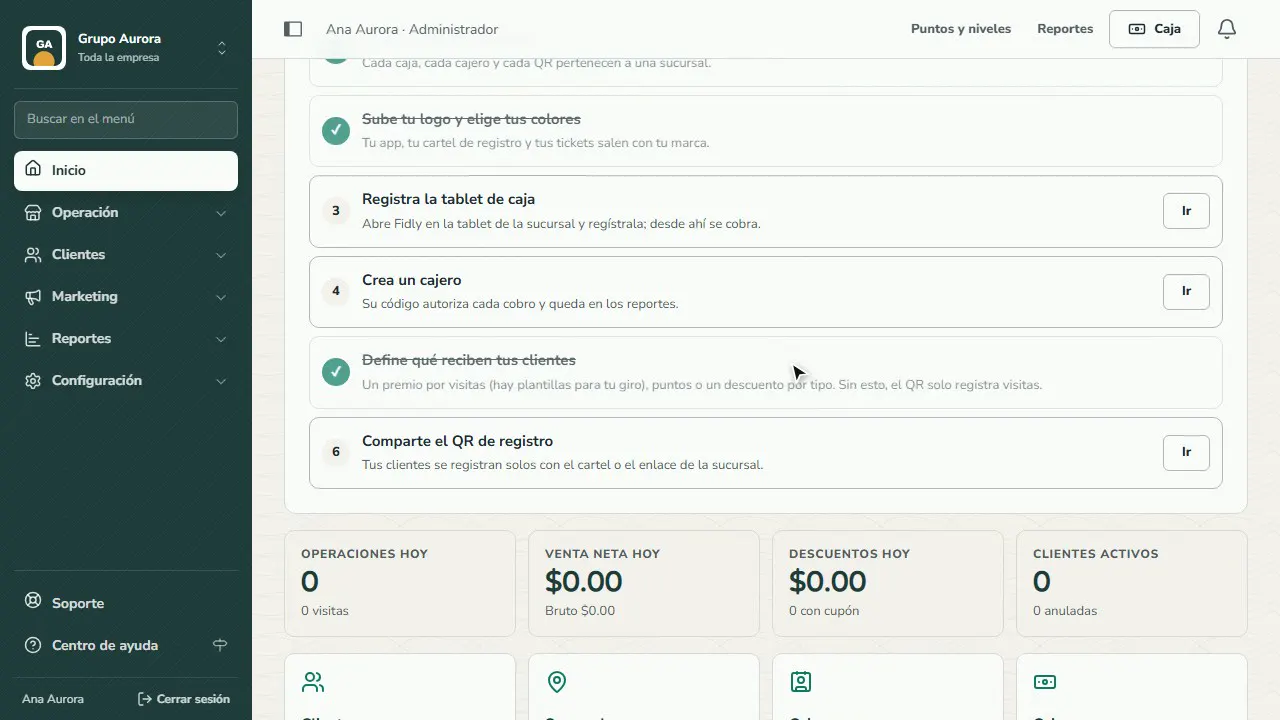
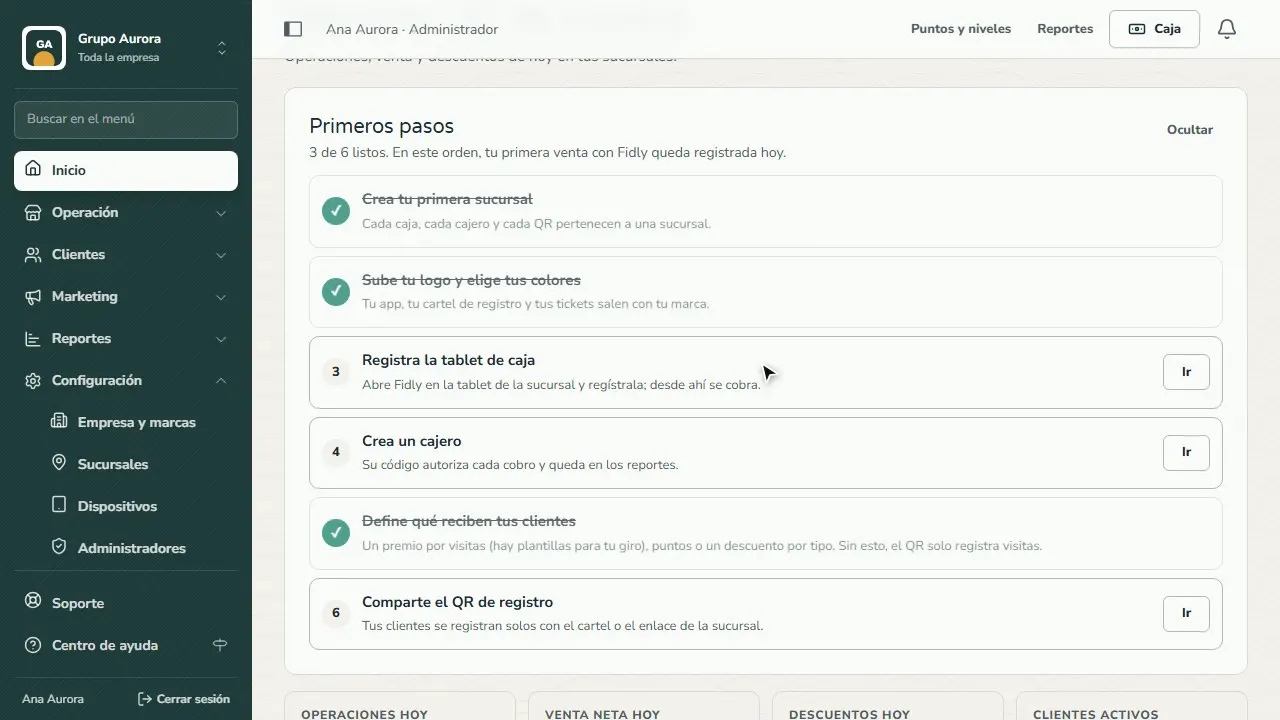
The first time you sign in, Home shows you a six-step checklist: branch, logo and colors, register device, cashier, what your customers get, and sign-up QR. Each step checks itself off when you finish it, so you always know what's left.
Once those six steps are done, your business can charge at the Register and your customers start earning visits from their app.
Step by step
Your first steps
Home has your getting-started checklist: each step takes you to where it's set up and checks itself off when you finish it.
Your company and business type
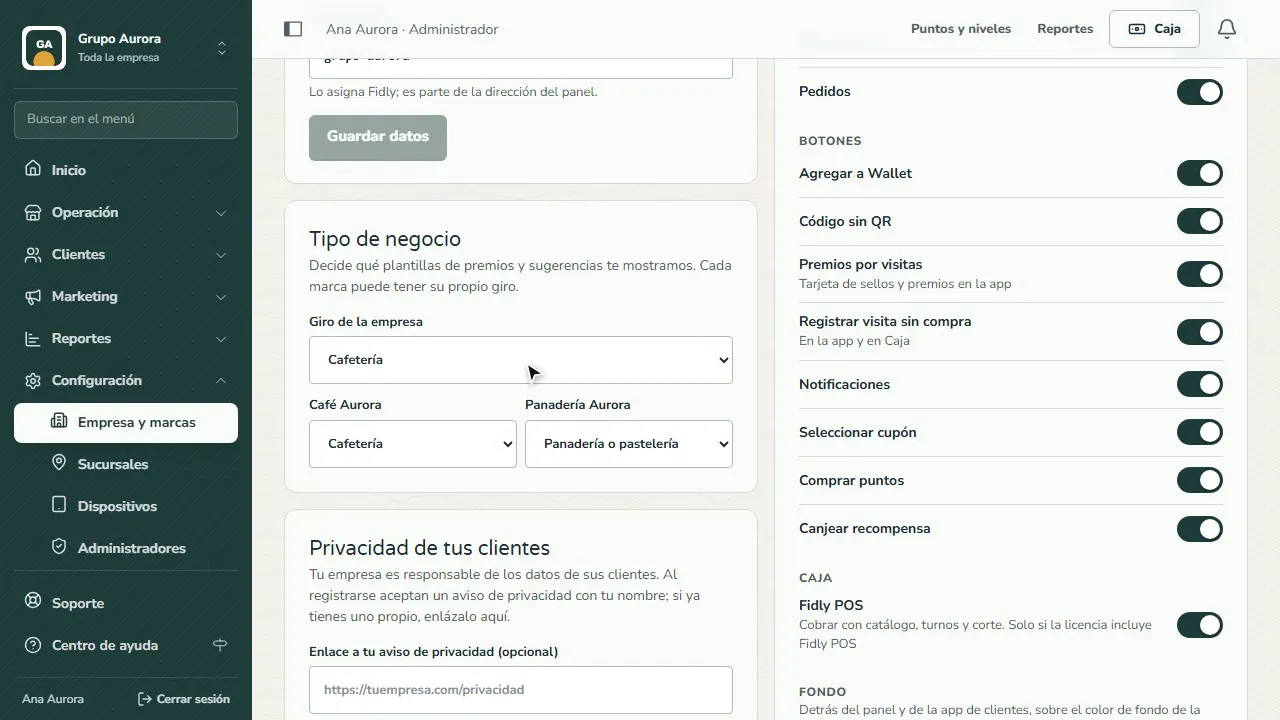
In Settings › Company and brands › Company details you choose your business type: we use it to suggest rewards and templates for your kind of business.
Your logo and colors
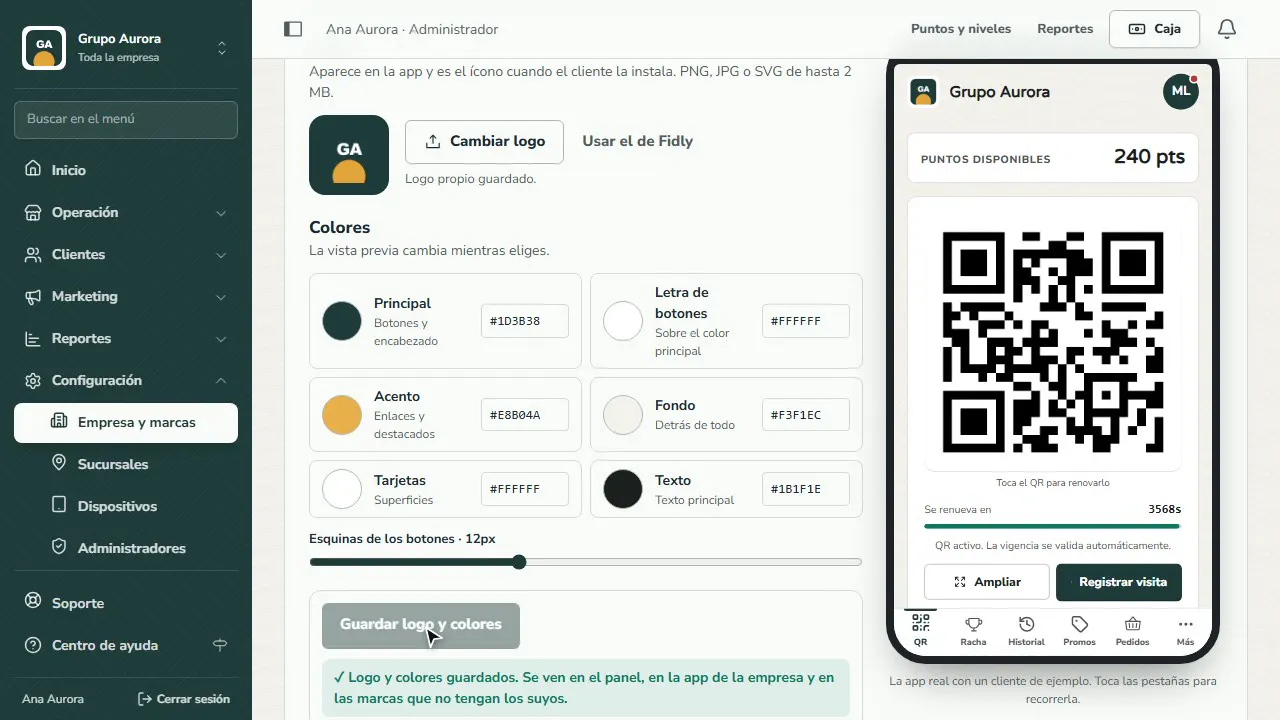
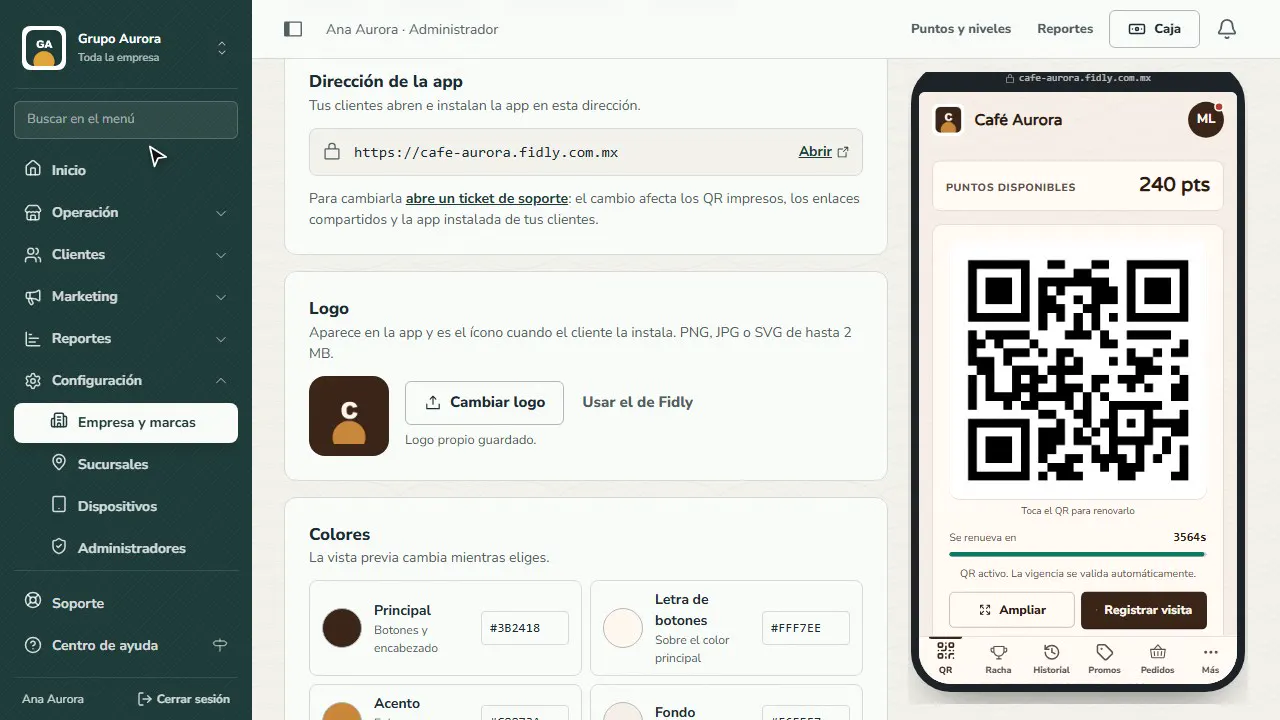
Upload your logo and pick your colors. The preview shows right away how your app looks; tap Save logo and colors.
Your brands
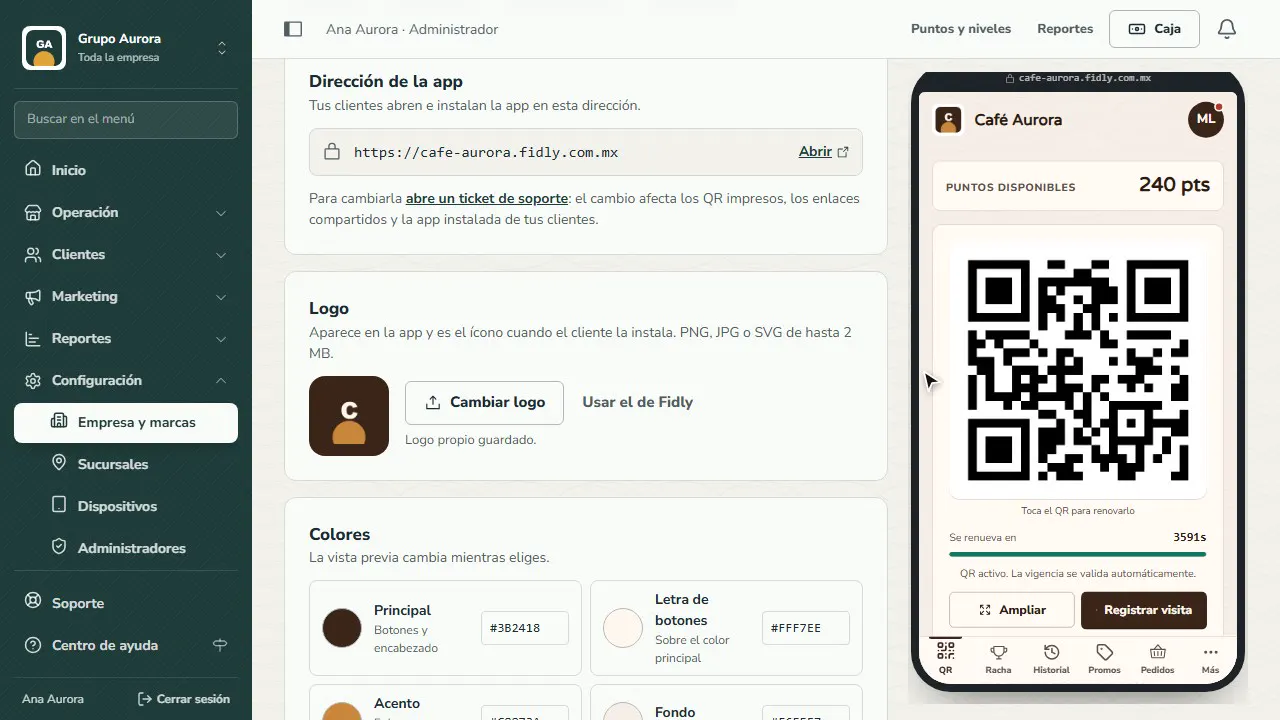
The Brands tab shows each brand with its branches. In Manage › Brand and app you give it its own logo, colors and address.
Switch brands
Tap the name above the menu to switch from the company to a brand: the dashboard takes on its colors and shows only what belongs to it.
What's next
Back on Home, continue with the next step on your checklist: registering your register device.
Common mistakes
- Skipping the business type. Your business type decides which reward templates and suggestions we show you; without it you'll see generic options.
- Uploading a logo with a background. Use a PNG or SVG with a transparent background so it looks right in the app and in the dashboard.
- Starting with campaigns. Set up the branch, the register and the cashier first: without them nobody can charge or record visits.
Tips
- Finish the Home checklist in one afternoon: it takes about 30 minutes.
- If you have several brands, create the company with its details first, then each brand with its own logo and colors.
- Print the sign-up QR and put it on the counter from day one: customers who sign up on their own are the ones who come back most.