What it is
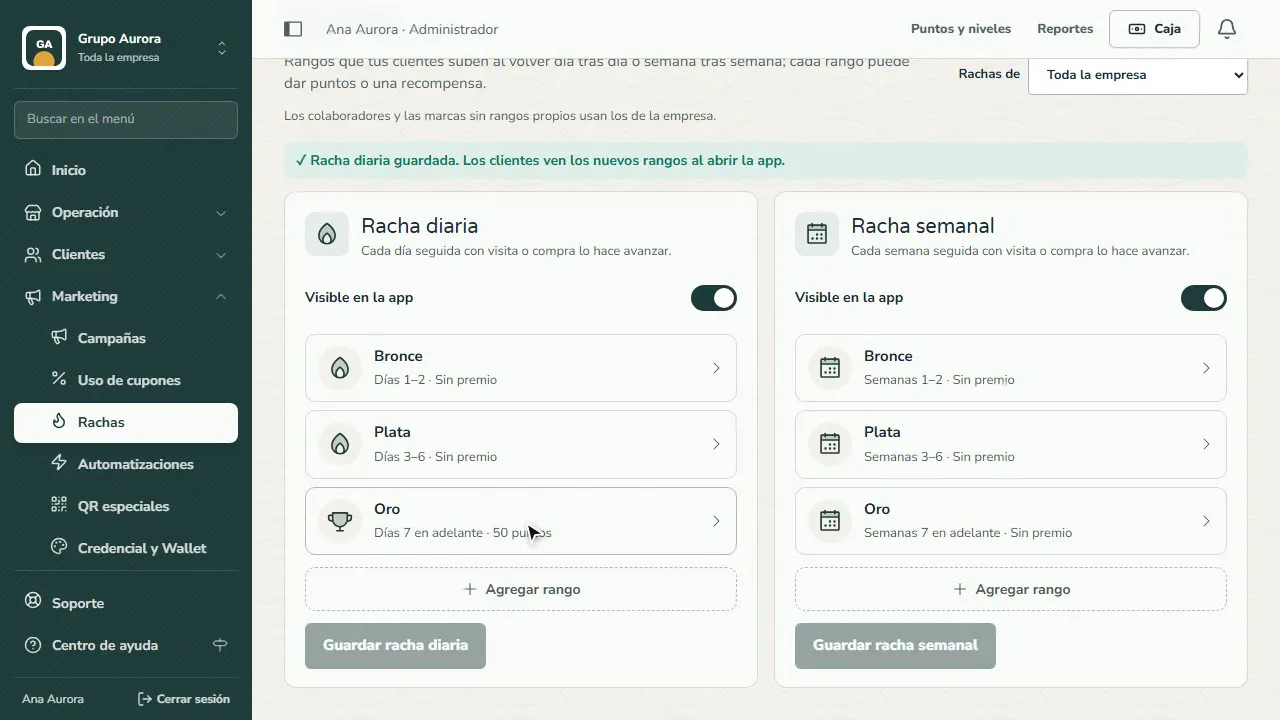
Streaks are ranks your customers climb by coming back day after day (daily streak) or week after week (weekly streak). Every consecutive day or week with a visit or purchase moves them forward, and each rank can give points or a reward.
Visits through branch QR or NFC count too.
Step by step
Open Streaks
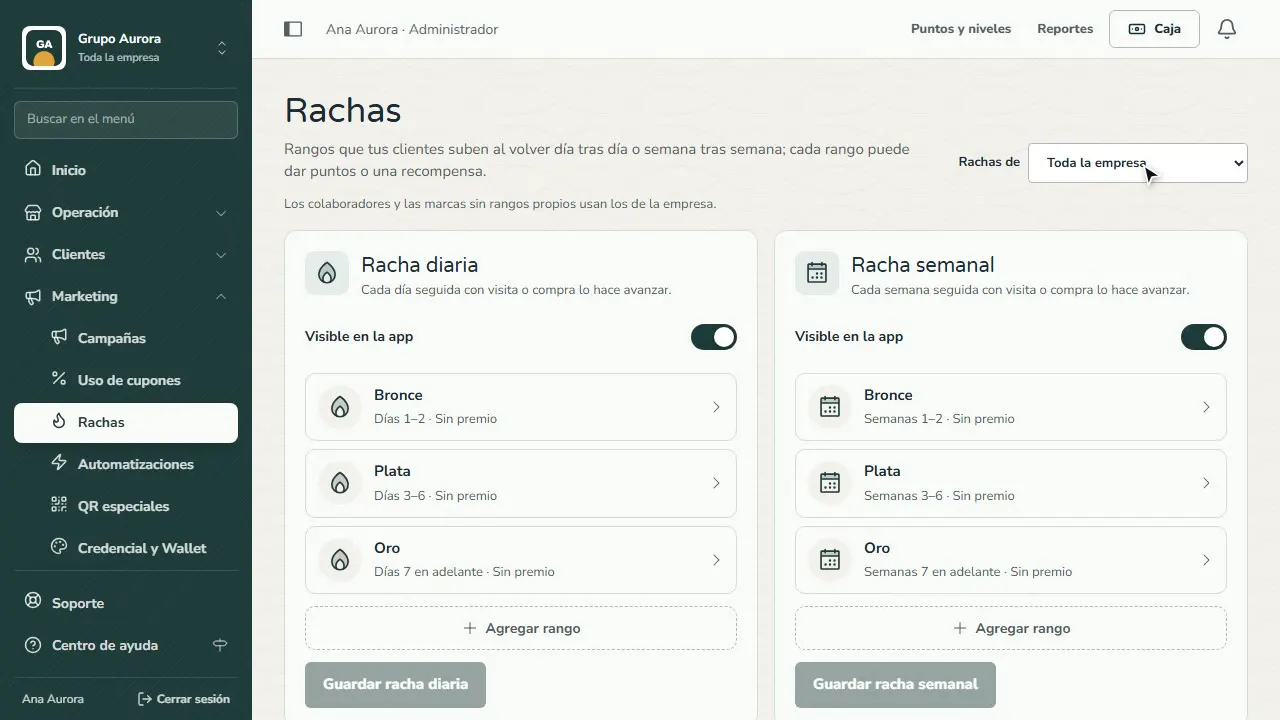
In Marketing › Streaks, use Streaks for to choose the whole company or one brand. Brands without their own ranks use the company's.
Daily or weekly
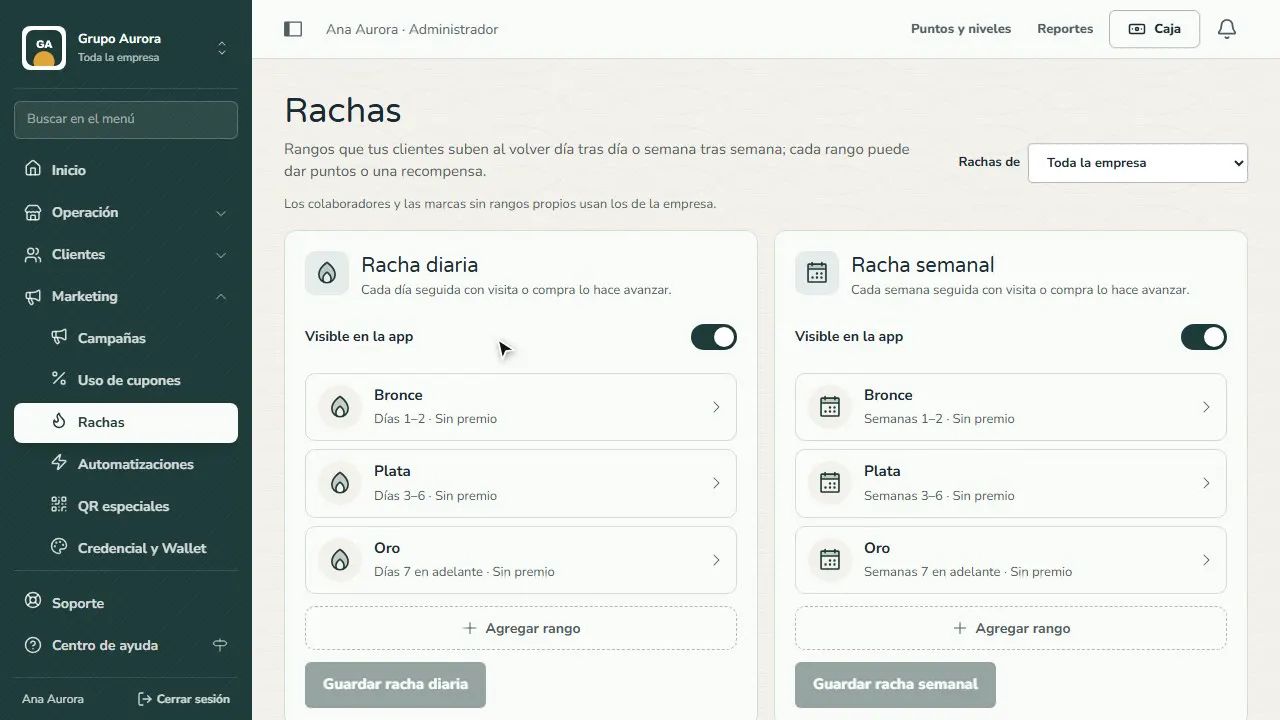
The daily streak moves forward with each consecutive day with a visit or purchase; the weekly one, with each week. When it's off, your customers don't see it.
Open a rank
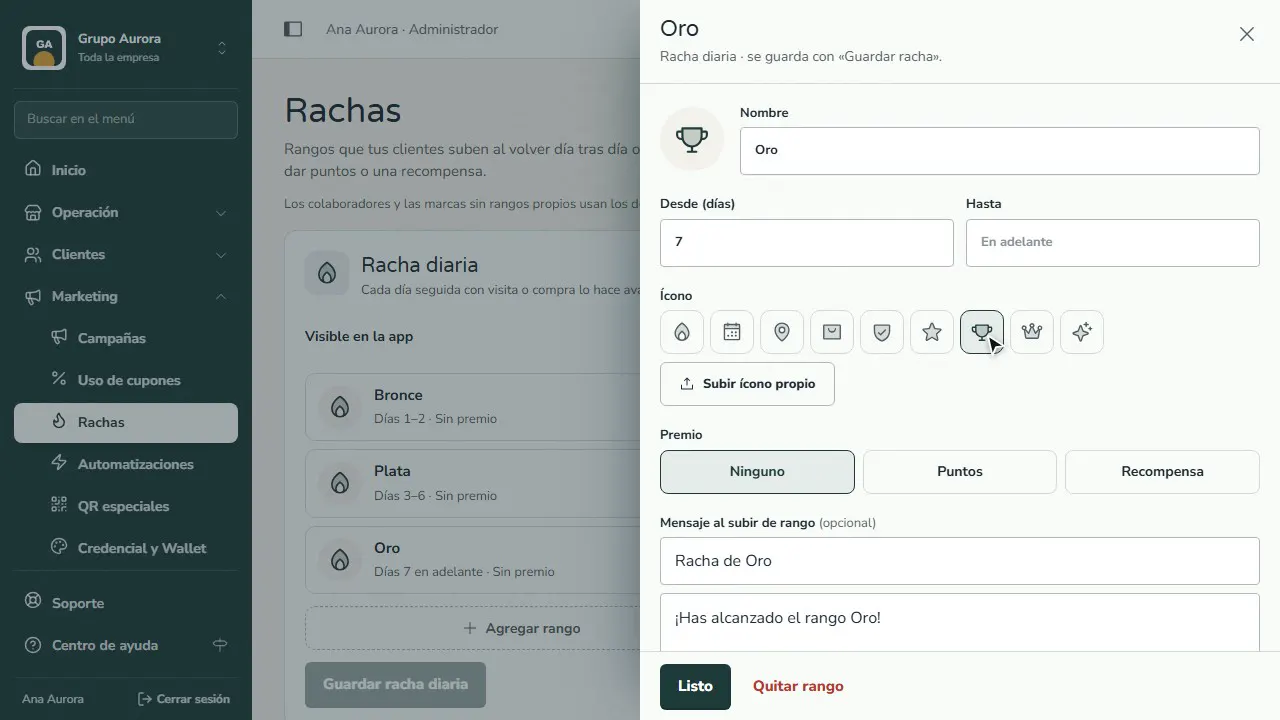
Each rank has a name, a from-and-to number of days or weeks, and an icon.
Choose the reward
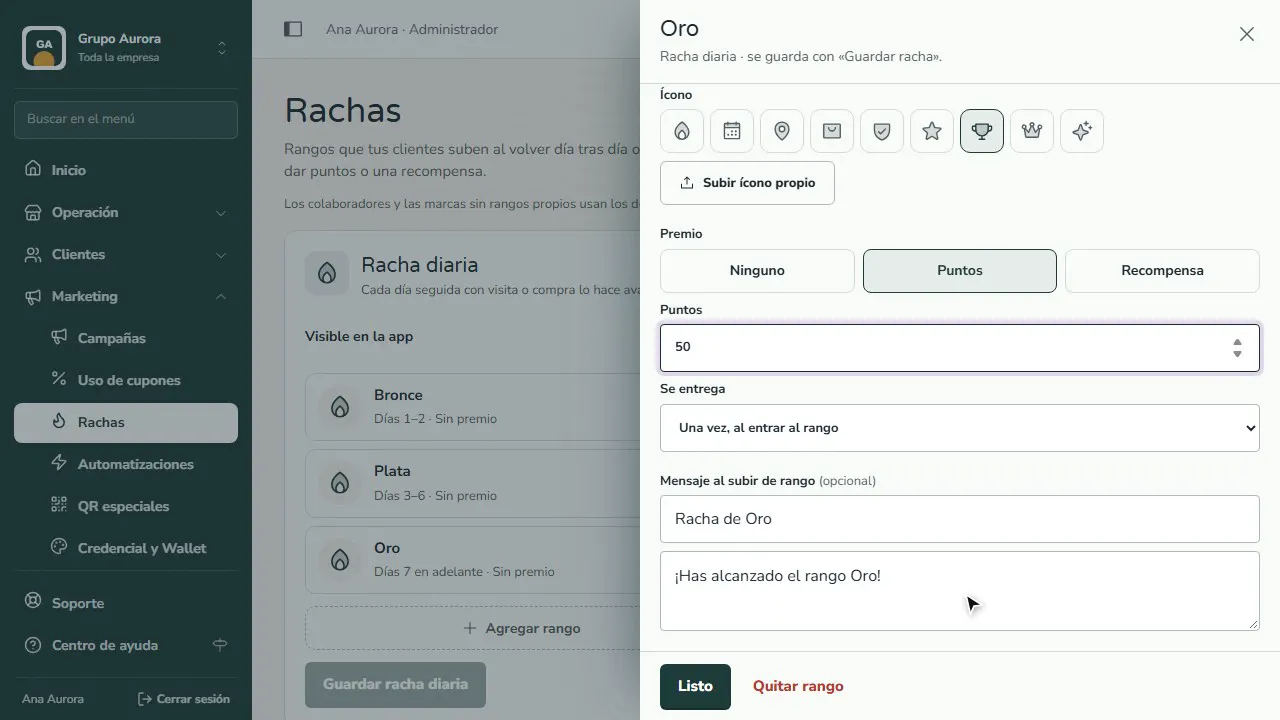
A rank can give Points or a Reward, with the message your customer sees when they move up.
Save the streak
Tap Ready and then Save daily streak: your customers see the new ranks when they open the app.
Common mistakes
- Forgetting to save. Changes to a rank stay on screen until you tap Save daily streak or Save weekly streak.
- Ranks with no reward. If no rank gives anything, the streak gives nobody a reason to come back.
- Leaving it turned off. With Visible in the app off, your customers don't see it; that's useful for editing it calmly before launch.
Tips
- Use the daily streak if your customers come almost every day (coffee shop, bakery) and the weekly one if they come every week (gym, car wash, barbershop).
- Give the reward at the higher ranks and write a short message for when customers move up.
- With several brands, set each brand's own ranks from Streaks for; otherwise they use the company's.