What it is
Referrals turns your customers into the people who bring you new ones. Every customer has an invite code; their friend uses it when creating an account in the app (it's already filled in if they came from the link) or tells the cashier at the register.
You decide three things: the friend's gift (when they sign up or on their first purchase), the referrer's reward for each friend who buys, and goals by number of friends. The referrer is always rewarded only once their friend makes a first purchase, so fake accounts get nothing.
Step by step
Open Referrals
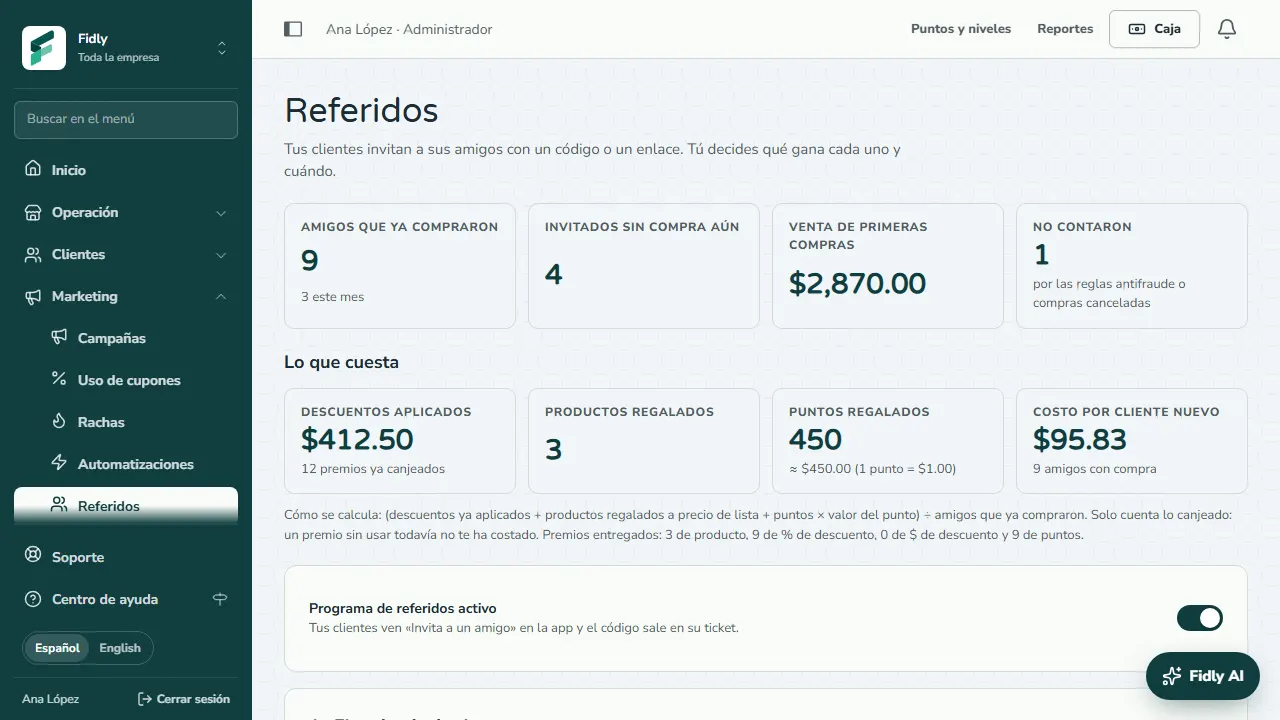
In Marketing › Referrals you see how many friends already bought, how many haven't yet and their first-purchase sales. Switch on Referral program on so your customers see «Invite a friend» in the app.
The friend's gift
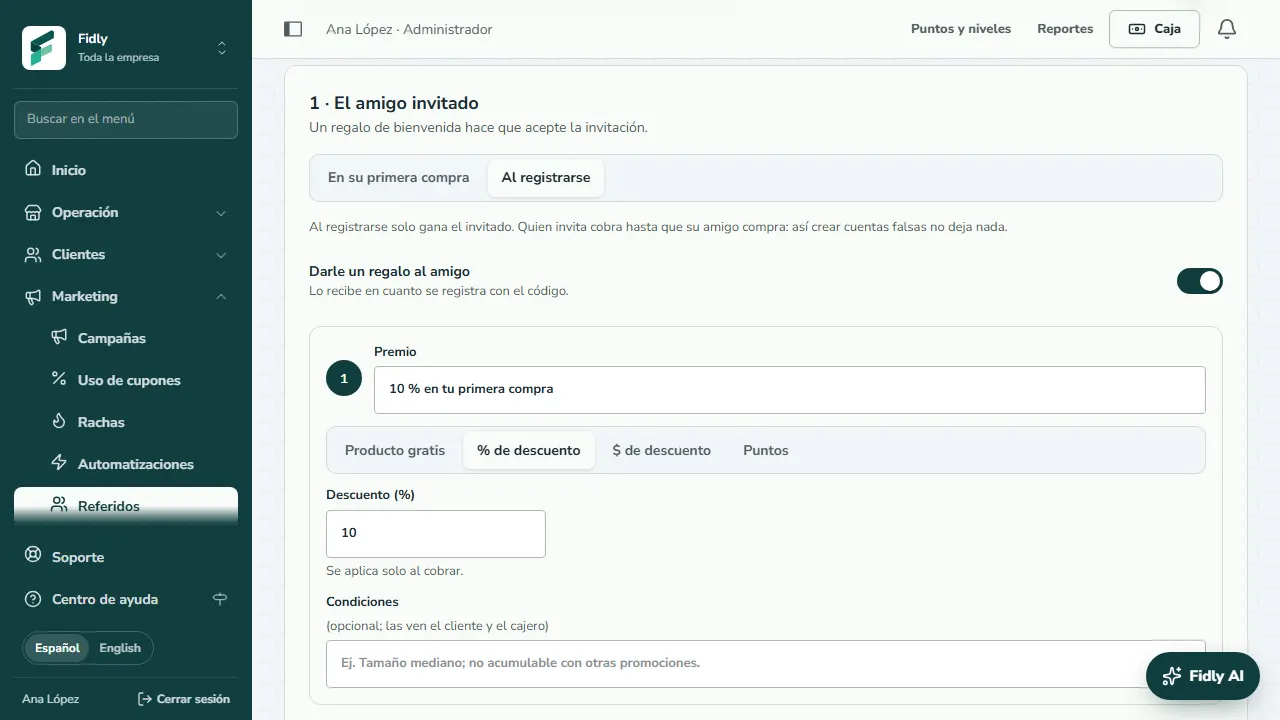
Under 1 · The invited friend choose whether they get their gift On their first purchase or When they sign up, and what it is: a free item, % or $ off, or points.
The referrer's reward
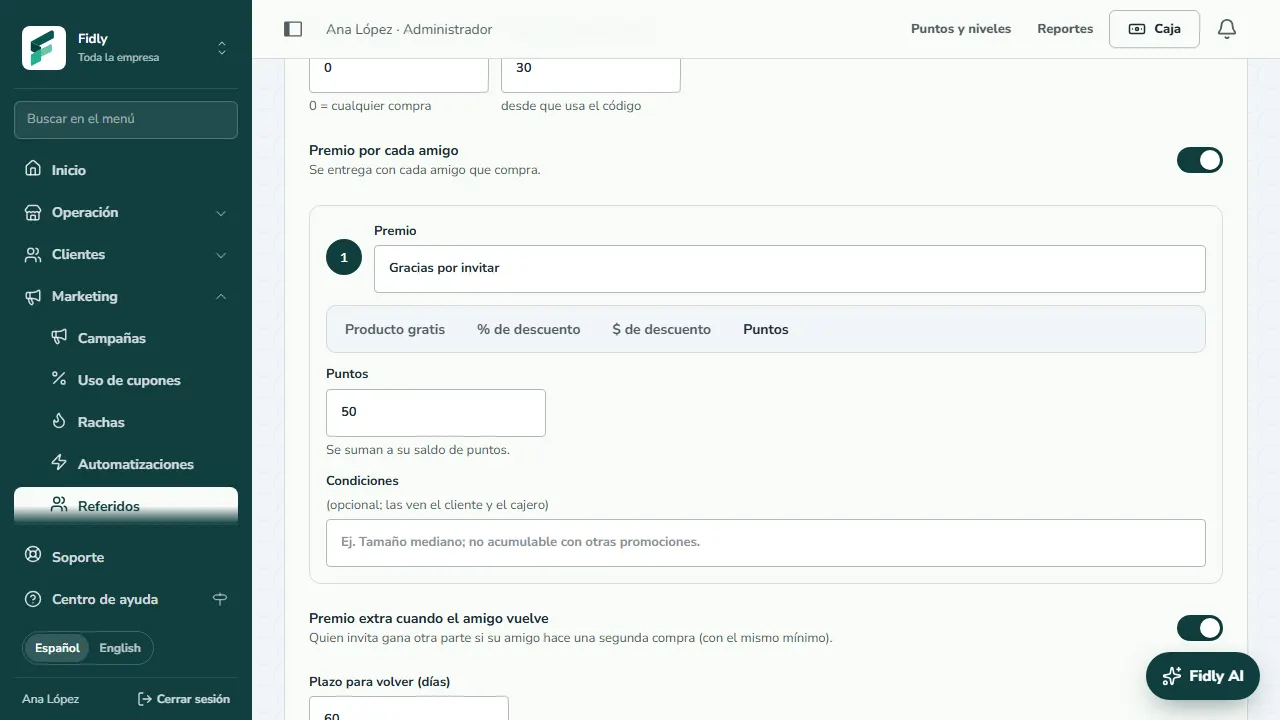
Under 2 · The referrer set the friend's minimum purchase, the days to buy and the Reward per friend. With Extra reward when the friend comes back they earn a second part if their friend buys again within the days you set.
×2 or ×3 campaigns
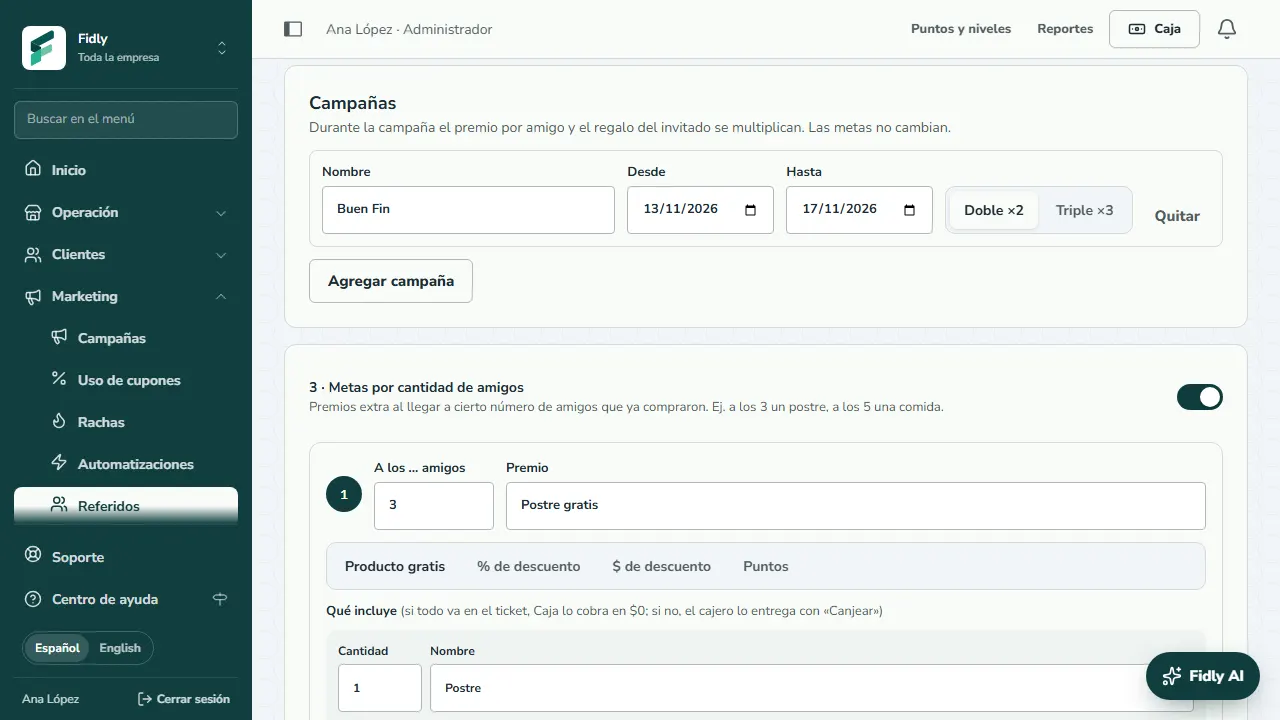
Under Campaigns add up to 4 seasons with a name, dates and Double ×2 or Triple ×3. During a campaign the per-friend reward and the friend's gift are multiplied; goals are not.
Goals and rules
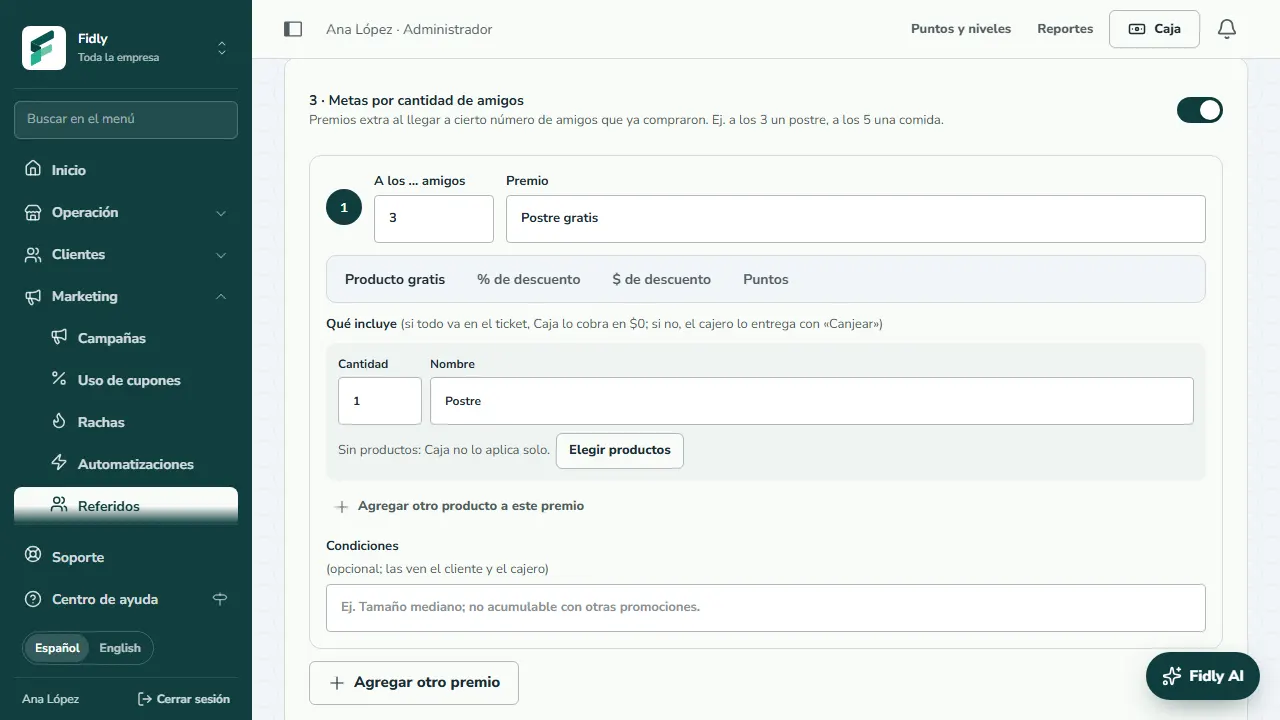
Under 3 · Goals by number of friends give extra rewards at 3, 5 or more friends who bought. Under Rules set the invites per person per month and how long rewards last. Tap Save.
How your customer invites
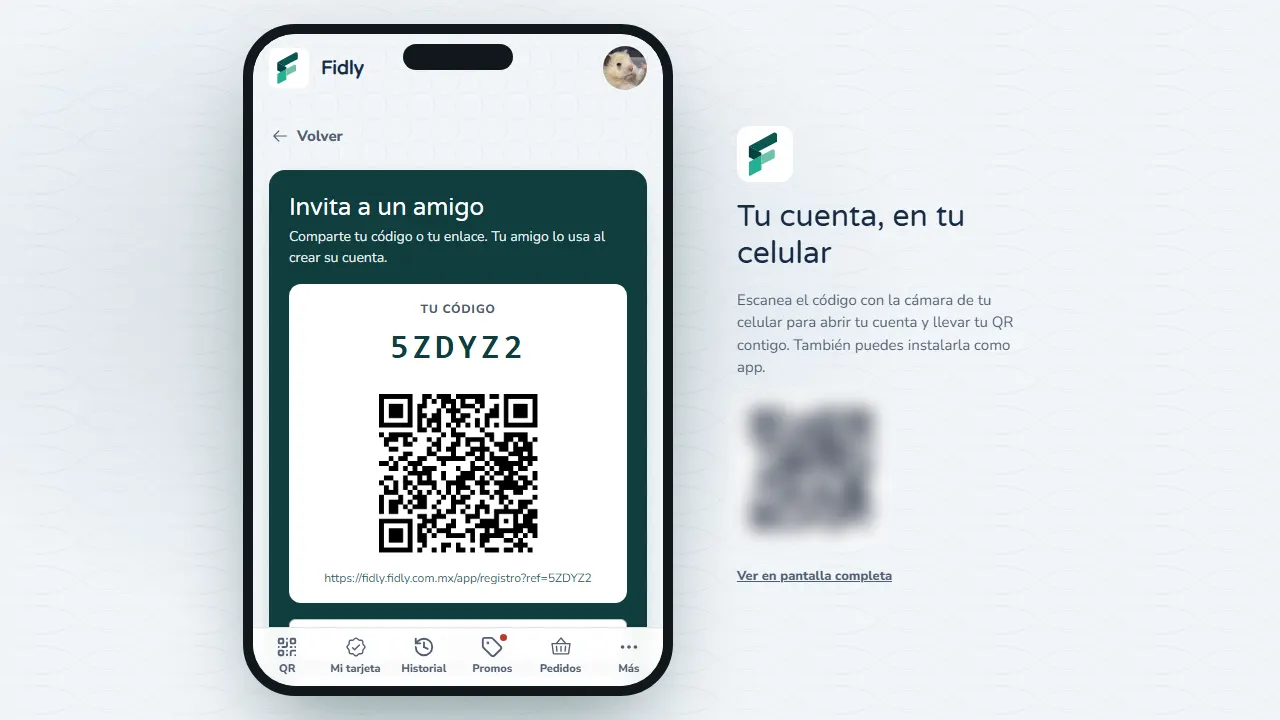
In the app, Invite a friend shows their code, a QR and buttons to send the link on WhatsApp or copy it. The code also prints on their receipt.
Link it at the register
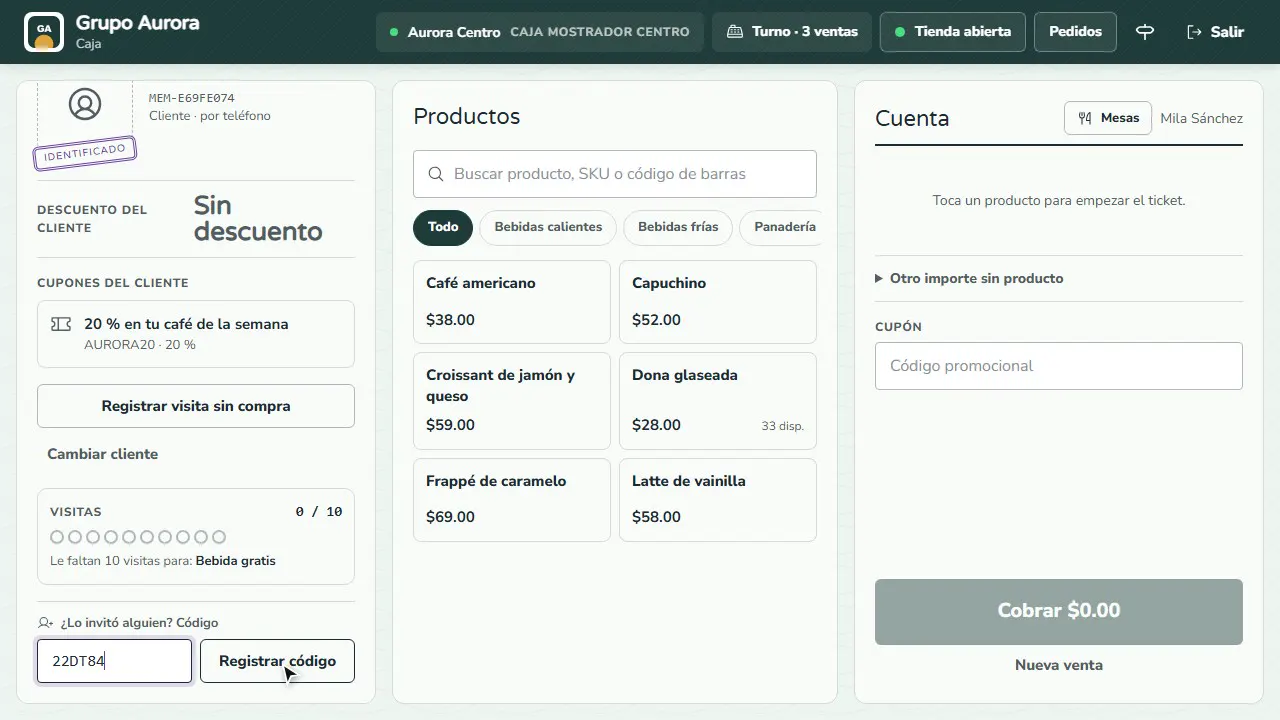
If the friend didn't use the link, identify them at the register and type the referrer's code under Did someone invite them?. Tap Link code and confirm with your cashier code. It only shows before their first purchase.
See who invites
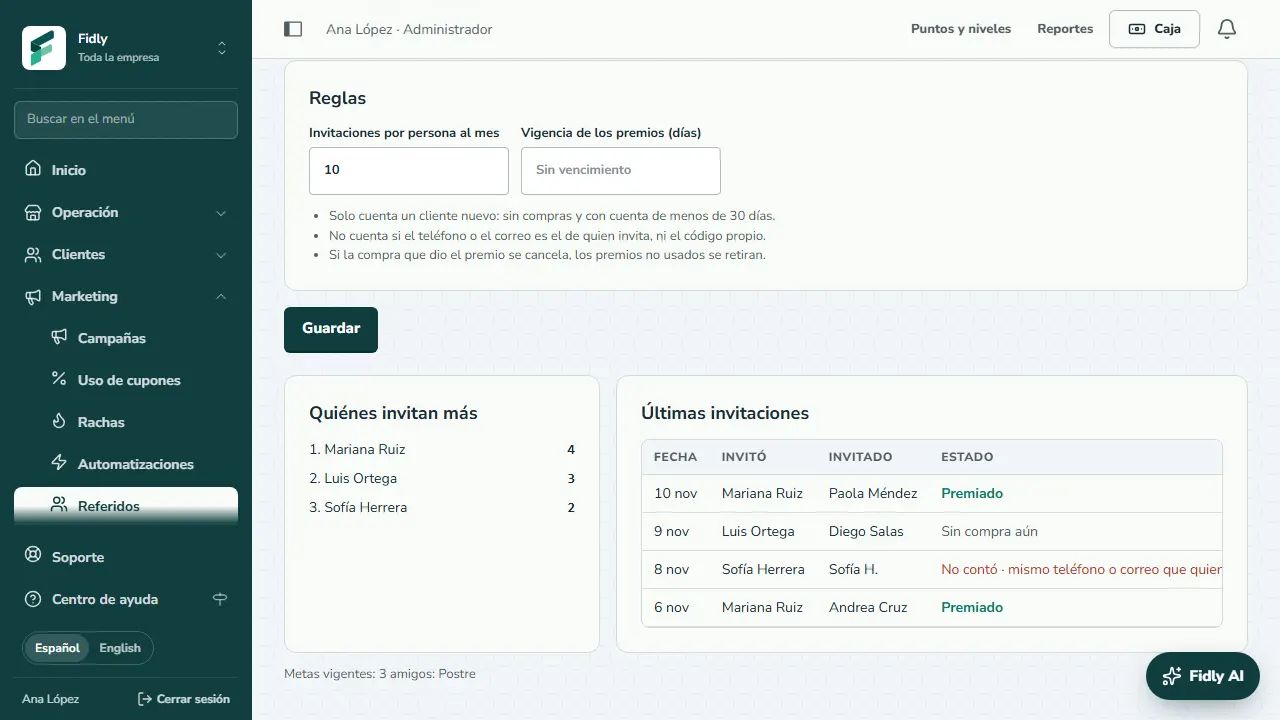
At the bottom you see Top referrers and the Latest invites: rewarded, no purchase yet or didn't count (with the reason), and whether it came from the app or the register.
What Fidly checks for you
- New customers only. The friend must have no purchases and an account under 30 days old.
- No obvious tricks. One's own code doesn't count, nor a friend with the same phone or email as the referrer, and each person can invite up to the monthly limit you set (10 by default).
- Cancelled purchases. If the purchase that earned the reward is cancelled, unused rewards are withdrawn.
- Alerts. The referrer gets an alert when a friend uses their code and when they are one friend away from their next goal.
Common mistakes
- Leaving the module off in the app. If you see that the «Referrals» module is off in the app settings, your customers don't see «Invite a friend» even with the program on.
- A free item with no linked product. If the reward is a free item and you don't pick the product, the register doesn't apply it on its own: the cashier hands it out with «Redeem» and its cost can't be calculated.
- Overlapping campaigns. Two campaigns can't share days: one must end before the next one starts.
Tips
- A small, clear welcome gift («10% off your first purchase») gets the friend to accept; save the bigger reward for the referrer.
- Use the extra reward when the friend comes back if what matters to you is that the new customer returns, not just tries you once.
- Check What it costs: the cost per new customer tells you whether the program is cheaper than a campaign.