What it is
In Reports › App usage you see, live, how your customers use your brand's app:
- Open now: apps with the screen on in the last 2 minutes (each phone counts once), and how many of them from the installed app.
- Used the app today: how many phones and how many customers opened it today.
- Installs: phones that opened the app from their home screen; active installs are those from the last 30 days.
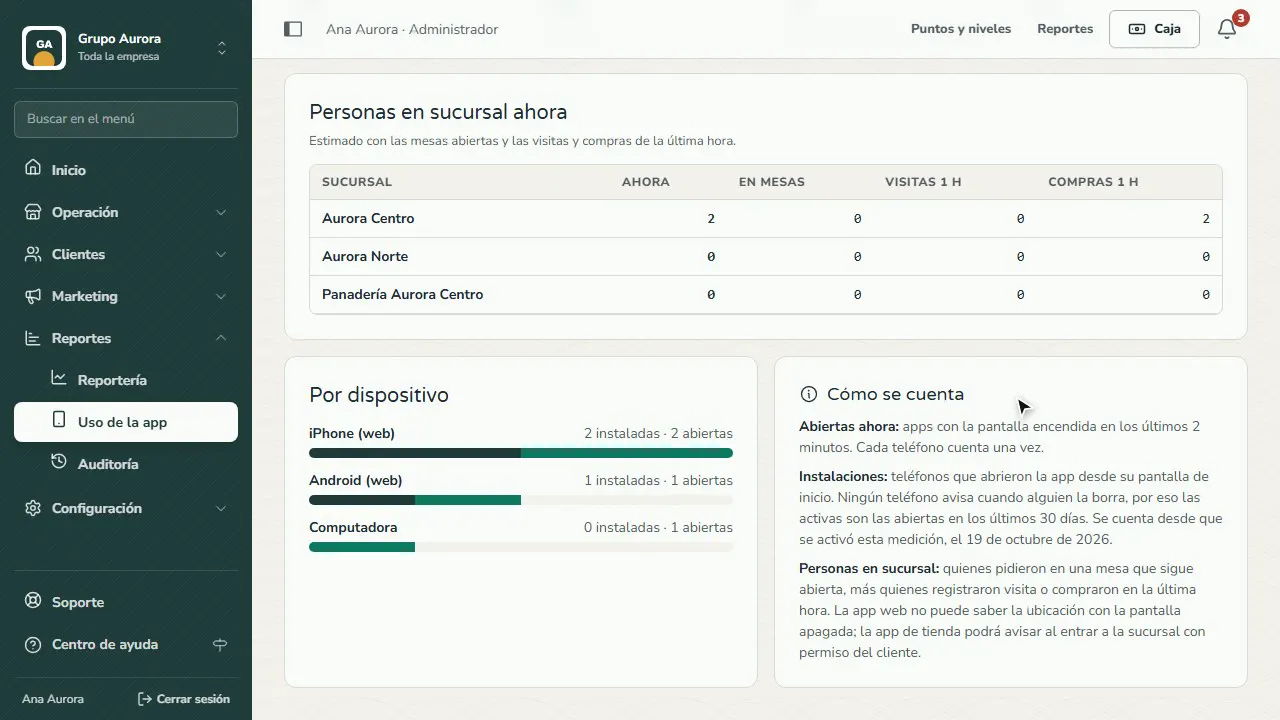
- People at the branch now: an estimate based on open tables and the visits and purchases in the last hour.
- By device (iPhone, Android, computer) and by brand app.
The screen refreshes on its own every 30 seconds.
Step by step
Open App usage
In Reports › App usage you see how your customers use your brand's app; it refreshes on its own, live.
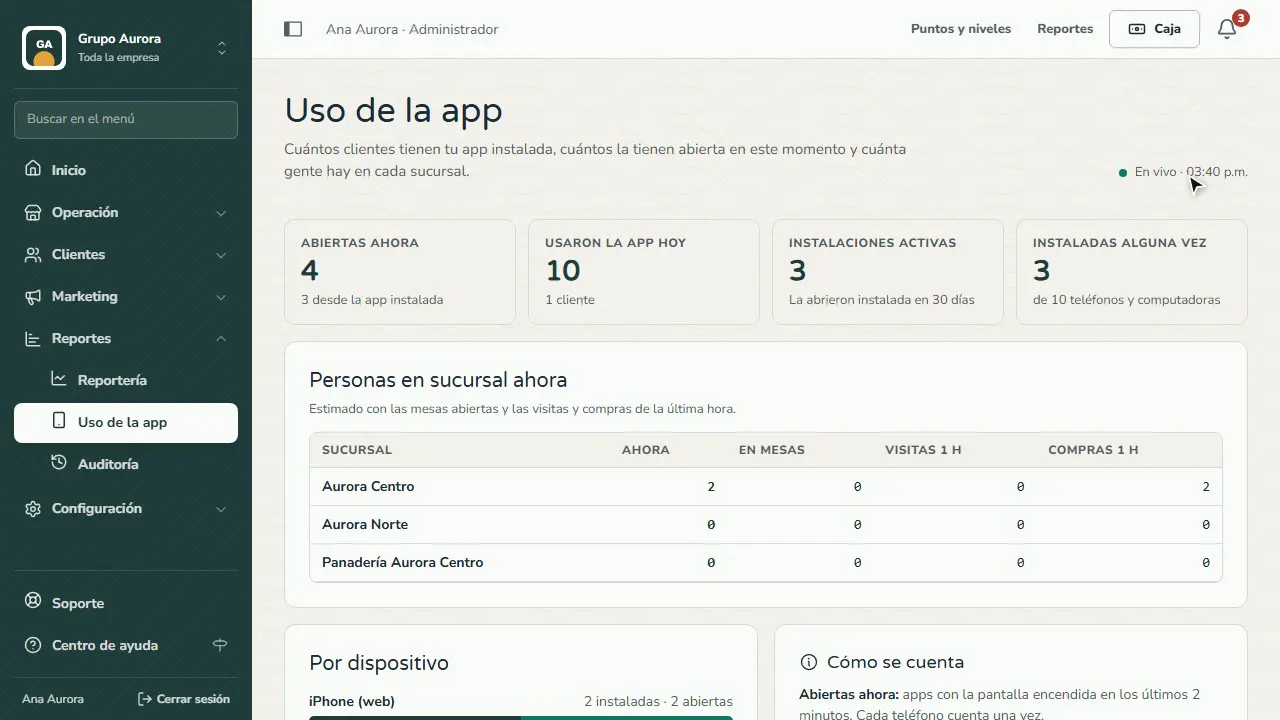
Who has it open
Open now: apps with the screen on in the last 2 minutes. Used the app today: today's phones and customers.
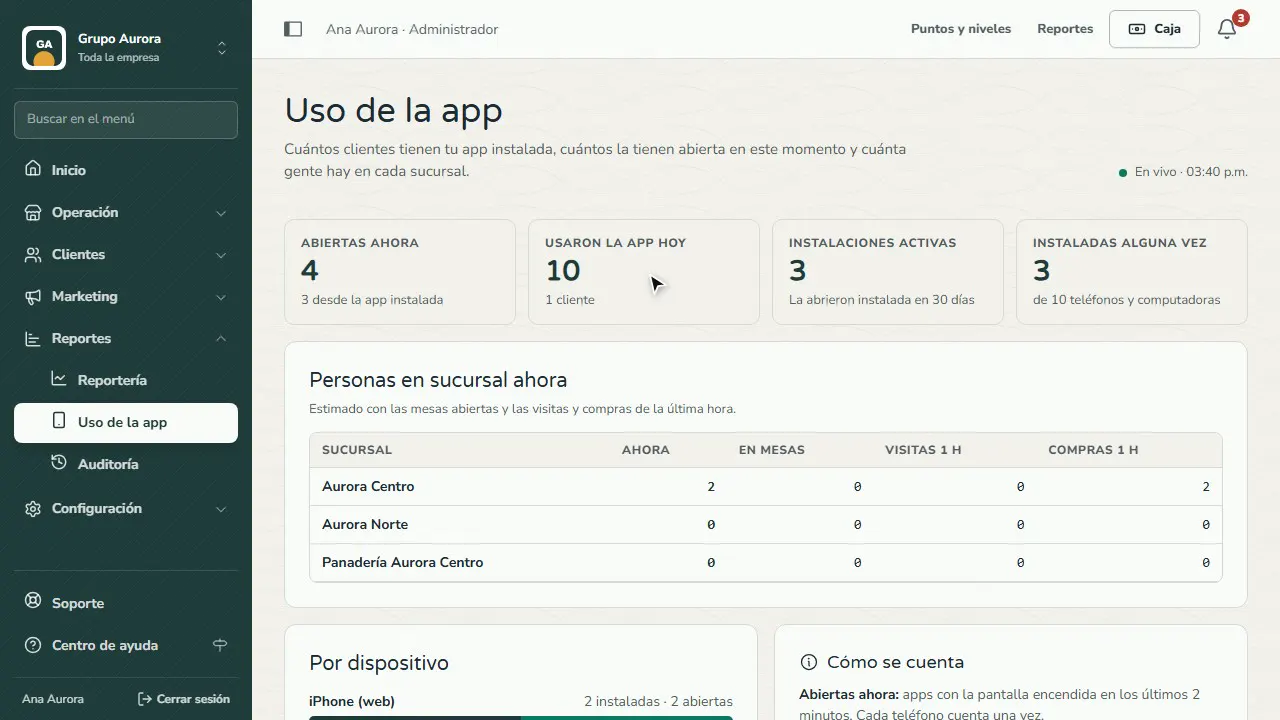
How many installed it
Installs are phones that open the app from their home screen; active ones are those from the last 30 days.
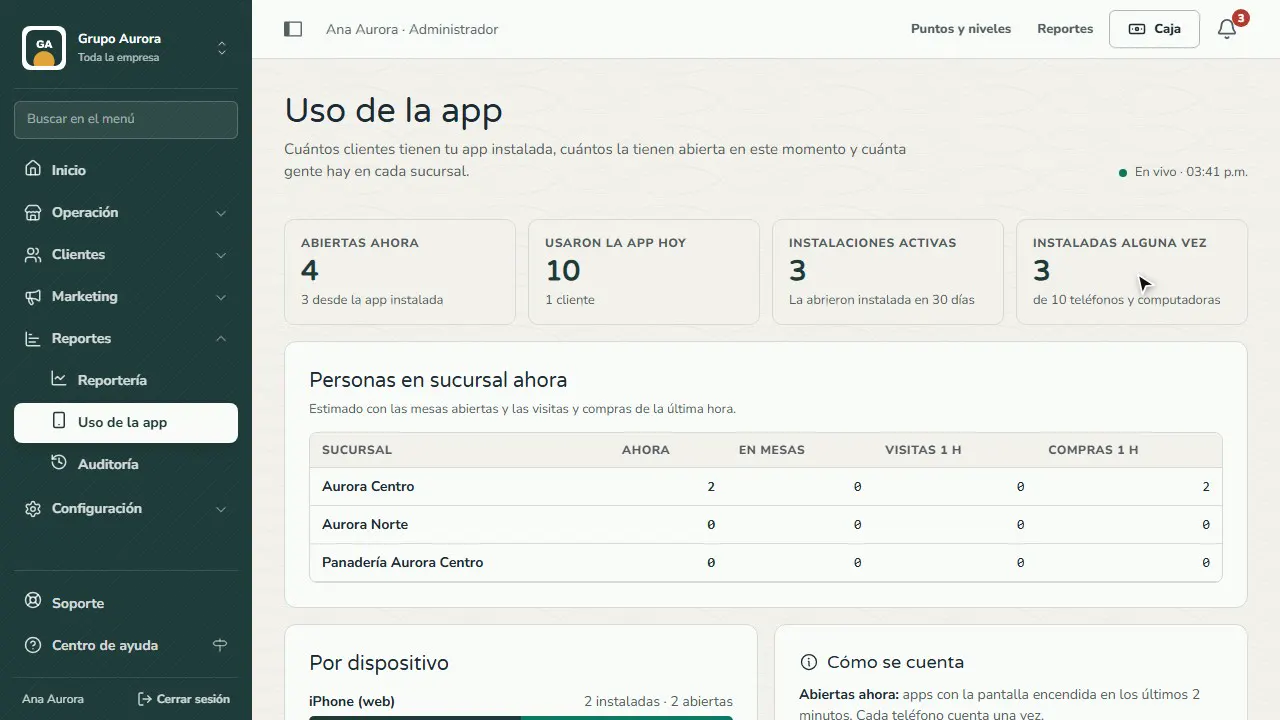
People at each branch
An estimate of how many people are at each branch right now, based on open tables and the visits and purchases in the last hour.
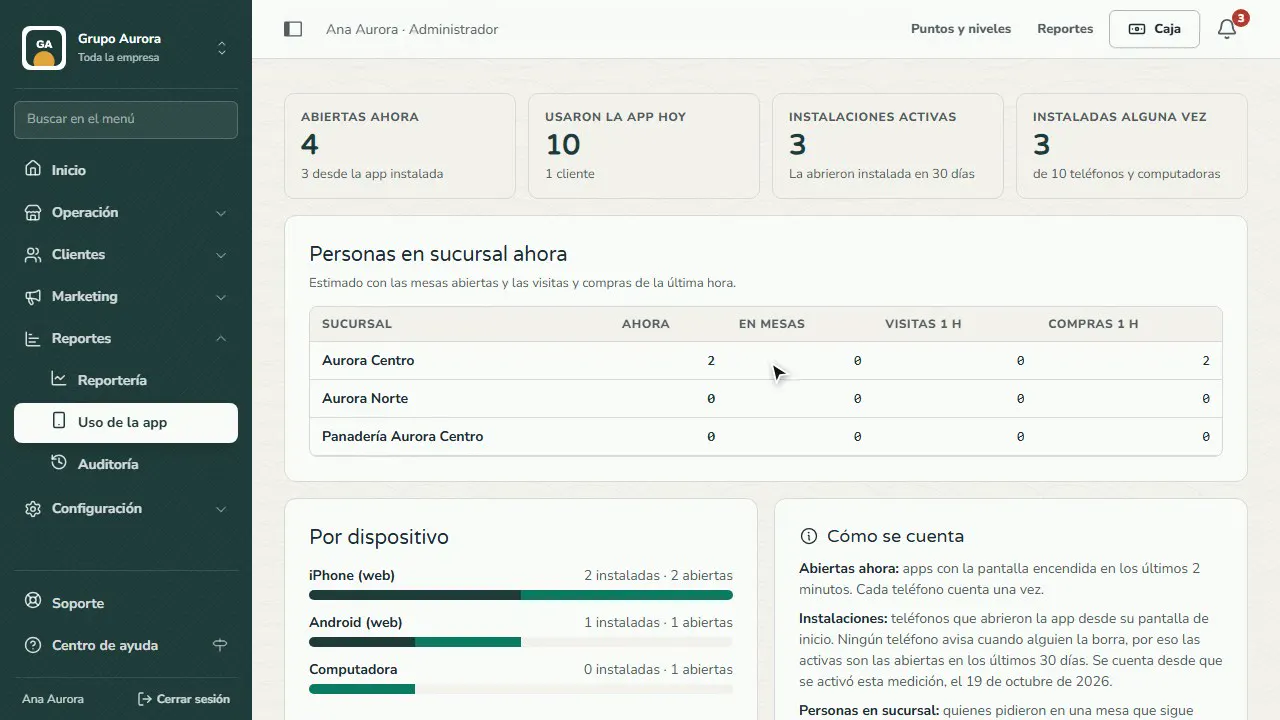
By device and by brand
How many are iPhone, Android or computer (and, if you have several brands, which app); How it's counted explains each number.
Common mistakes
- Confusing installed with signed up. A customer can use the app from the browser without installing it.
- Expecting their real-time location. The web app doesn't know where the customer is when the screen is off; people at the branch are estimated from their visits and purchases.
Tips
- Ask your customers to add the app to their home screen: that way they get push notifications and it counts as installed.
- Compare installs before and after you put the QR on the counter.