What it is
Reports › Audit log keeps a record of every important action: customers added and removed, sales and discounts, voids, orders, and changes to branches, cashiers, customer types, campaigns, admins and permissions.
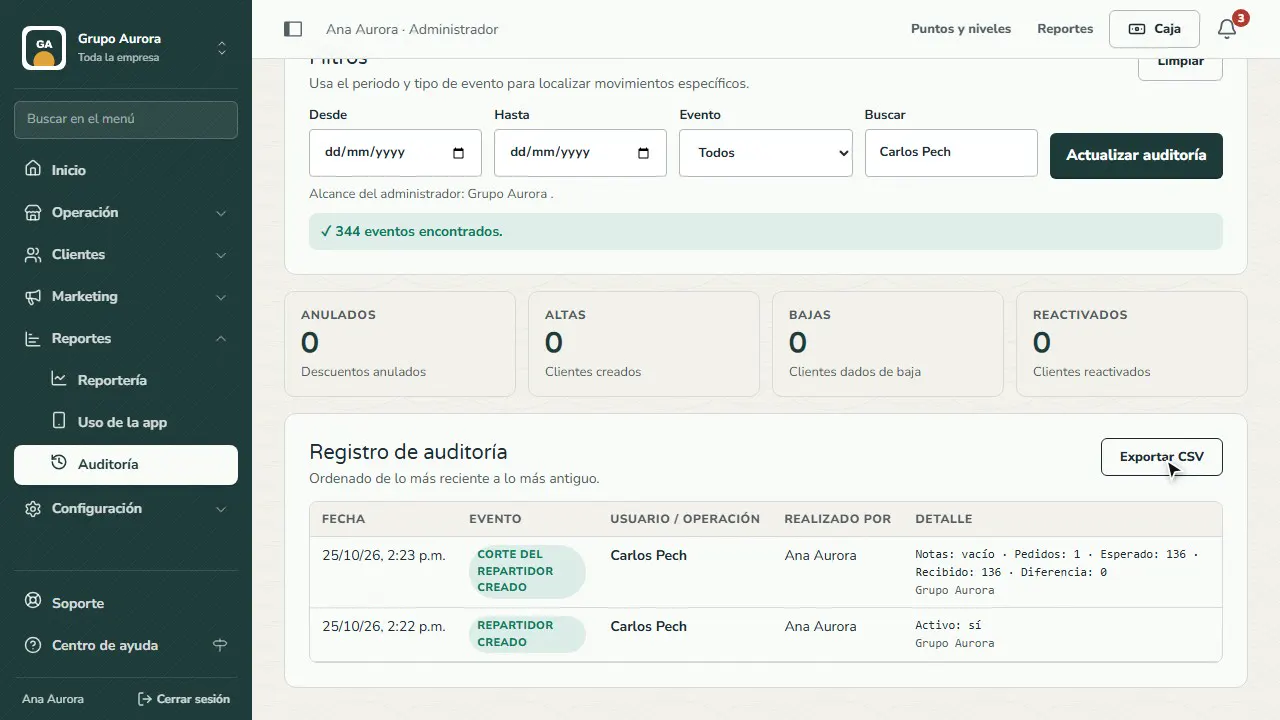
Each row tells you what happened, who or what it affected, who did it and the details (which value changed and to what). At the top you see the totals for voids, added, deactivated and reactivated customers.
Filter by period and event, or type a name, order number or code in Search. Export CSV downloads whatever you have filtered.
Step by step
Open the Audit log
Reports › Audit log records every action in the dashboard, the Register and the app: new records, changes, sales, orders, voids…
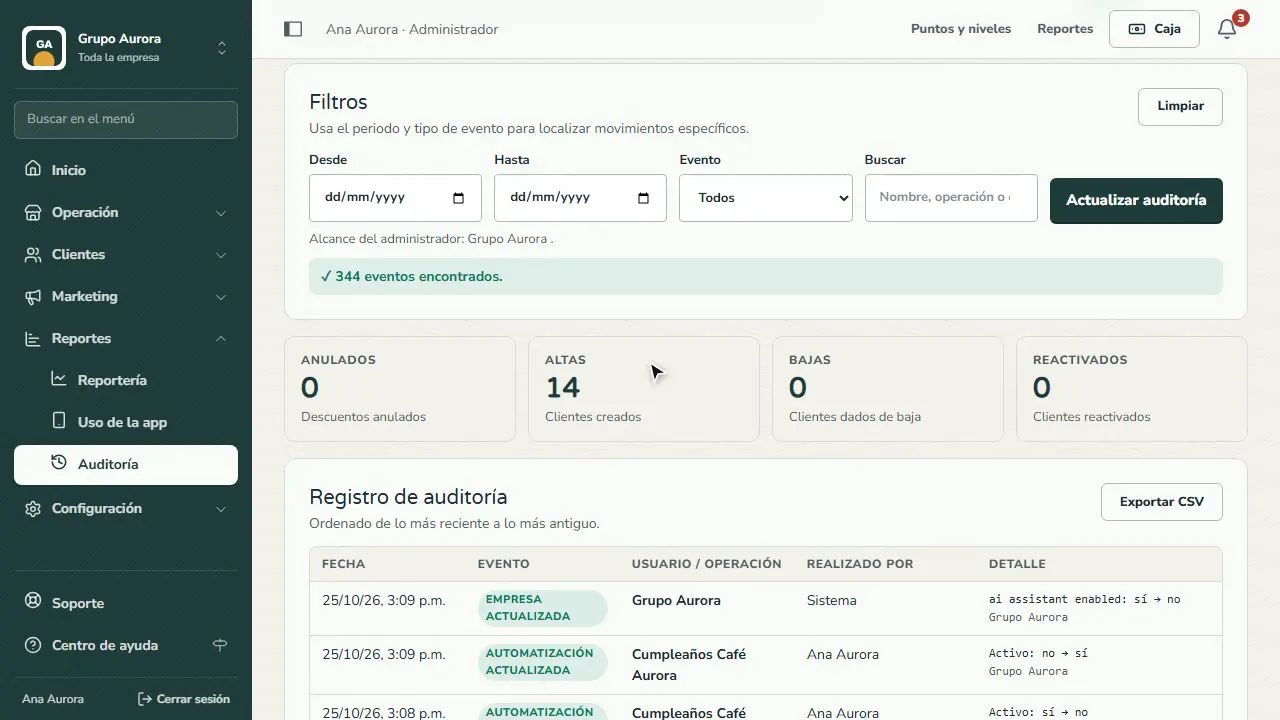
Filter by event type
Choose an Event (here, Orders delivered) or a period and tap Refresh audit log.
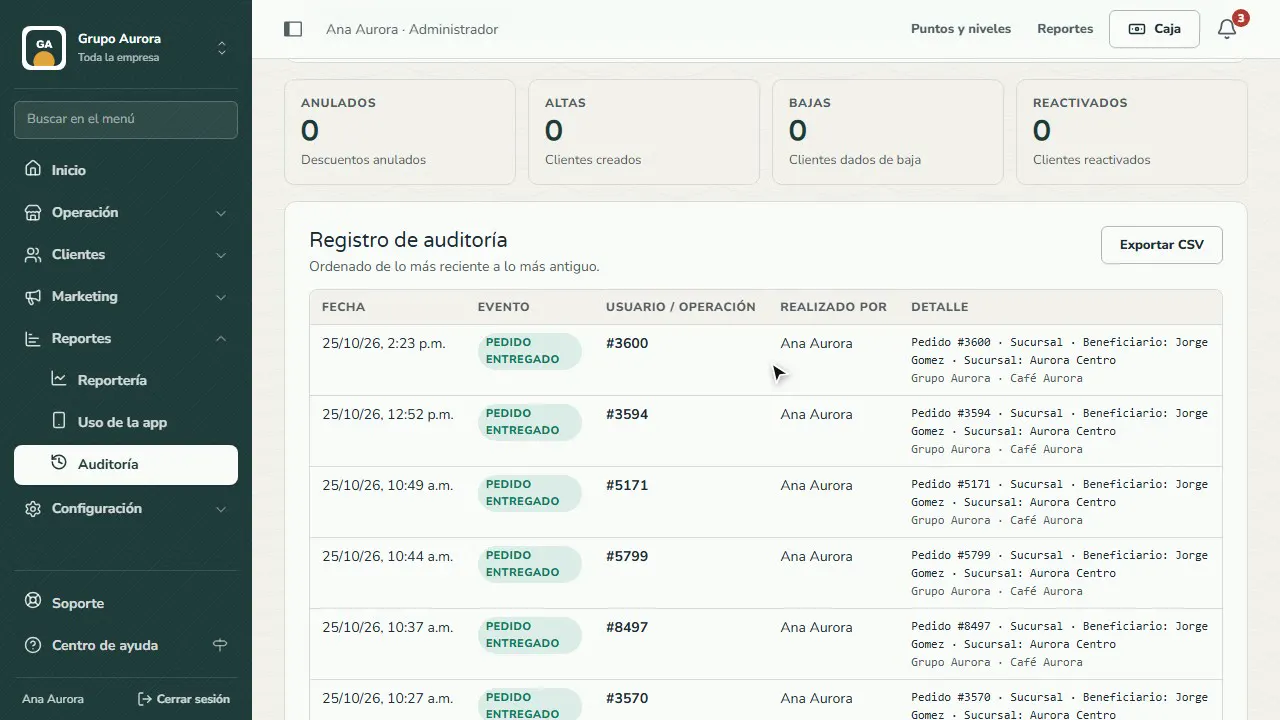
Search for a person
Type a name, an order number or a code: you see everything done with that person or transaction.
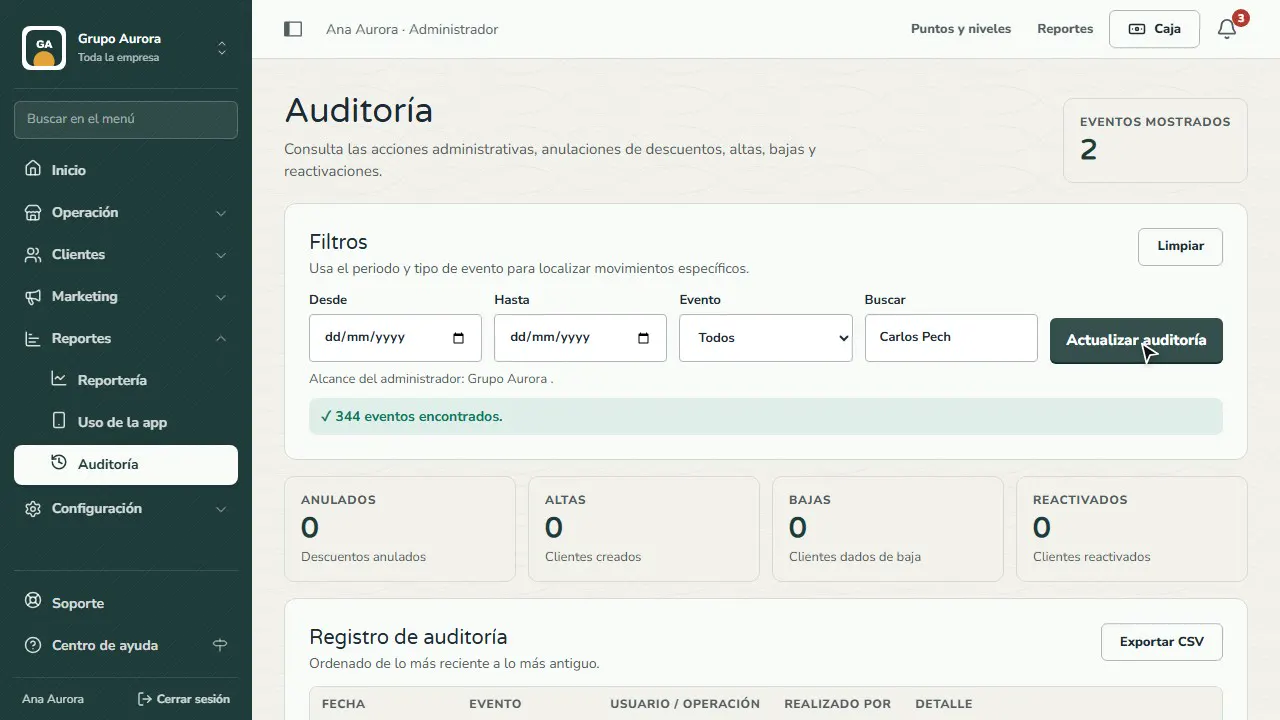
See who did what
Each row shows the event, who or what it affected, who did it and the details: which value changed and to what.
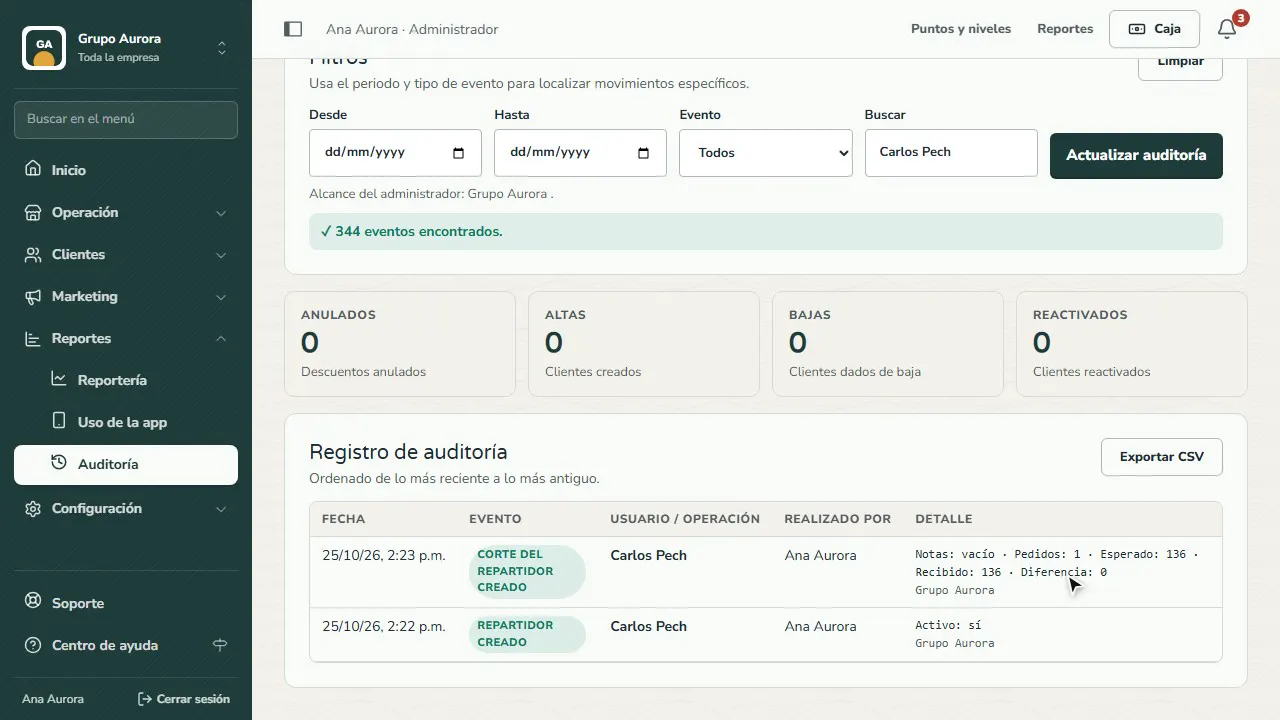
Export it
Tap Export CSV to open it in Excel or save it; whatever you have filtered gets exported.
Common mistakes
- Searching without clearing the previous filter. Tap Clear before a new search.
- Expecting the details of each sale here. Sales with their products are in Reports; here you see the events and who did them.
Tips
- Check voids every week: if they keep coming from the same cashier, it's worth a conversation.
- Give the Audit log permission to whoever supervises (Auditor or Register supervisor roles).