What it is
Each brand has its own app (it opens in the browser and can be installed on a phone). Your customers get in from your branch's sign-up QR or from its link, and there they see everything they earn at your business.
- QR: their card, which refreshes itself every minute. They show it at the register and their discount, visit and points are applied. If they can't show it, Generate a code for the register gives them a single-use code that's valid for 5 minutes.
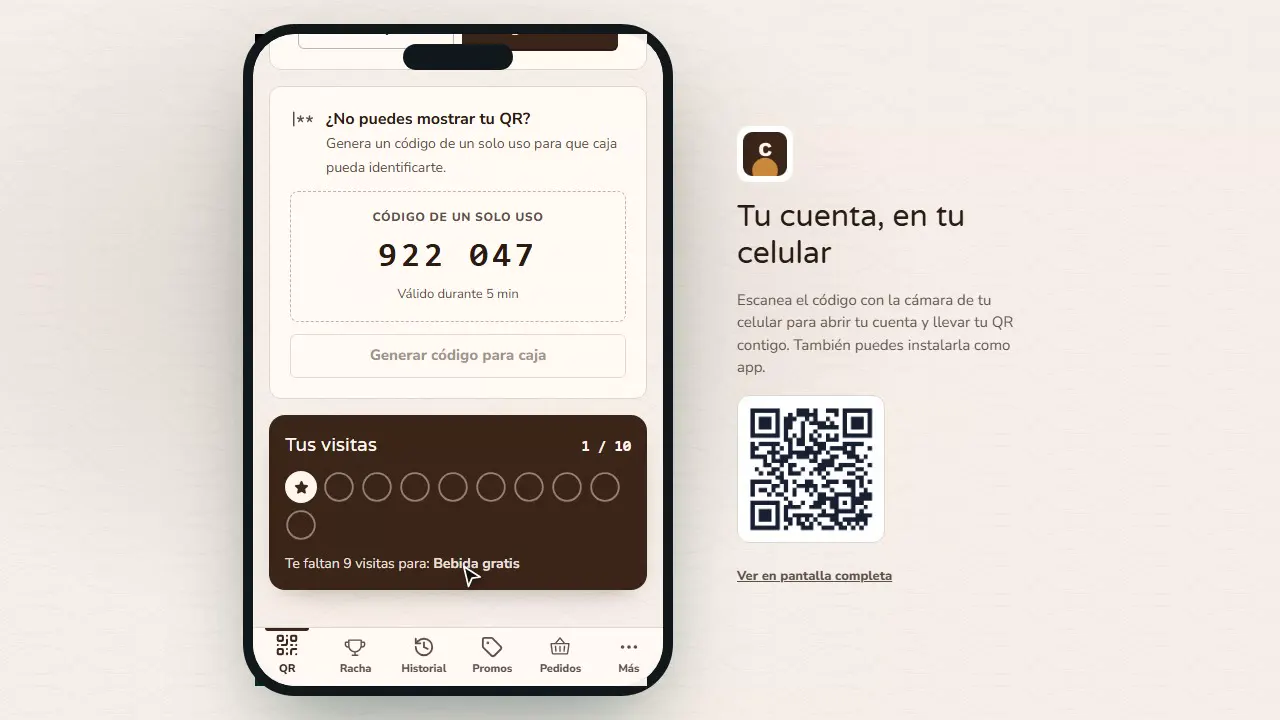
- Your visits: the stamps toward your visit reward and how many are left.
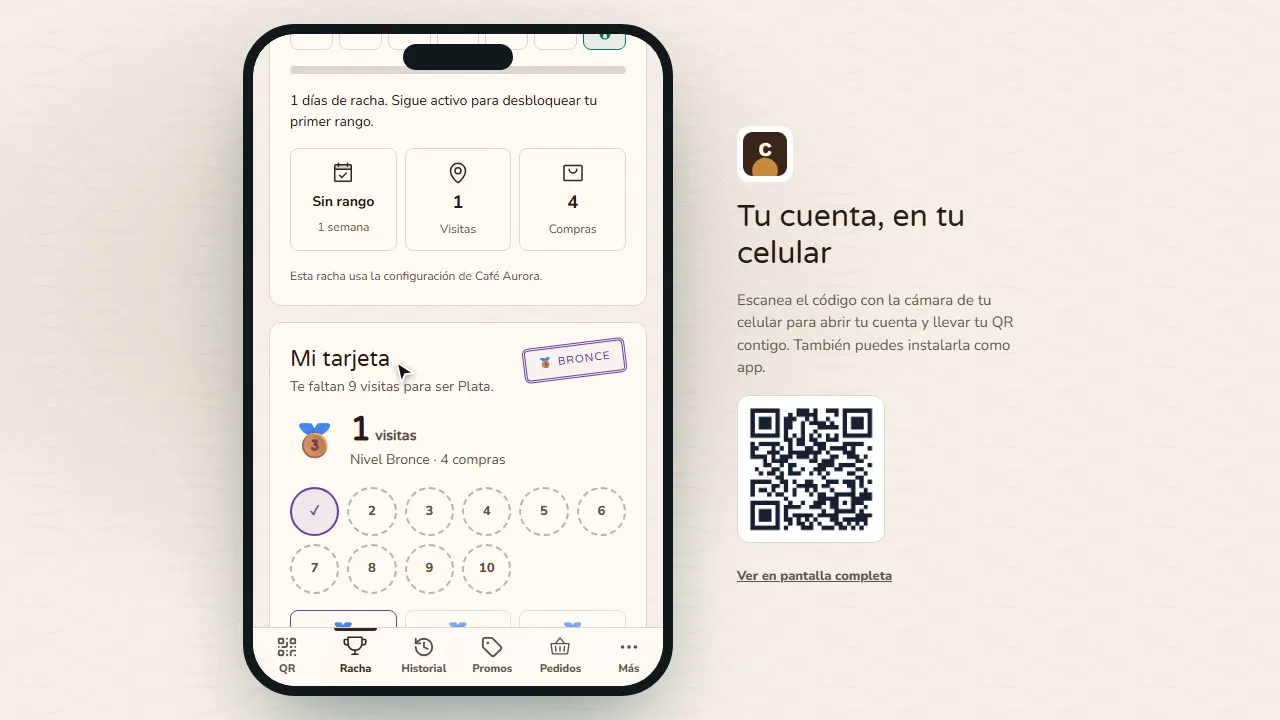
- Streak: how many days in a row they've come in and their tier (Bronze, Silver, Gold…).
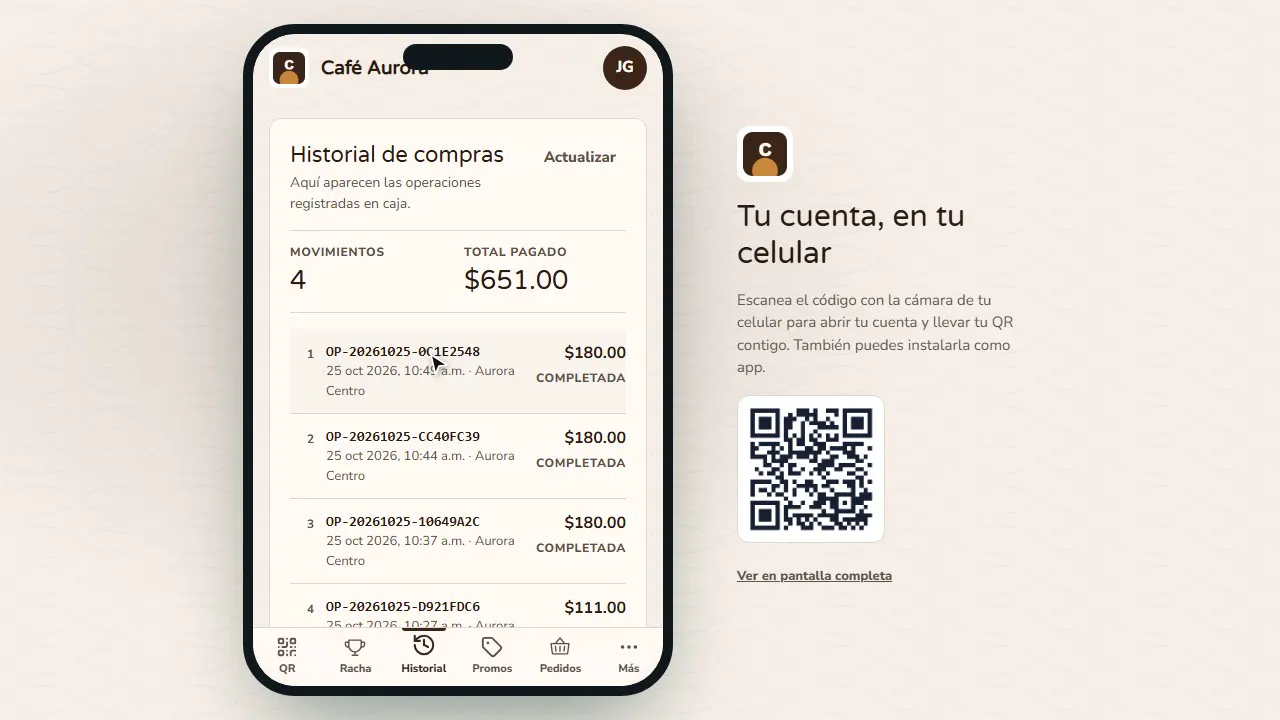
- History: every purchase charged at the register.
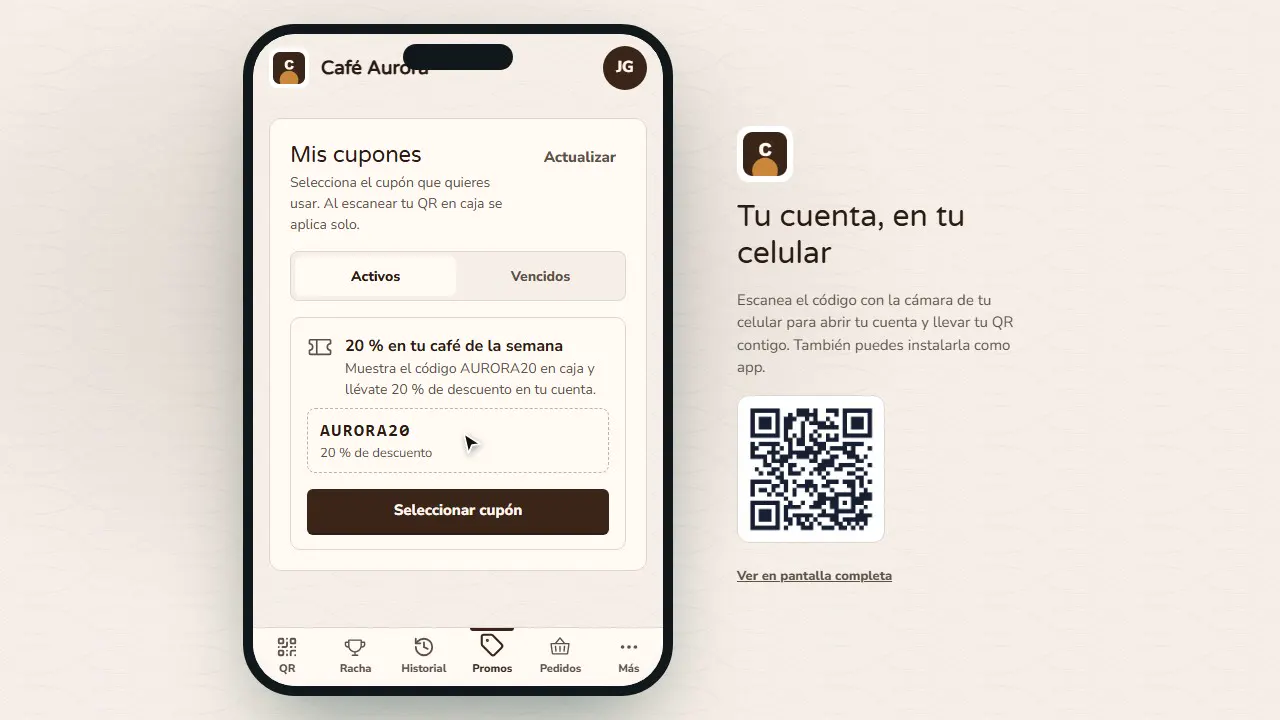
- Promos: the coupons from your campaigns; they're applied automatically when their QR is scanned.
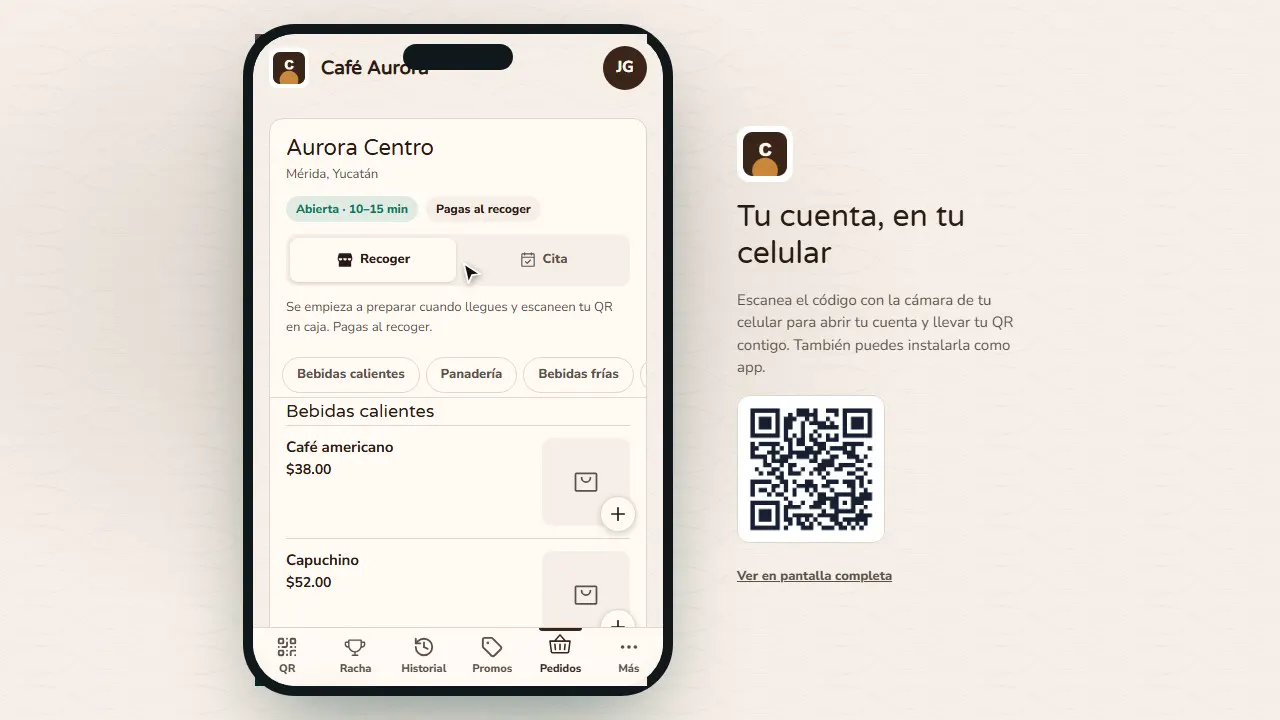
- Orders: order for pickup or book an appointment, if your plan includes them and you turn them on.
What shows up depends on what you set up in the dashboard: visit rewards, streaks, tiers, campaigns and orders.
Step by step
Their QR in the app
When they open your brand's app, your customer sees their points and their QR, which refreshes itself every minute: they show it at the register and their benefit is applied.
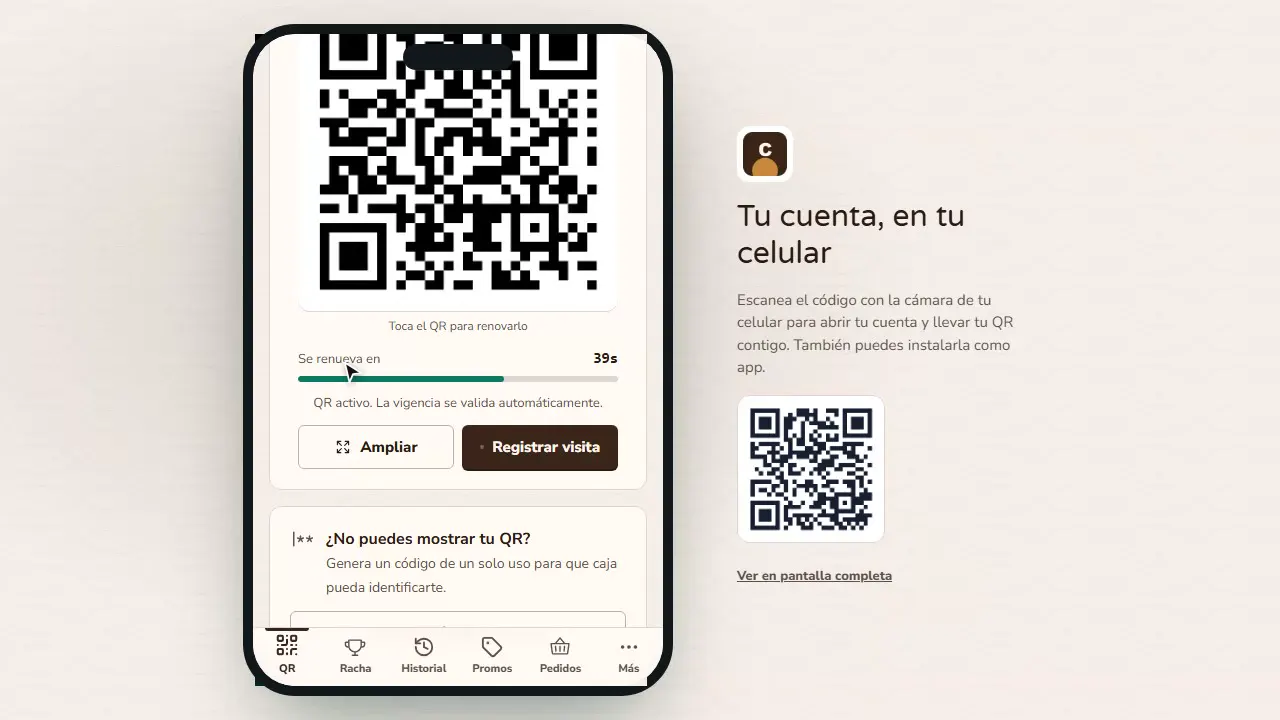
No QR? A code
If they can't show the QR, they tap Generate a code for the register: a single-use code, valid for 5 minutes, that the cashier types in.
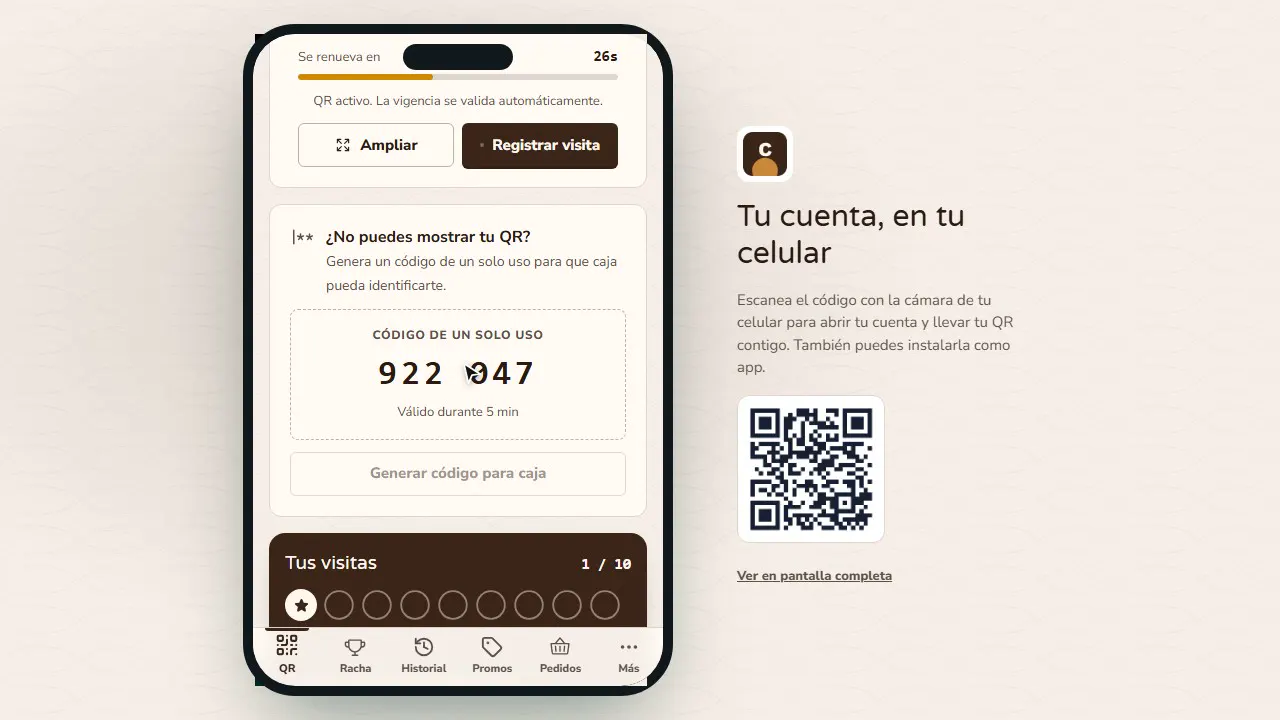
Their visits
In Your visits they see their stamps and how many visits are left until their reward.
Streak and tier
In Streak they see how many days in a row they've come in and their tier (Bronze, Silver, Gold…), plus what they need to move up.
Their history
History lists every purchase charged at the register, with its branch and total.
Their coupons
Promos holds the coupons from your campaigns; when their QR is scanned at the register, they're applied automatically.
Order from the app
In Orders they order for pickup or book an appointment, if your plan includes them and you turn them on.
Common mistakes
- Asking the customer for a photo or screenshot of the QR. The QR refreshes every minute; have them show it from the app or use the register code.
- Not putting the sign-up QR on the counter. It's the easiest way to get them to sign up (see Sign-up QR).
Tips
- Ask your register staff to invite every customer to install the app on their phone.
- Launch a welcome campaign with a coupon so they have something in Promos from day one.
- Check Reports › App usage to see how many customers use it.